My Assets
The Assets section is where you upload and manage resources used across your models - fonts, vector graphics, images, 3D objects, textures, and scenes.

Overview
Assets are resources that your models reference - fonts for 3D text, images for textures, vector graphics for extrusion, 3D objects for import, and scenes for environment lighting. The "All Assets" view displays everything together. Each asset type has its own section with a dedicated upload button. Assets are shared across all models in your workspace.
Fonts
Fonts determine the shape of 3D text when connected to Text nodes. You can choose from Google Fonts or upload your own custom font files.
Vector Graphics
Upload vector graphics for use in 2D and 3D workflows. Vector files can be imported into the Editor for extrusion into 3D geometry, used as cutting profiles for CNC paths, or referenced as design overlays.
Images
Upload image files for use within the Editor. Images can serve as texture sources, visual references, or overlays applied to geometry.
Objects 3D
Upload 3D object files for import into the Editor. Use them as reference geometry, combine with parametric models, or manipulate within the node graph.
Textures
Texture resources are applied to materials on surfaces and solids in the 3D viewport. Upload texture maps and connect them to Material nodes in your graph. The viewport previews textures in real-time.
Scenes
Scenes control the lighting and atmosphere in the 3D viewport. They provide reflections on materials and set the overall environment ambience. Upload scene files to change how your model looks in the Render display mode.
Uploading Resources
Each asset section includes a dedicated upload button. Click it to open a file picker, select your files, and confirm - the resource is added to the respective section immediately and becomes available for use in any model within your workspace.
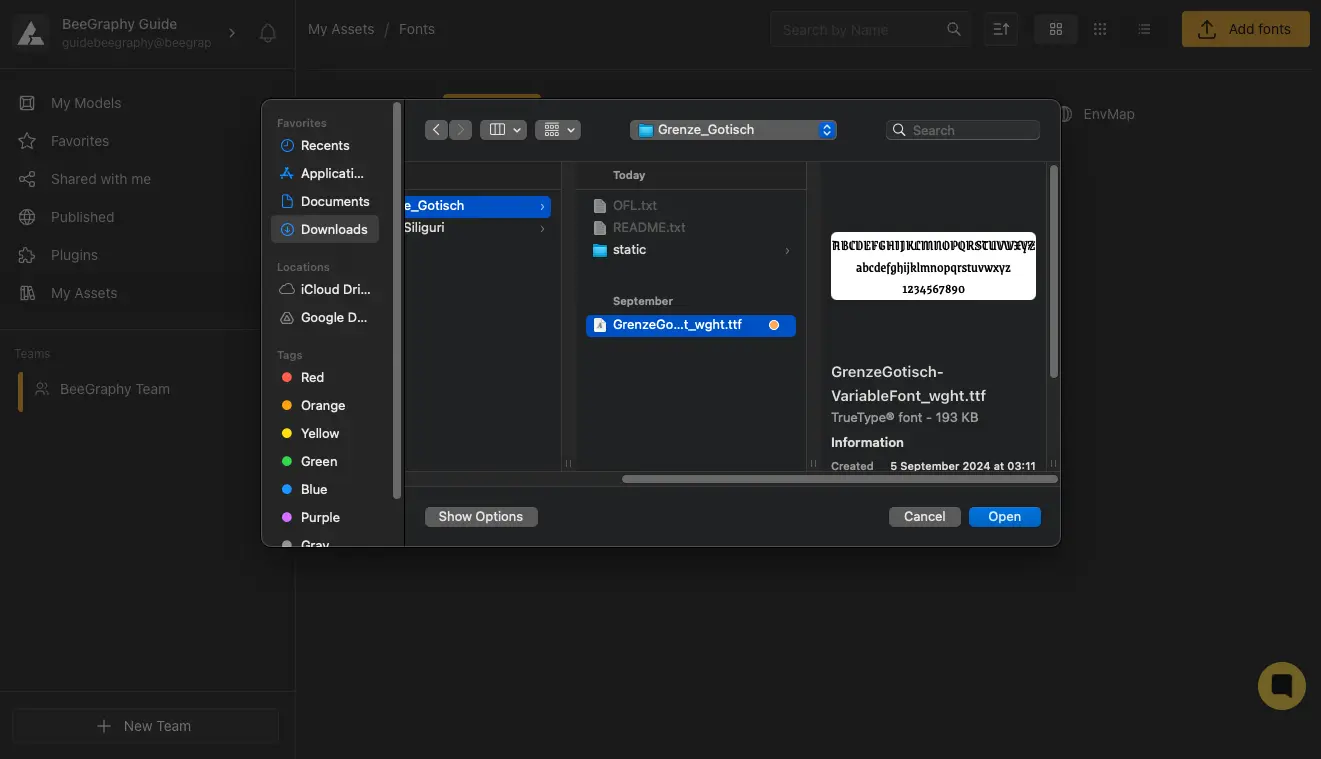
Uploading a font asset
Learn More
Editor Workspace
Models, teams, plugins, and workspace home
→
BeeGraphy Editor
Geometry, 3D viewport, capabilities, and shortcuts
→
Node Reference
Font, Image, Texture, Material, and Vector Graphics input nodes
→
Help Center - Editor
Step-by-step guides for uploading and managing assets
→