Text
Text geometry and string manipulation - convert text to 3D shapes, join, split, search, and transform strings.
12 nodes in this group
Text to Geometry
Convert text strings into curve geometry for 3D modeling, extrusion, and fabrication.
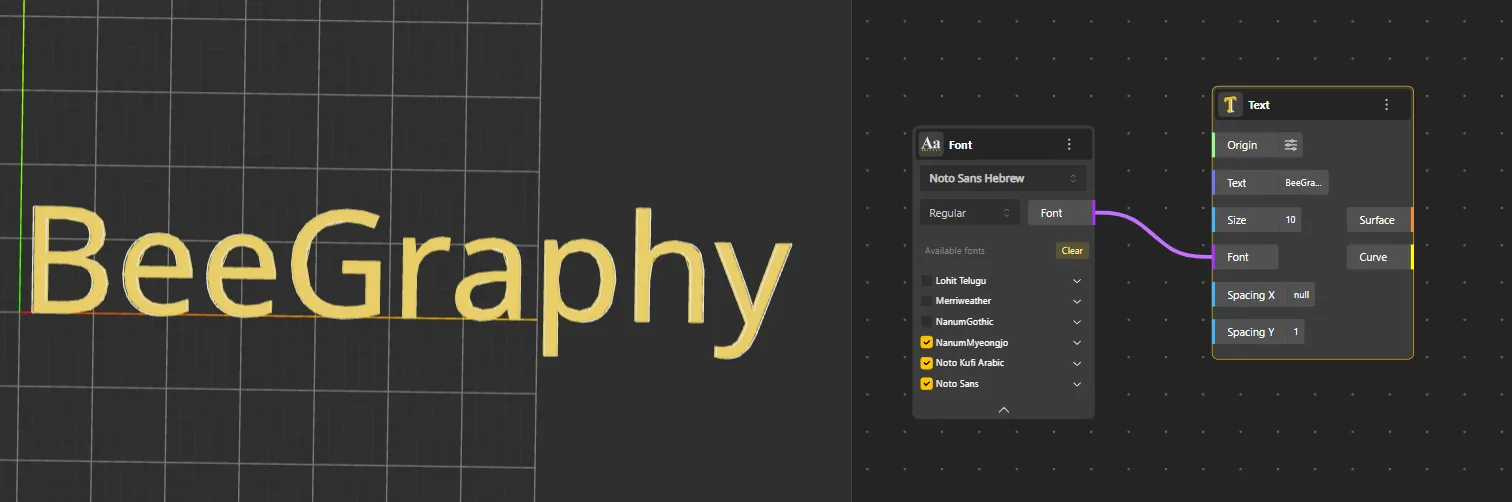
Text
Behavior
Converts any written text into geometry. Provide a font and text string, and the node generates the corresponding curve shapes for each character. The output can be extruded, transformed, or sent to fabrication. Requires a Font input node with a pre-uploaded font from the Assets panel. Each character becomes a separate closed curve. The output is curve geometry - extrude it with Extrude Curve to create 3D text.
Inputs
Font, String
Outputs
Curves
Pairs With
Font, Extrude Curve, Move
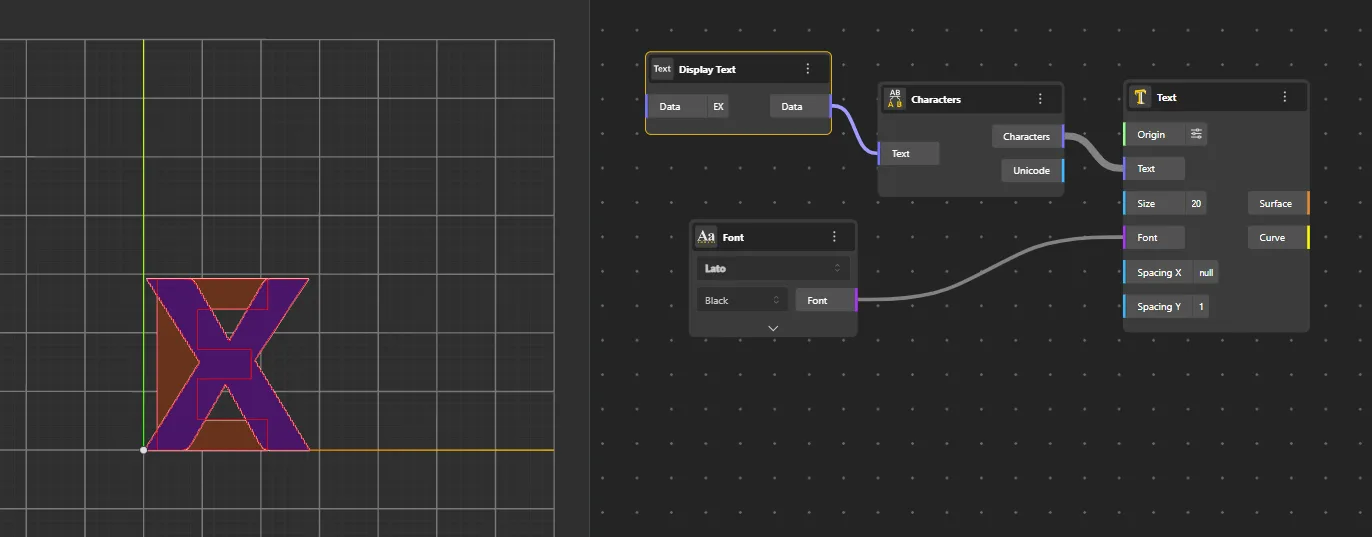
Characters
Behavior
Breaks a text string into individual characters and generates each one as separate geometry positioned at the same origin. Useful for per-character manipulation like spacing, rotation, or color.
Inputs
String
Outputs
Characters
Pairs With
Text, Move, Linear Array
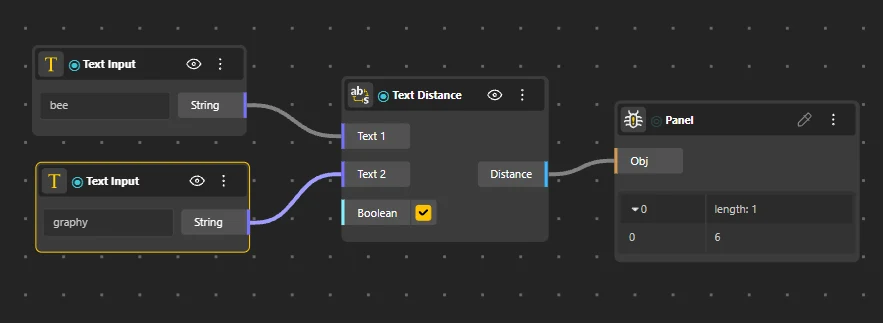
Text Distance
Behavior
Calculates the similarity or "distance" between two text strings. Returns a numeric value indicating how different the strings are - useful for comparisons or pattern matching.
Inputs
String A, String B
Outputs
Distance
Pairs With
Match Text, Replace Text
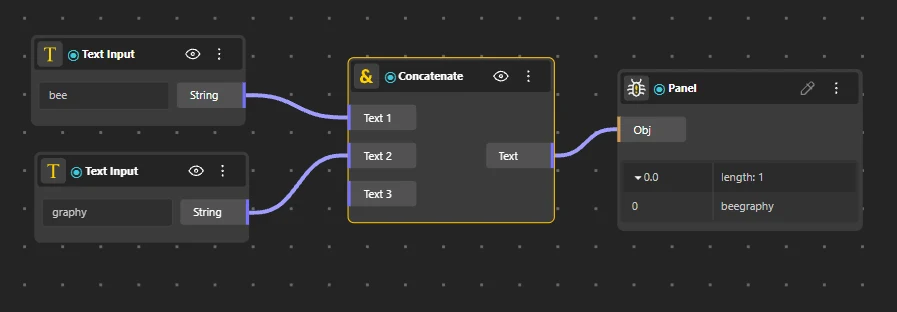
Concatenate
Behavior
Merges multiple text inputs into a single continuous string. Inputs are joined in port order with no separator between them. "Hello" + "World" → "HelloWorld". For a separator between parts (like a space or comma), use Text Join instead. Additional input ports can be added via "add port" to concatenate 3+ strings.
Inputs
String A, String B
Outputs
Result
Pairs With
Text Join, Text
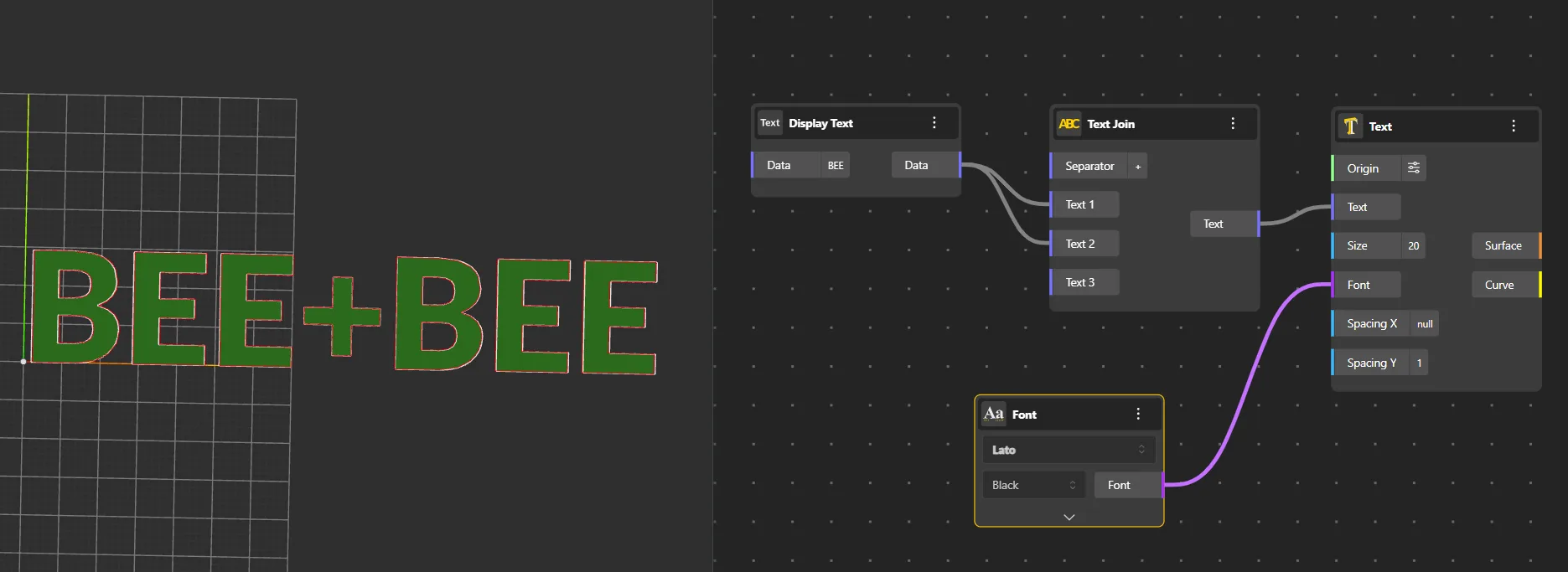
Text Join
Behavior
Combines multiple text strings using a specified separator between each element. The separator can be any string, number, or special character. Unlike Concatenate which joins without separator, Text Join inserts the separator string between each input. Useful for building CSV data, paths, or formatted labels.
Inputs
Strings, Separator
Outputs
Joined
Pairs With
Concatenate, Text Split
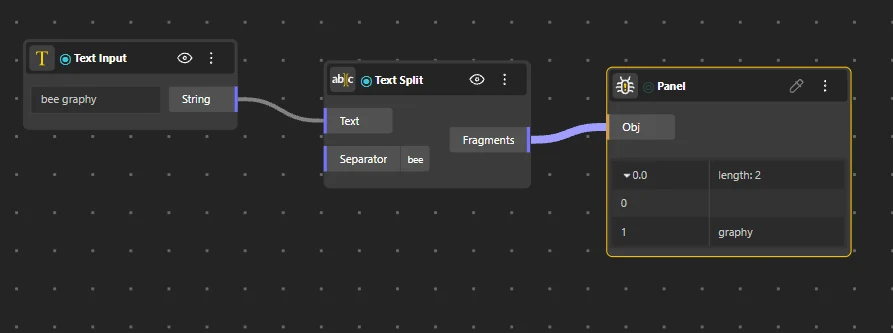
Text Split
Behavior
Divides a text string into a list of parts based on a delimiter or pattern. The inverse of Text Join.
Inputs
String, Delimiter
Outputs
Parts
Pairs With
Text Join, Text Fragment
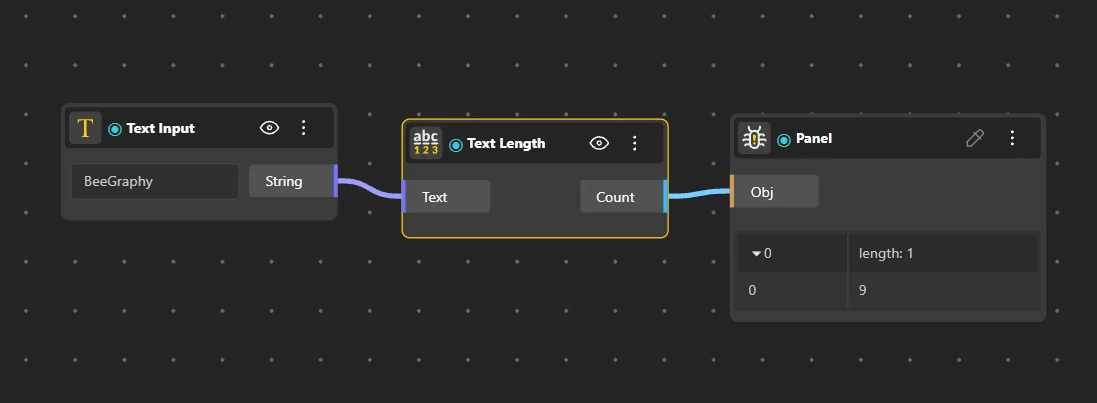
Text Length
Behavior
Returns the number of characters in a text string, including spaces.
Inputs
String
Outputs
Count
Pairs With
Text Fragment, Text Case
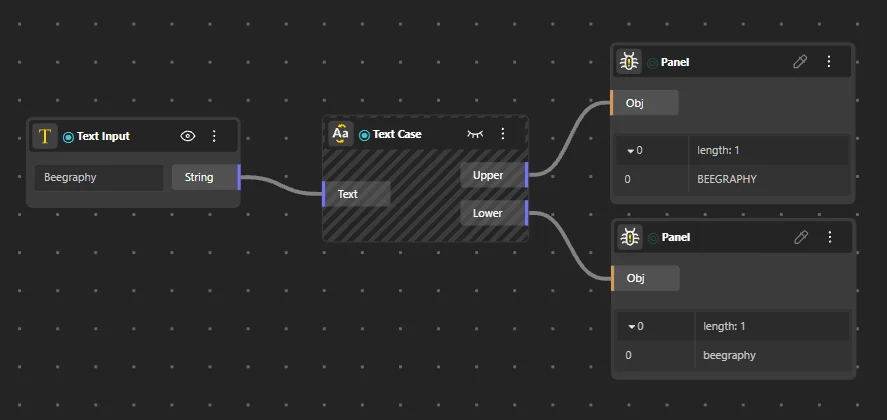
Text Case
Behavior
Changes the case of a text string. Supports uppercase, lowercase, and title case modes.
Inputs
String, Mode
Outputs
Result
Pairs With
Replace Text, Trim Spaces
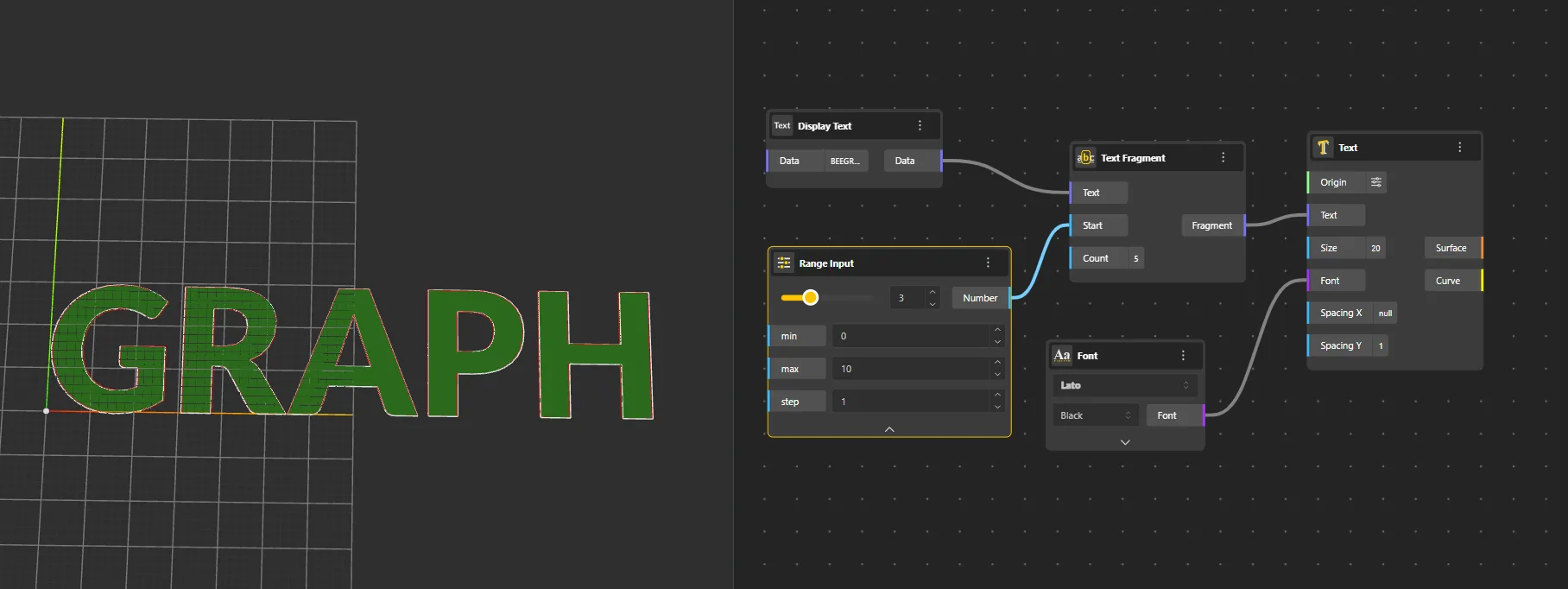
Text Fragment
Behavior
Extracts a portion of text based on start and end positions. Returns the substring between the specified indices.
Inputs
String, Start, End
Outputs
Fragment
Pairs With
Text Length, Text Split
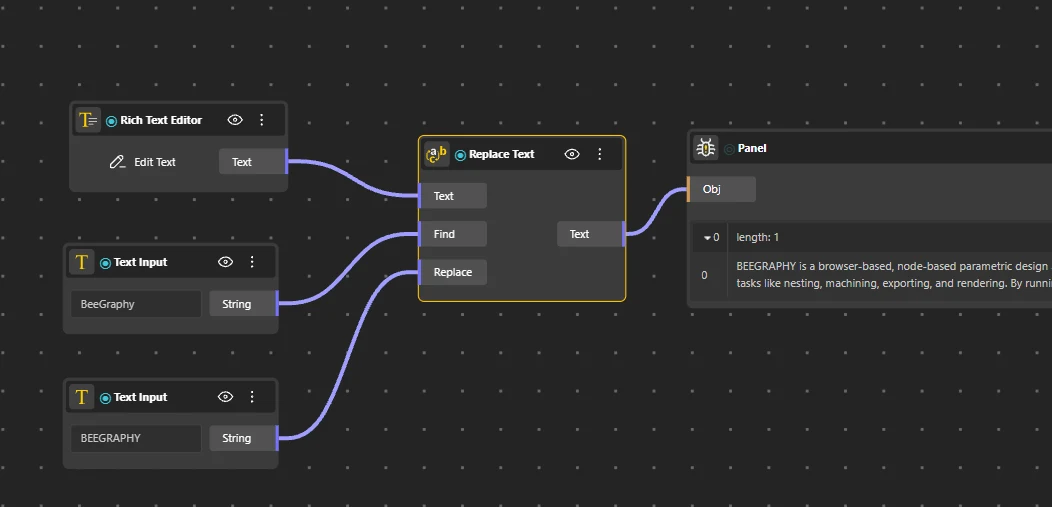
Replace Text
Behavior
Searches for a substring within a text string and replaces all occurrences with another string.
Inputs
String, Find, Replace
Outputs
Result
Pairs With
Match Text, Text Case
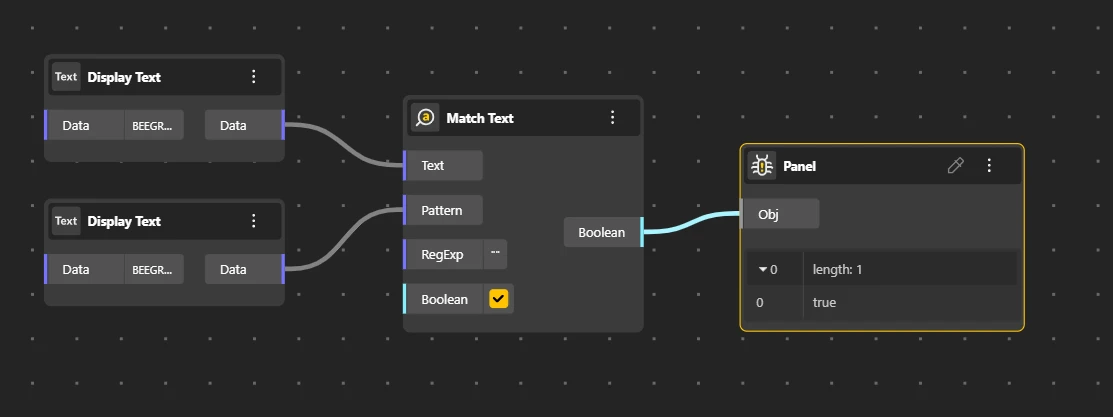
Match Text
Behavior
Finds occurrences of a specified substring or pattern within a text string. Returns a boolean indicating whether the pattern was found.
Inputs
String, Pattern
Outputs
Match
Pairs With
Replace Text, Text Distance
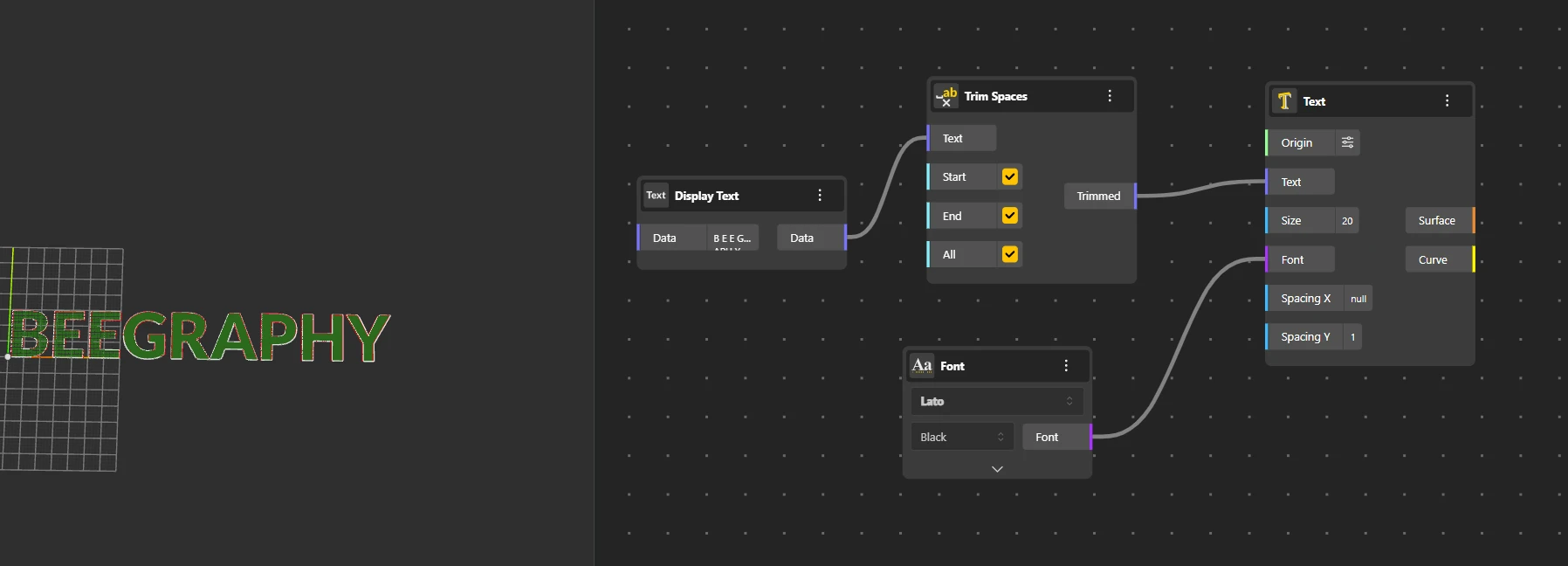
Trim Spaces
Behavior
Removes leading and trailing whitespace from a text string. Supports three modes: Start (leading only), End (trailing only), or All (both sides).
Inputs
String, Mode
Outputs
Trimmed
Pairs With
Text Case, Replace Text