Transformation
Affine transforms, array patterns, and grid generators - every node that moves, repeats, or arranges geometry.
24 nodes in this group
Affine Transformations
Single-instance transforms that translate, rotate, mirror, or scale the input geometry. Each node returns one output geometry - to keep the original alongside the transformed copy, branch the input.
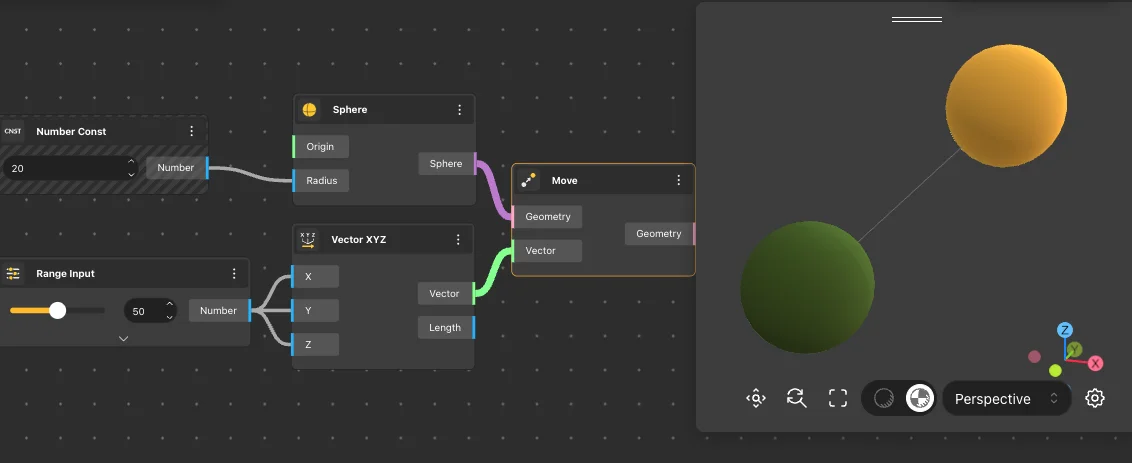
Move
Behavior
Translates the input geometry along a vector. The vector controls both the direction and the distance of the move - its length is the displacement applied to every point of the geometry. Use VectorX/Y/Z, Vector XYZ, or Vector By 2Pnt to drive the motion.
Inputs
Geometry, Vector
Outputs
Geometry
Pairs With
VectorX, VectorY, VectorZ, Vector XYZ
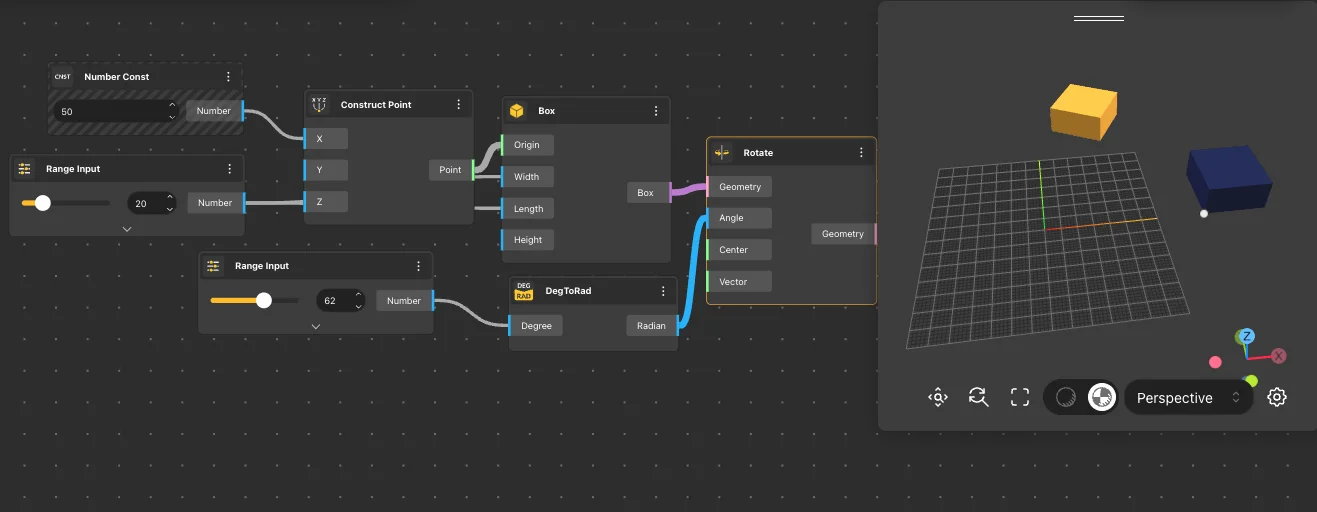
Rotate
Behavior
Rotates the input geometry around a center point and an axis vector by the specified angle. Angle is in radians - use DegToRad to convert from degrees. Default axis: {0,0,1} (Z), default center: {0,0,0}.
Inputs
Geometry, Angle, Axis, Center
Outputs
Geometry
Pairs With
DegToRad, PI, Construct Point, VectorZ
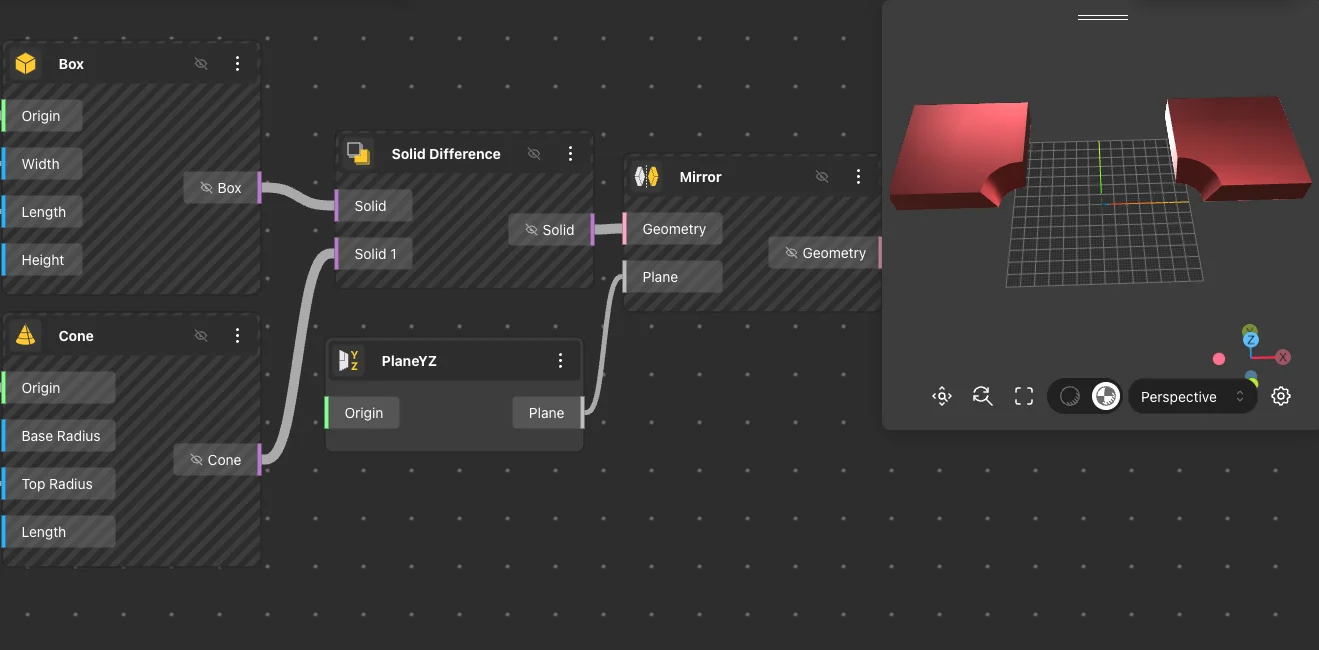
Mirror
Behavior
Mirrors the input geometry across a plane, producing its reflection on the opposite side. Use a world plane (PlaneXY, PlaneXZ, PlaneYZ) or a custom plane via Construct Plane. The original geometry is not preserved - to keep both, branch the input.
Inputs
Geometry, Plane
Outputs
Geometry
Pairs With
PlaneXY, PlaneXZ, PlaneYZ, Construct Plane
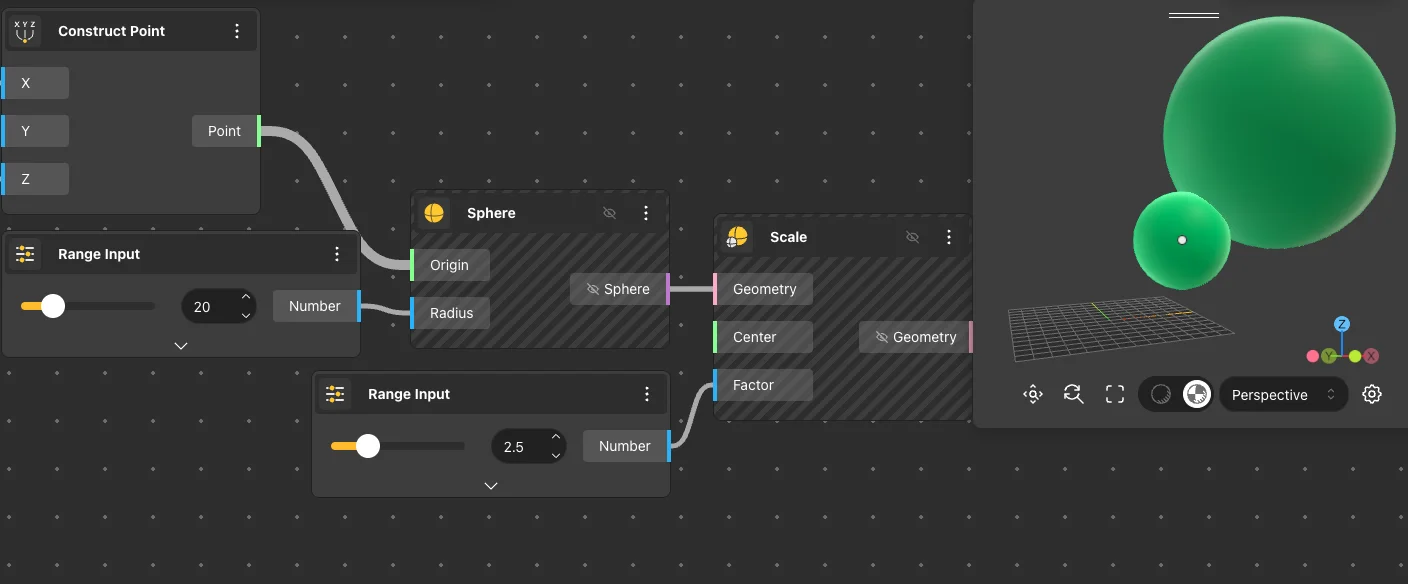
Scale
Behavior
Uniformly scales the input geometry from a center point by a single factor applied to all axes. Factor 1 leaves the geometry unchanged; 2 doubles the size; 0.5 halves it. The Center input controls the fixed point of the transform - the geometry expands or contracts around that point.
Inputs
Geometry, Center, Factor
Outputs
Geometry
Pairs With
Construct Point, Bounding Box
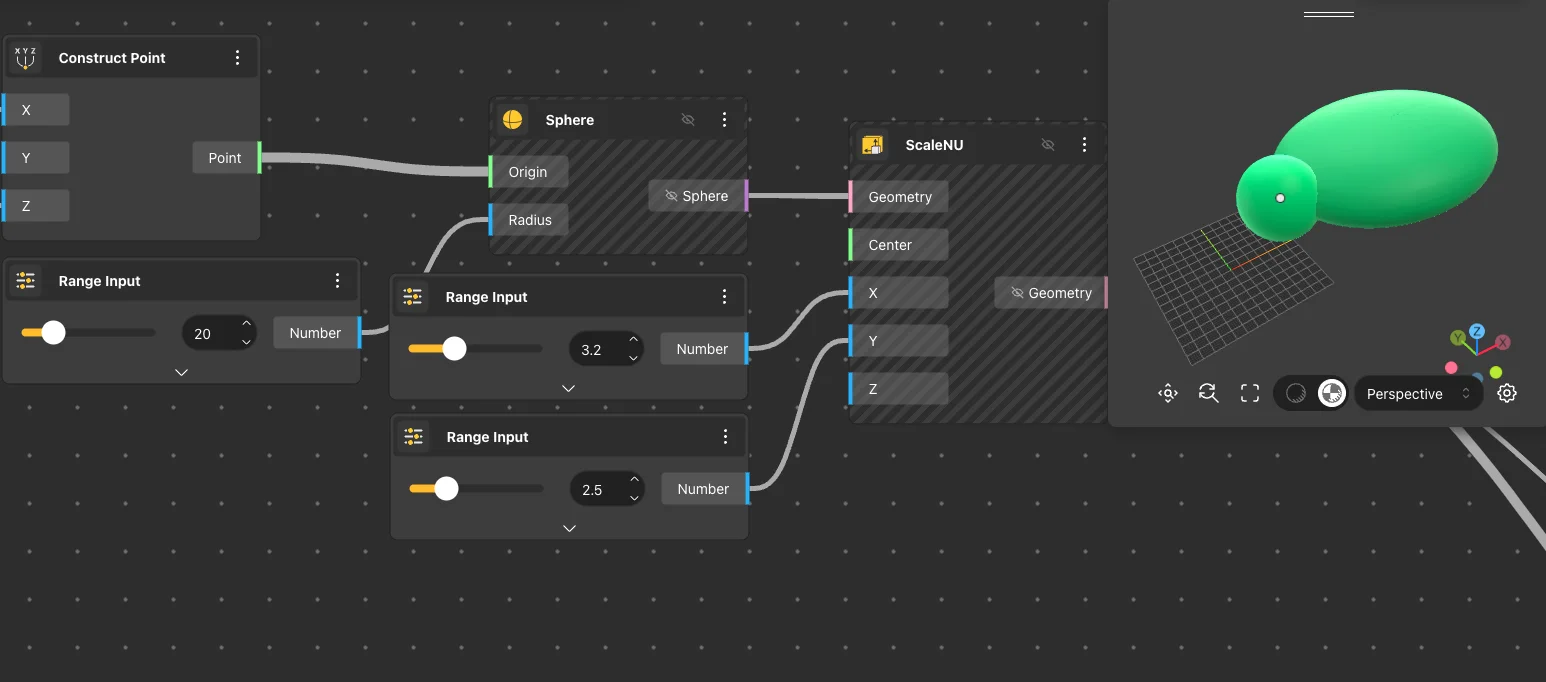
Scale NU
Behavior
Non-uniform scale - scales the input geometry from a center point with independent factors for the X, Y, and Z axes. Use when you need to stretch geometry along one axis without affecting the others. Negative factors flip the geometry across that axis.
Inputs
Geometry, Center, X Factor, Y Factor, Z Factor
Outputs
Geometry
Pairs With
Construct Point, Bounding Box
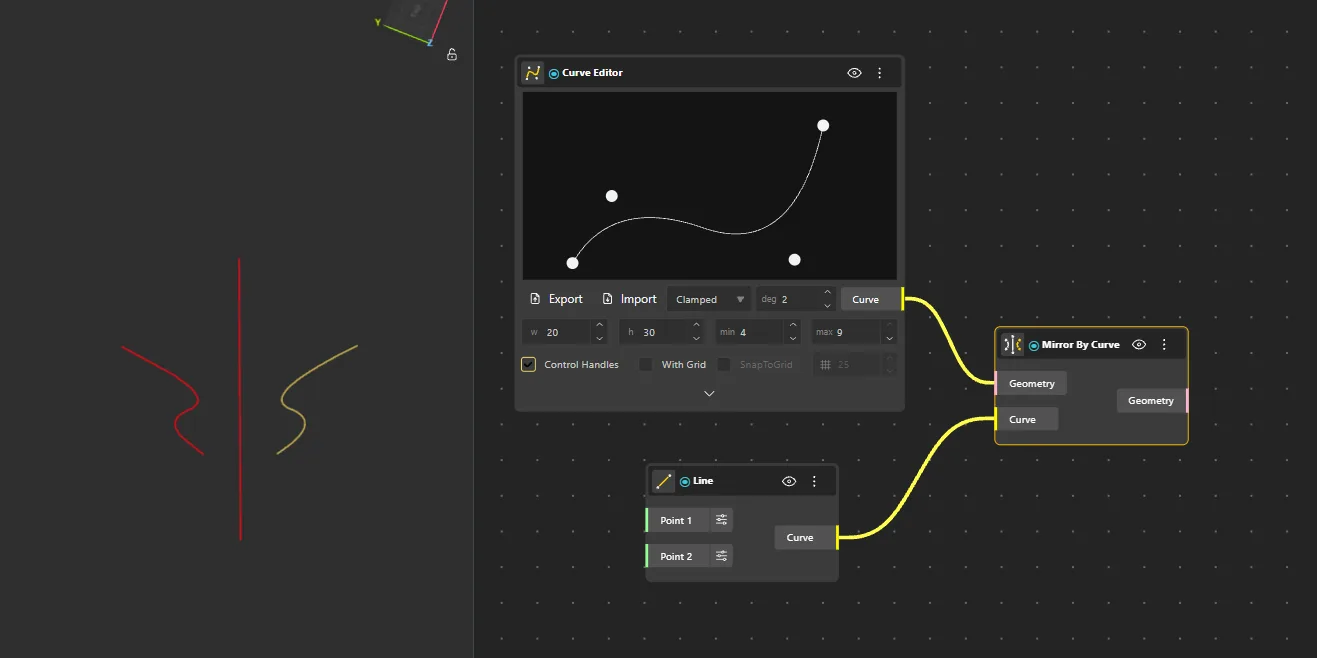
Mirror By Curve
Behavior
Reflects geometry using a curve as the mirror axis. Creates symmetry along curved or non-linear references.
Inputs
Geometry, Curve
Outputs
Mirrored
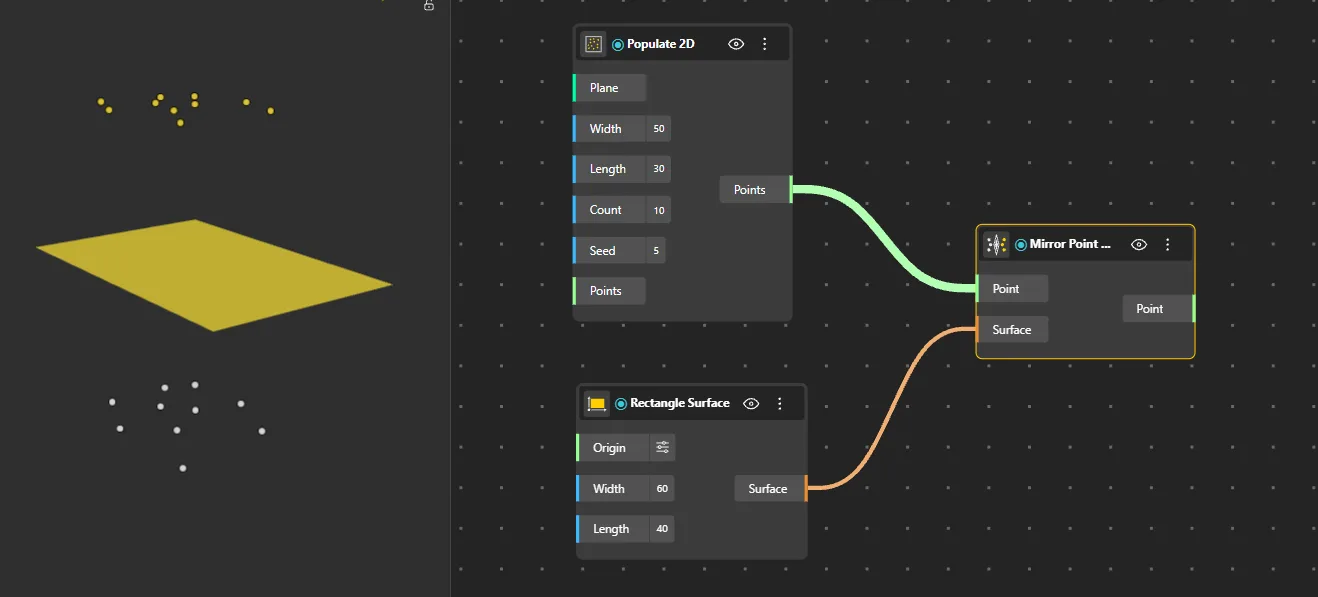
Mirror Point By Surface
Behavior
Reflects a point across a surface, placing it symmetrically on the opposite side of the surface.
Inputs
Point, Surface
Outputs
Mirrored
Mirror Curve By Surface
Behavior
Mirrors a curve across a designated surface, generating a symmetrical counterpart on the other side.
Inputs
Curve, Surface
Outputs
Mirrored
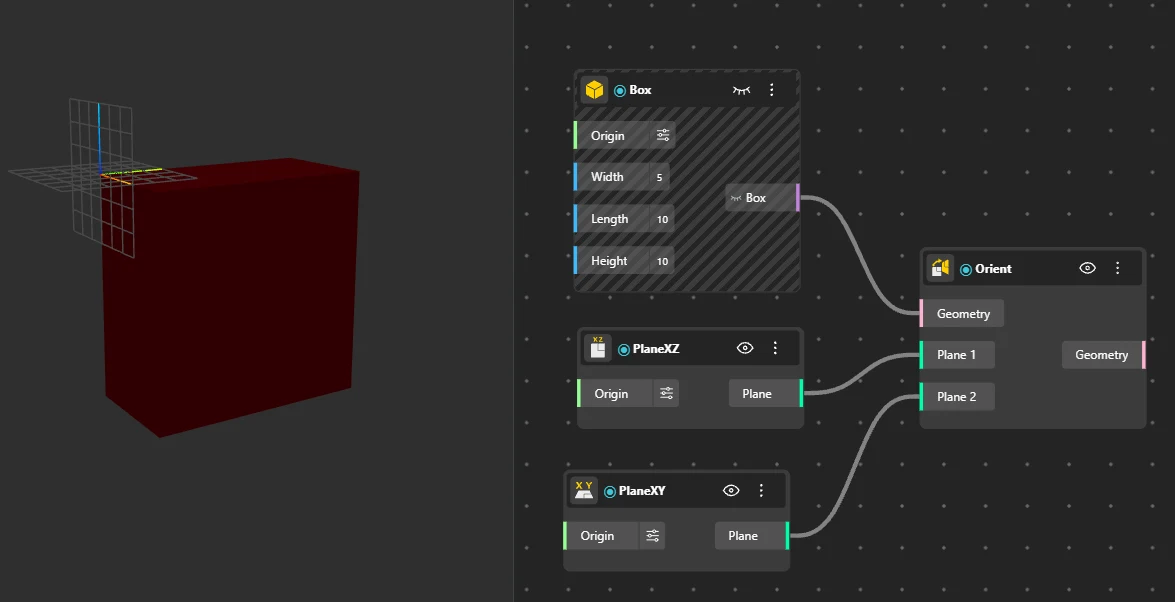
Orient
Behavior
Aligns geometry to match a target plane or reference frame, repositioning and rotating it from a source plane to a destination plane. The primary way to place geometry "on" a surface - use the surface's local plane as the target.
Inputs
Geometry, Source, Target
Outputs
Oriented
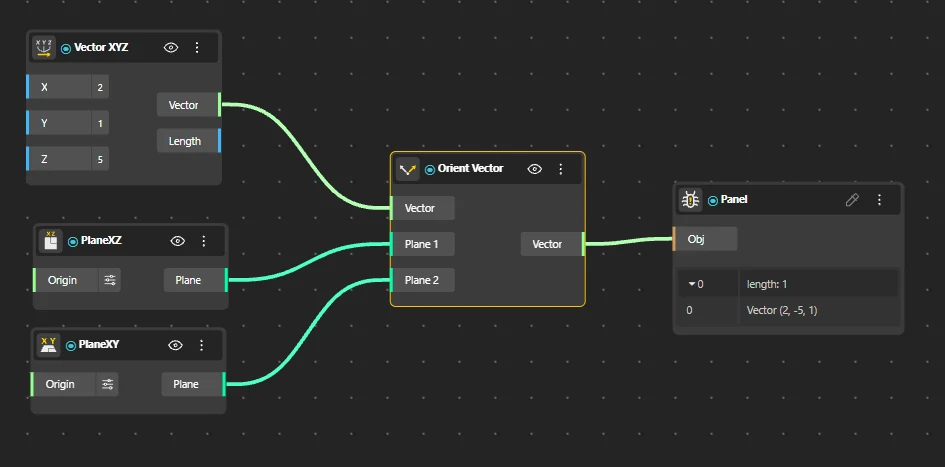
Orient Vector
Behavior
Aligns one vector to match the direction of another vector or plane, adjusting its orientation while preserving magnitude.
Inputs
Geometry, Source, Target
Outputs
Oriented
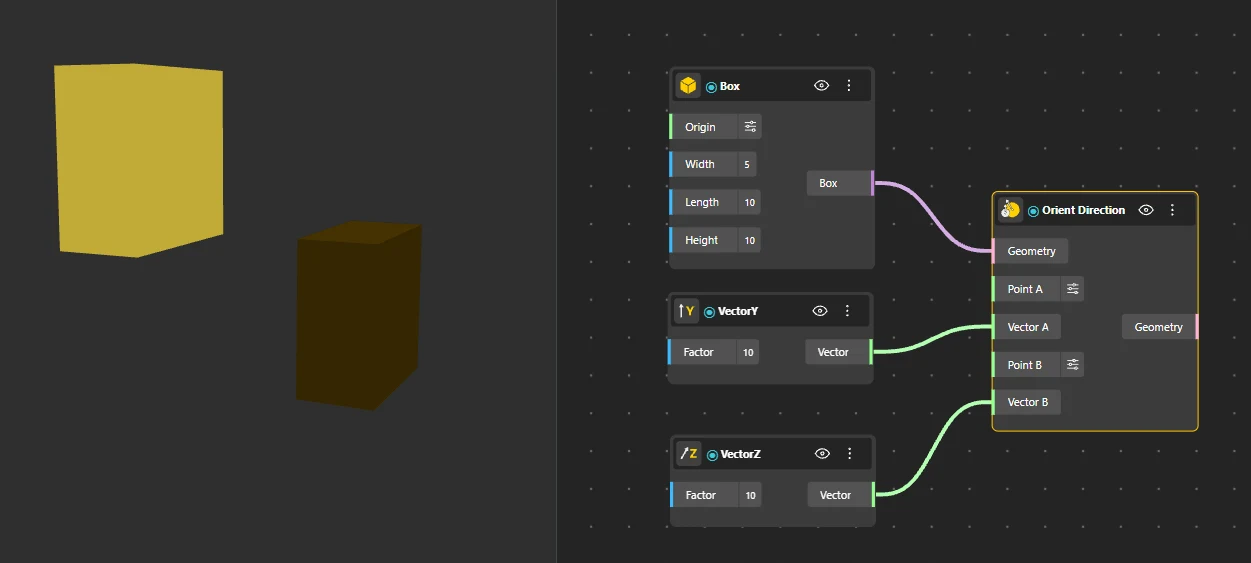
Orient Direction
Behavior
Adjusts geometry to follow a specified direction, aligning its primary axis or orientation to the target vector.
Inputs
Geometry, Direction
Outputs
Oriented
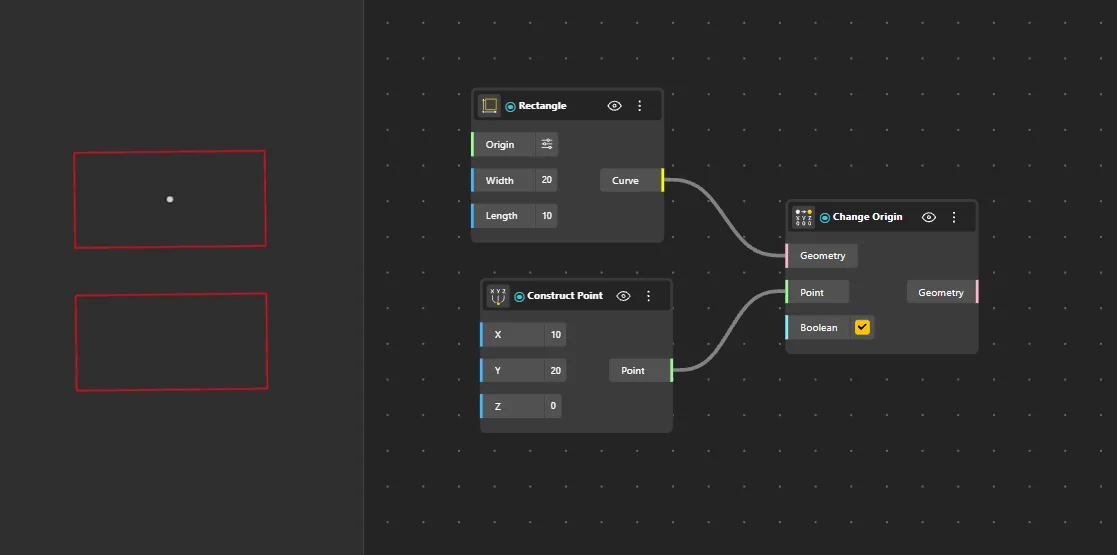
Change Origin
Behavior
Shifts the origin of geometry or a plane to a new reference point without altering its shape or orientation.
Inputs
Geometry, New Origin
Outputs
Result
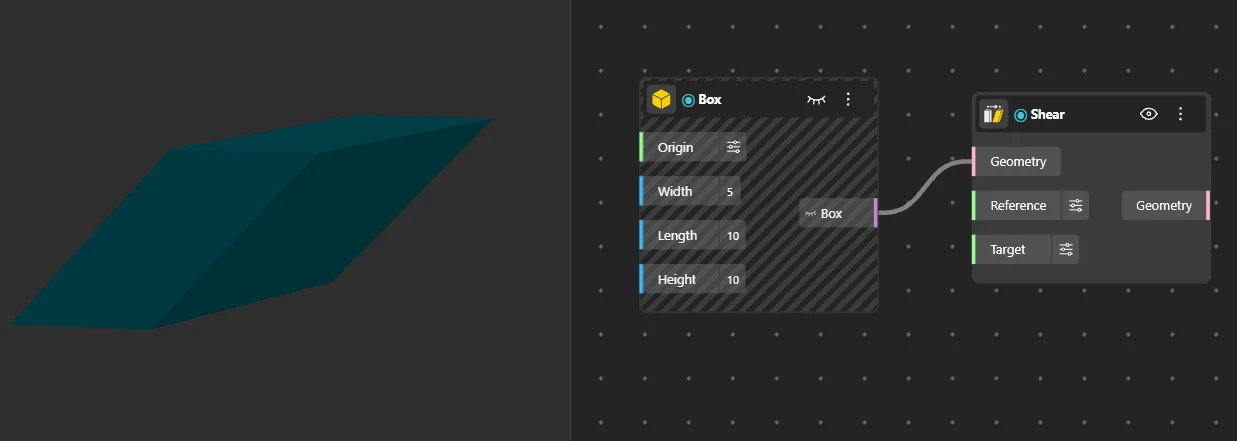
Shear
Behavior
Applies a shear transformation to geometry, slanting or skewing it along a specified axis. Creates a parallelogram-like distortion.
Inputs
Geometry, Plane, X, Y, Z
Outputs
Sheared
Map To Surface
Behavior
Transfers curves from a source surface to a target surface while preserving parametric position relationships. Maps geometry from one surface's UV space to another's. Both surfaces must have valid UV parameterization.
Inputs
Curves, Source, Target
Outputs
Mapped
Array
Duplicate geometry into linear, circular, rectangular, and volumetric patterns. The original input remains at its position and each copy is offset by the array parameters.
Linear Array
Behavior
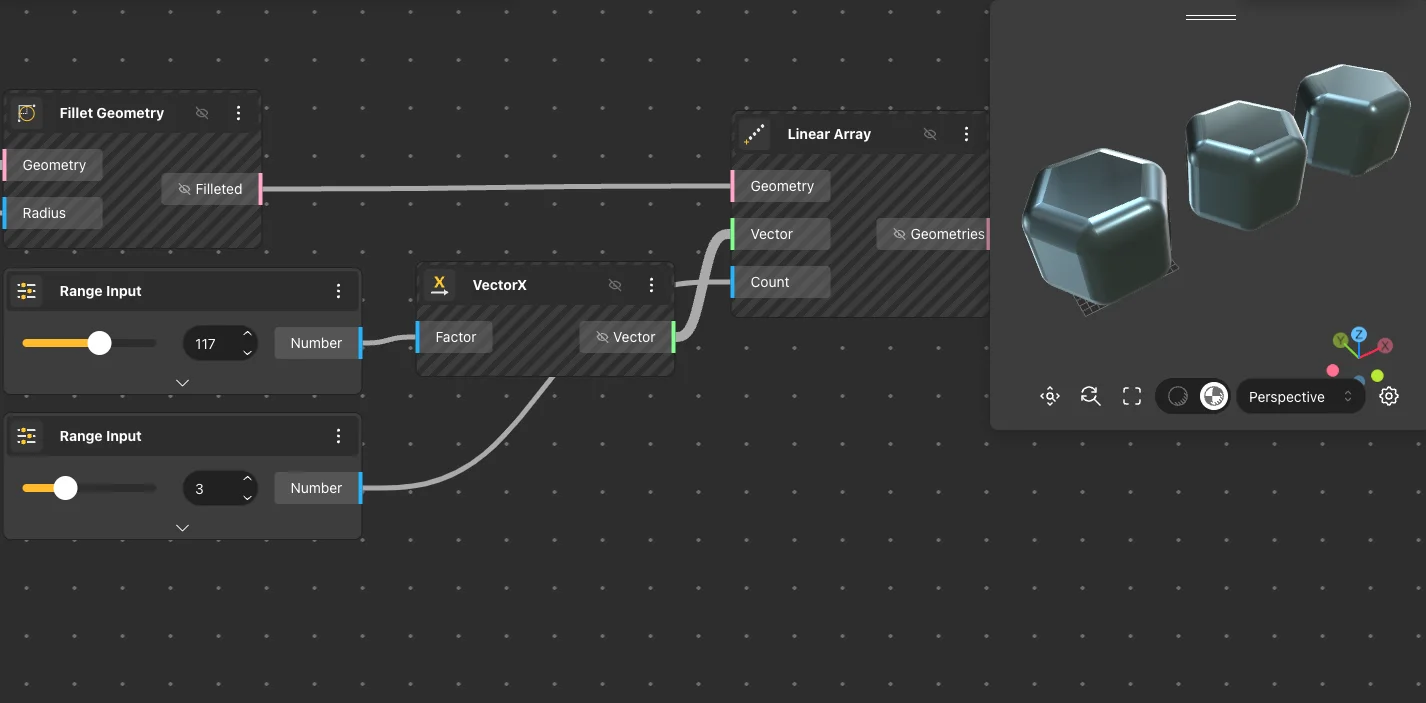
Returns a linear array of geometry by duplicating the input along a vector direction. The vector controls both the direction and the spacing between copies - its length is the interval between each clone. Default: Vector {10, 0, 0}, Count 3. The first element sits at the original geometry's position; each subsequent copy is offset by one vector length from the previous.
Inputs
Geometry, Vector, Count
Outputs
Geometries
Pairs With
VectorX, VectorZ, Range Input, Box
Polar Array
Behavior
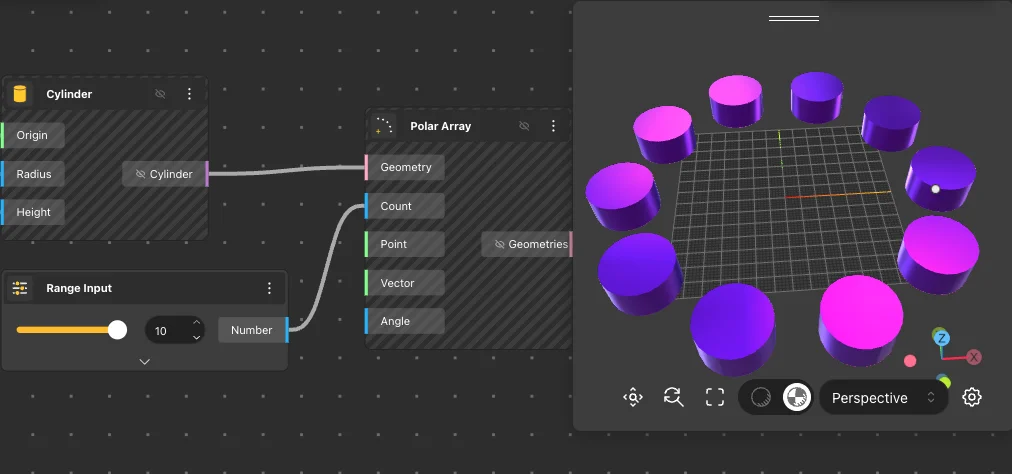
Returns a polar (circular) array of geometry by duplicating the input around a center point and rotation axis. Copies are distributed evenly across the sweep angle. Default: Count 4, Center {0,0,0}, Axis {0,0,1}, Angle 2π (full circle). Sweep angle is in radians - 2π = 360°, π = 180°.
Inputs
Geometry, Count, Center, Axis, Angle
Outputs
Geometries
Pairs With
DegToRad, PI, Cylinder
Rectangular Array
Behavior
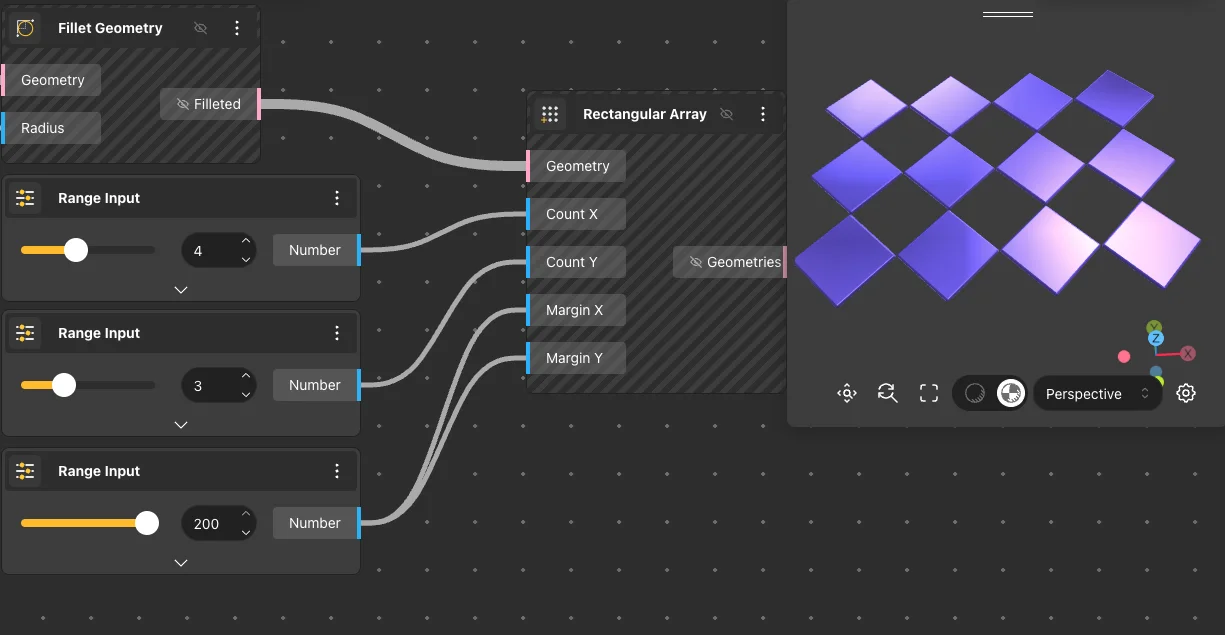
Returns a 2D grid array by duplicating the input along the X and Y axes with independent count and margin per axis. Default: Count X 3, Count Y 3, Margin X 10, Margin Y 10. Margin is the center-to-center distance between clones, not the gap between edges. Total grid width = (Count X − 1) × Margin X.
Inputs
Geometry, Count X, Count Y, Margin X, Margin Y
Outputs
Geometries
Pairs With
Box, Cylinder, Solid Difference
Box Array
Behavior
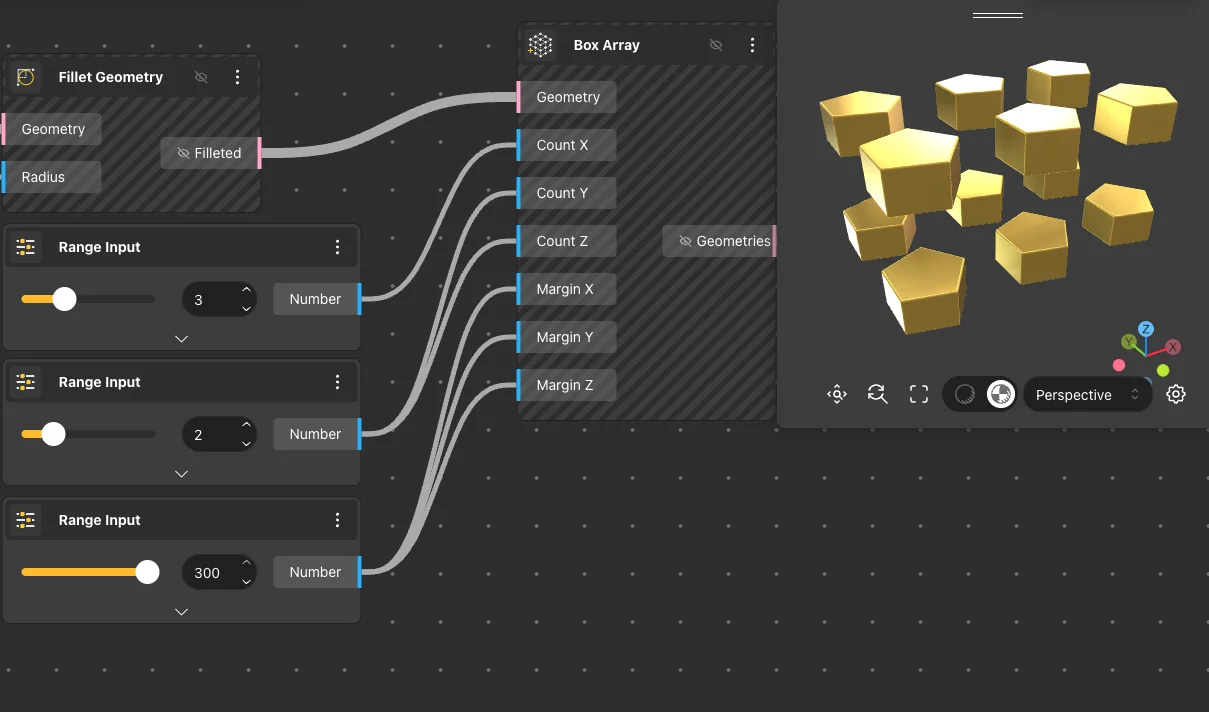
Returns a 3D volumetric array by duplicating the input along X, Y, and Z axes with independent count and margin per axis. Default: Count X 3, Count Y 3, Count Z 3, Margin X 10, Margin Y 10, Margin Z 10. Total elements = Count X × Count Y × Count Z. Large counts with complex geometry can significantly increase solve time.
Inputs
Geometry, Count X, Count Y, Count Z, Margin X, Margin Y, Margin Z
Outputs
Geometries
Pairs With
Box, Sphere
Array Grid
Structured grids (square, rectangular, hexagonal) with cell outlines and centers, plus random point populators (2D / 3D) and Voronoi tessellation for organic patterns.
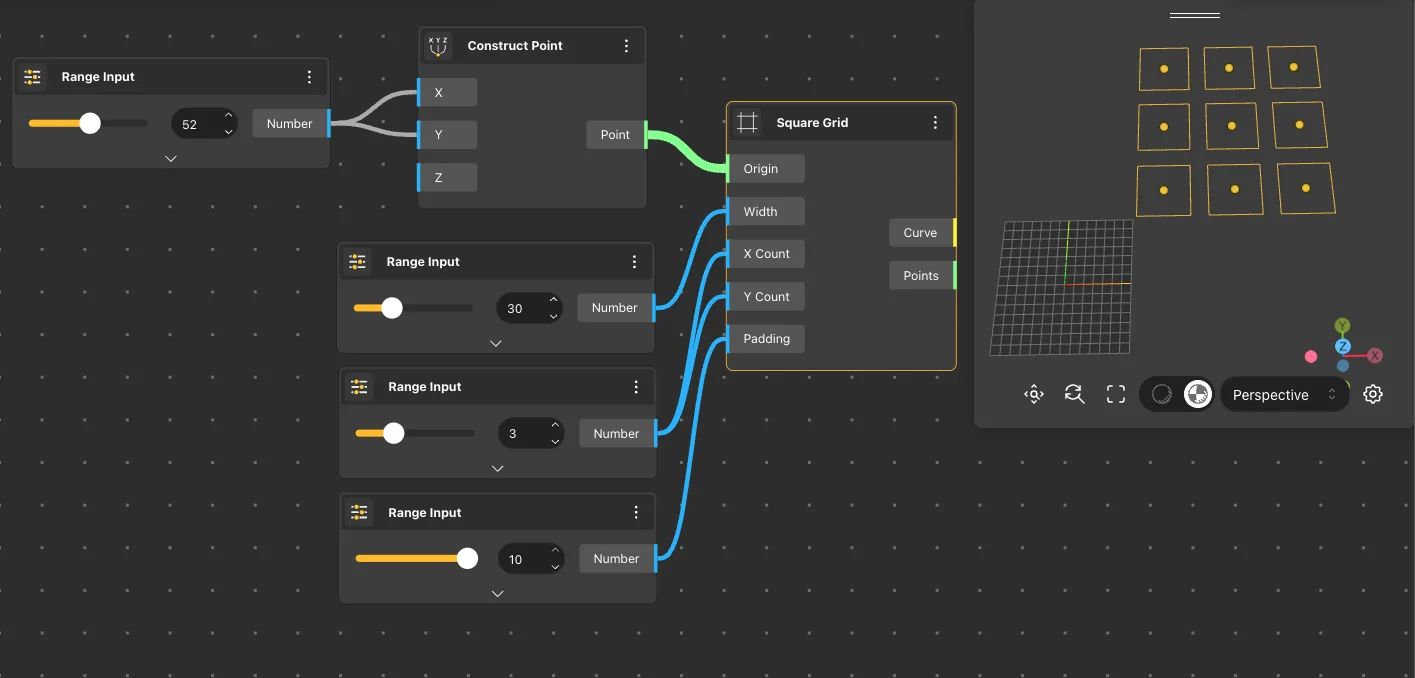
Square Grid
Behavior
Returns a 2D grid of square cells with equal width in both directions. Outputs the square outlines as curves and the center point of each cell. Default: Origin {0,0,0}, Width 20, X Count 5, Y Count 3, Padding 5. Padding is the gap between adjacent squares - set to 0 for a seamless grid.
Inputs
Origin, Width, X Count, Y Count, Padding
Outputs
Curves, Centers
Pairs With
Extrude Curve, Side Thickness
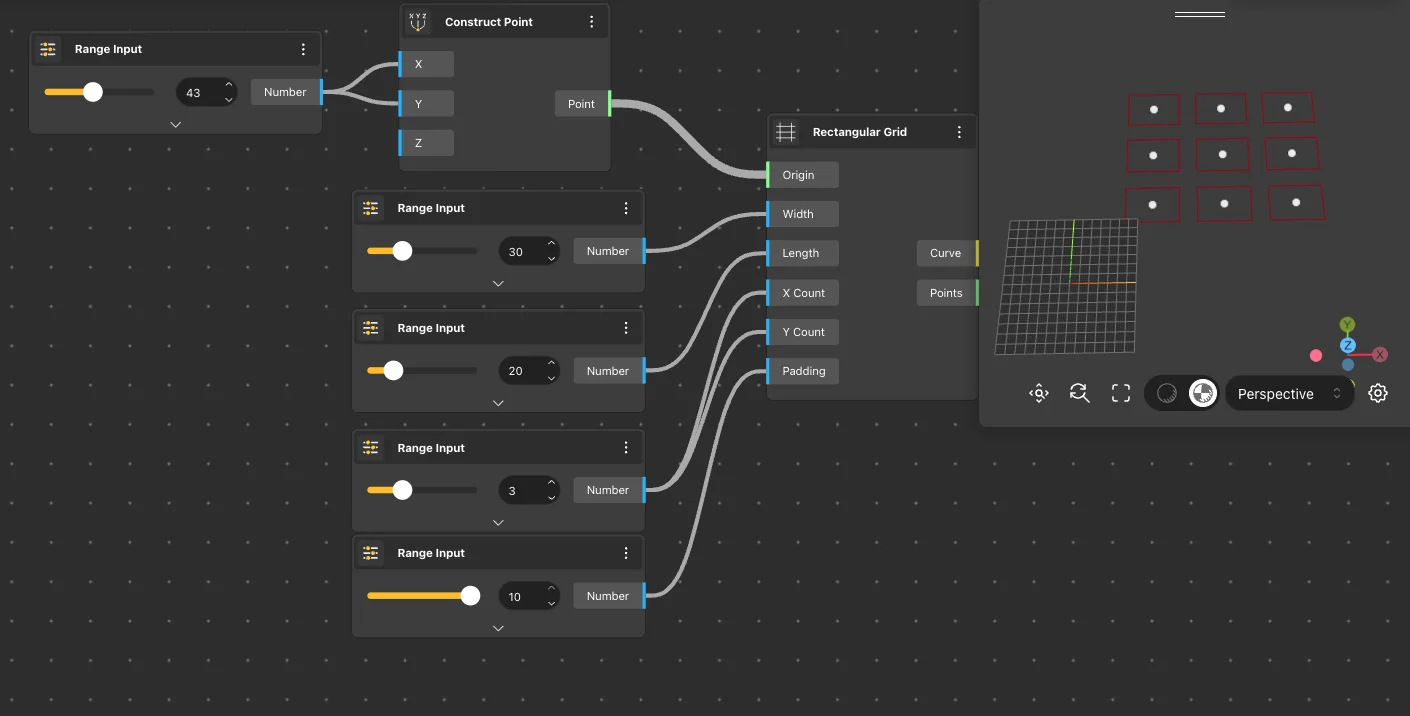
Rectangular Grid
Behavior
Returns a 2D grid of rectangular cells with independent Width (X) and Length (Y) dimensions. Like Square Grid but allows non-square cells. Default: Origin {0,0,0}, Width 20, Length 10, X Count 5, Y Count 3, Padding 5. Use this when cells need different proportions - e.g. 30×15 panels for a facade.
Inputs
Origin, Width, Length, X Count, Y Count, Padding
Outputs
Curves, Centers
Pairs With
Extrude Curve, Side Thickness
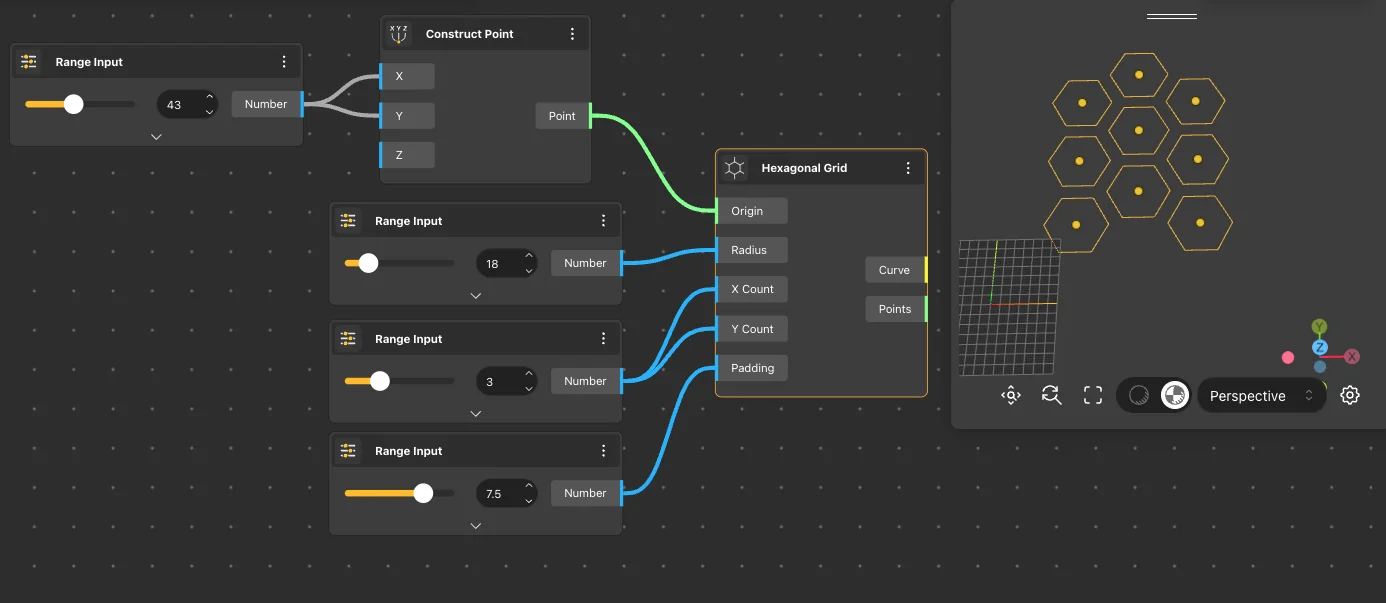
Hexagonal Grid
Behavior
Returns a 2D grid of hexagonal cells arranged in a honeycomb pattern. Each cell is a regular hexagon defined by its circumscribed radius (center-to-vertex distance). Default: Origin {0,0,0}, Radius 30, X Count 5, Y Count 3, Padding 10. Rows are staggered - every other row is offset by half a hexagon width.
Inputs
Origin, Radius, X Count, Y Count, Padding
Outputs
Curves, Centers
Pairs With
Extrude Curve, Side Thickness, Apply Material
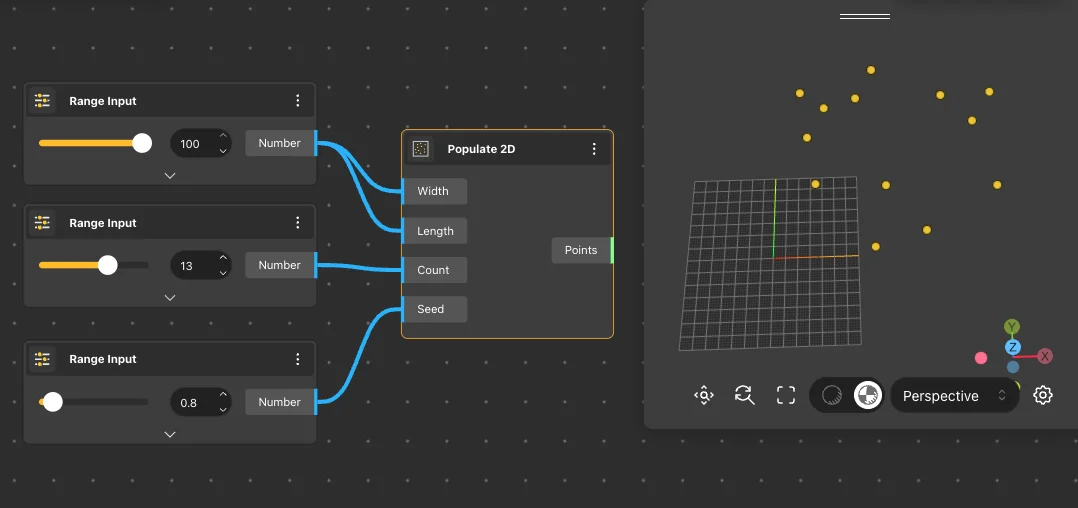
Populate 2D
Behavior
Populates a 2D rectangular region with randomly distributed points on a specified plane. The Seed parameter controls the random distribution - same seed always produces identical positions. Default: Plane XY, Width 50, Length 30, Count 10, Seed 5. Commonly used as input for Voronoi 2D or Delaunay Mesh.
Inputs
Plane, Width, Length, Count, Seed, Points
Outputs
Points
Pairs With
Voronoi 2D, Delaunay Mesh, Delaunay Edges
Populate 3D
Behavior
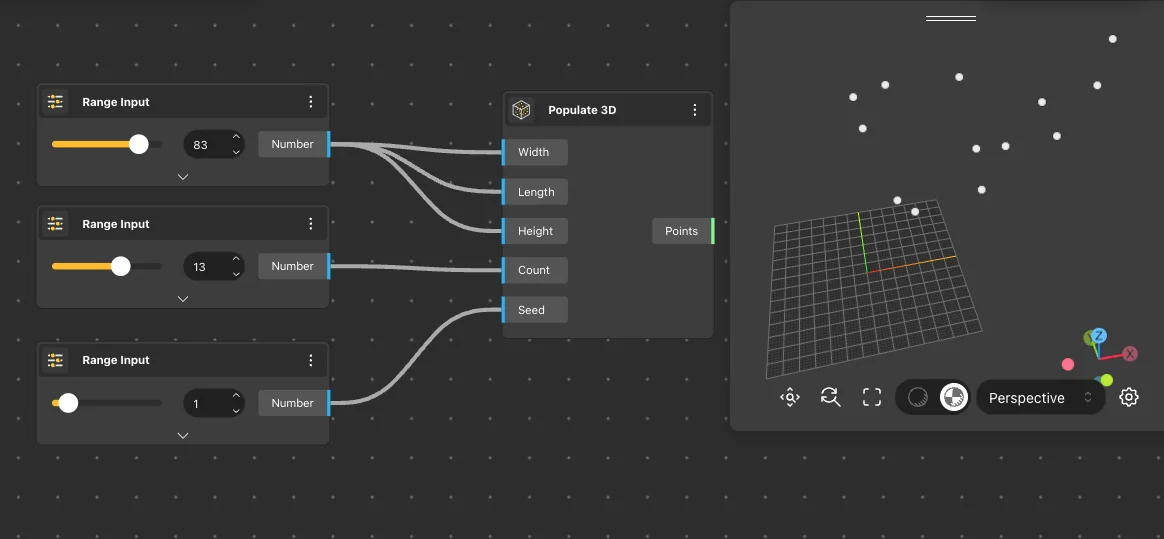
Populates a 3D rectangular box volume with randomly distributed points. The volume is defined by Width, Length, and Height dimensions. Default: Width 50, Length 30, Height 40, Count 20, Seed 5. Points are scattered throughout the full volume, not just on surfaces - useful as input for Voronoi 3D.
Inputs
Width, Length, Height, Count, Seed
Outputs
Points
Pairs With
Voronoi 3D, Sphere
Populate Geometry
Behavior
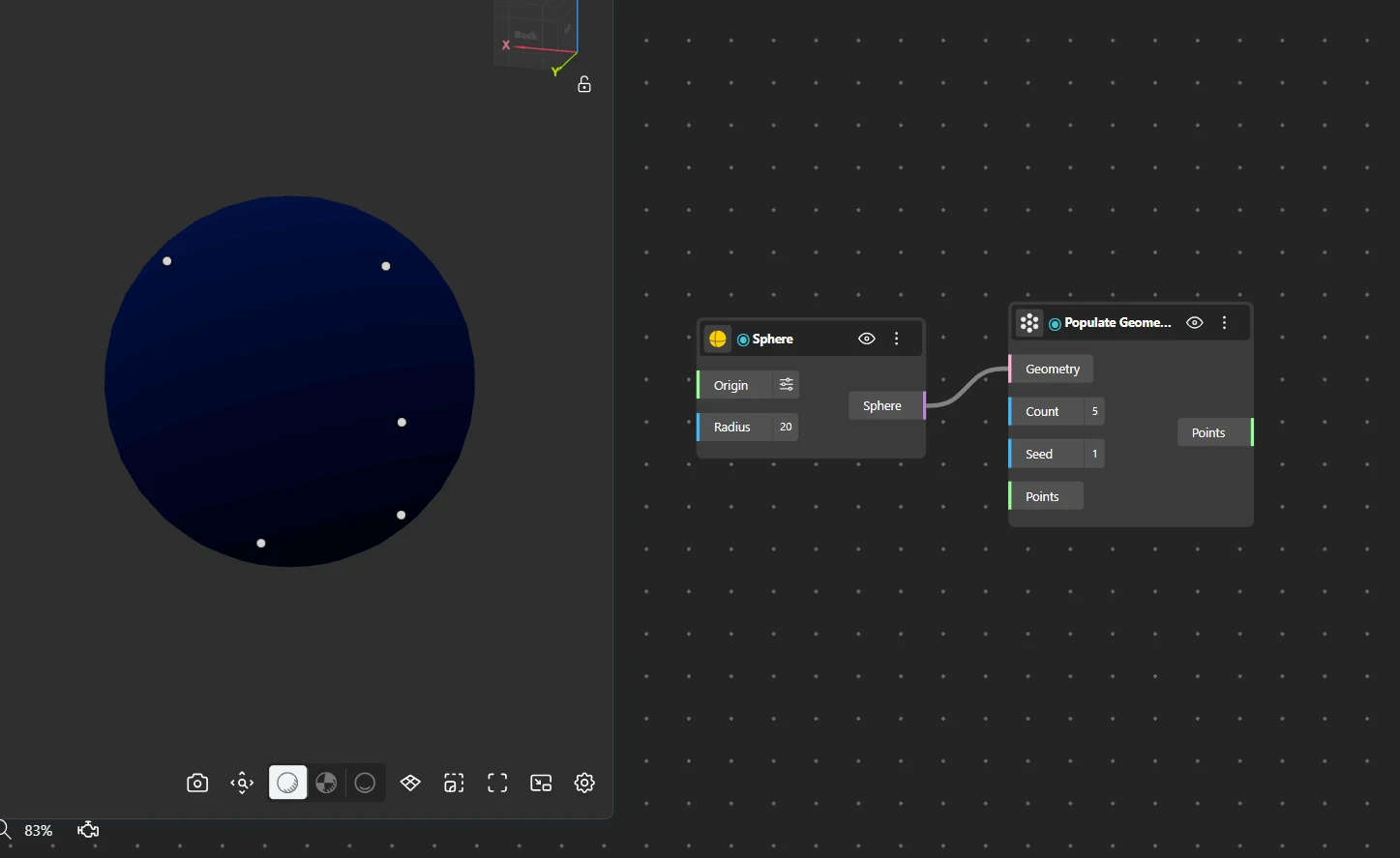
Populates any input geometry (curve, surface, or solid) with randomly distributed points that lie on the geometry's surface. Unlike Populate 2D/3D which fill a rectangular region, this scatters points directly on the shape. Default: Count 5, Seed 1.
Inputs
Geometry, Count, Seed, Points
Outputs
Points
Pairs With
Loft Surface, Sphere, Voronoi 2D