Vector
Points, vectors, and planes - the spatial building blocks that define positions, directions, and reference frames for all geometry.
48 nodes in this group
Core Concepts
Point
A single location in 3D space described by three coordinates (x, y, z). Points anchor curves, mark positions, and feed almost every construction node.
Vector
A direction and a length (magnitude) without a fixed location. Vectors drive moves, extrudes, and rotations and combine via add, cross, and dot.
Plane
A 2D reference frame with an origin and orientation. Use planes to construct geometry on arbitrary surfaces and orient tools along custom axes.
Points
Create, deconstruct, measure, and sort points in 3D space.
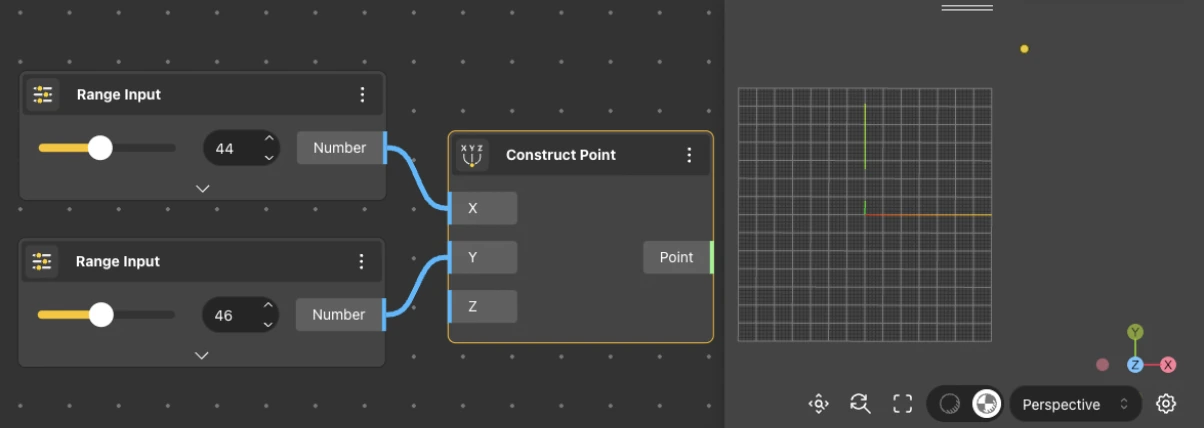
Construct Point
Behavior
Constructs a point from {x, y, z} coordinates. Each axis value is provided as a separate number input. Default: X 0, Y 0, Z 0. Outputs a single Point. Accepts lists on any input - when list inputs are provided, produces one point per element using the active list matching mode. The most common starting node for defining positions in a model.
Inputs
X, Y, Z
Outputs
Point
Pairs With
Line, Circle, Move
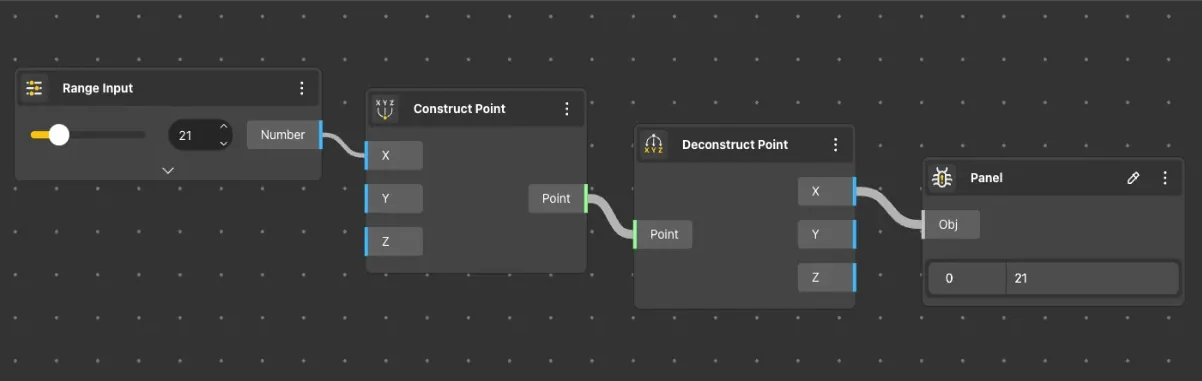
Deconstruct Point
Behavior
Extracts the x, y, and z coordinates from an input point.
Inputs
Point
Outputs
X, Y, Z
Pairs With
Construct Point, Point List Sort
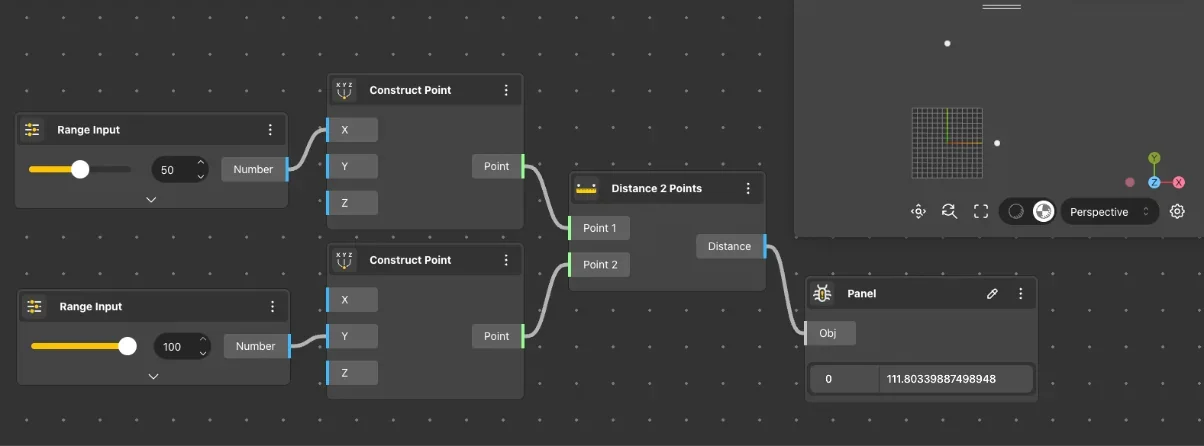
Distance 2 Points
Behavior
Returns the Euclidean distance between two points in 3D space.
Inputs
Point A, Point B
Outputs
Distance
Pairs With
Construct Point, Closest Point
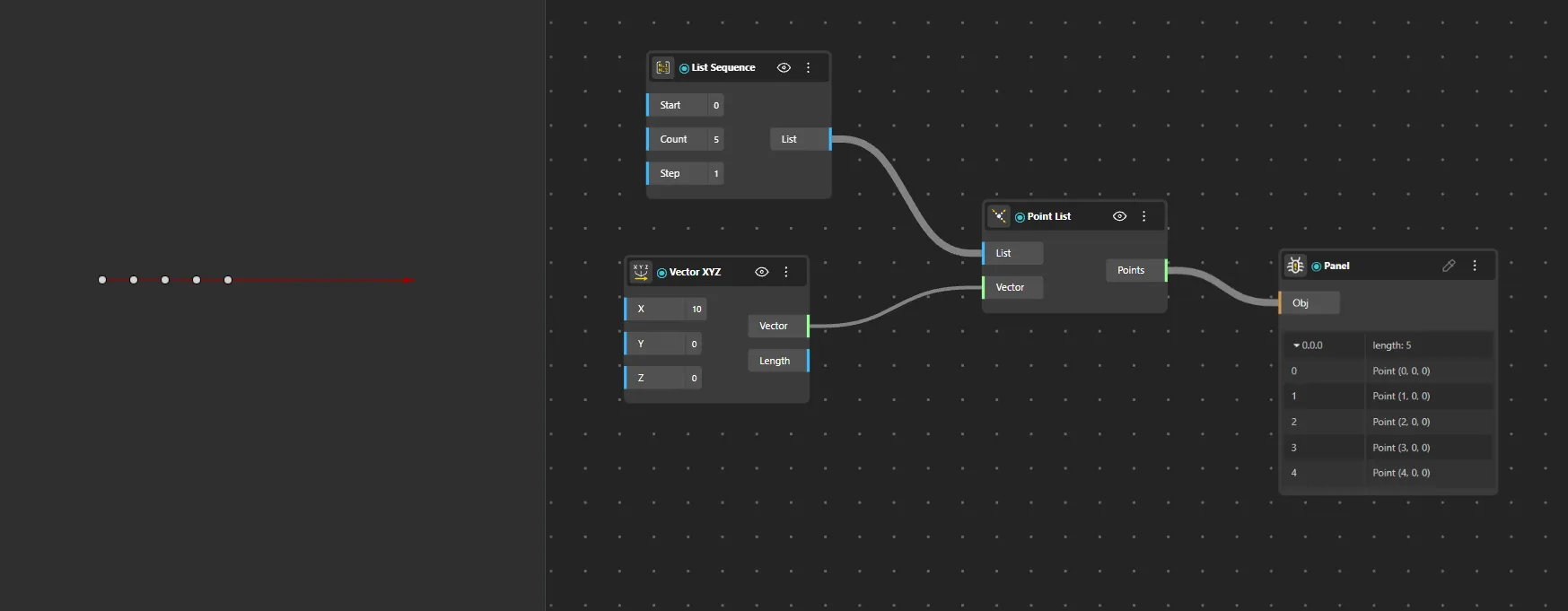
Point List
Behavior
Collects multiple points into a single list output. Additional point inputs can be added via the node menu.
Inputs
Points
Outputs
Point List
Pairs With
Deconstruct Point, Point List Sort, Distance 2 Points
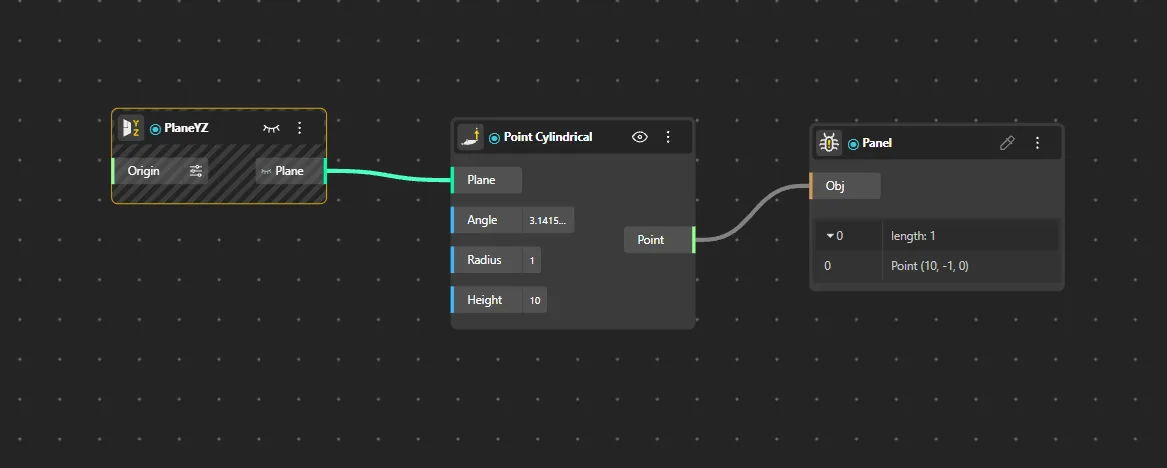
Point Cylindrical
Behavior
Creates a point using cylindrical coordinates (radius, angle, height) instead of Cartesian x/y/z.
Inputs
Radius, Angle, Height
Outputs
Point
Pairs With
Construct Point, Deconstruct Point, Construct Plane
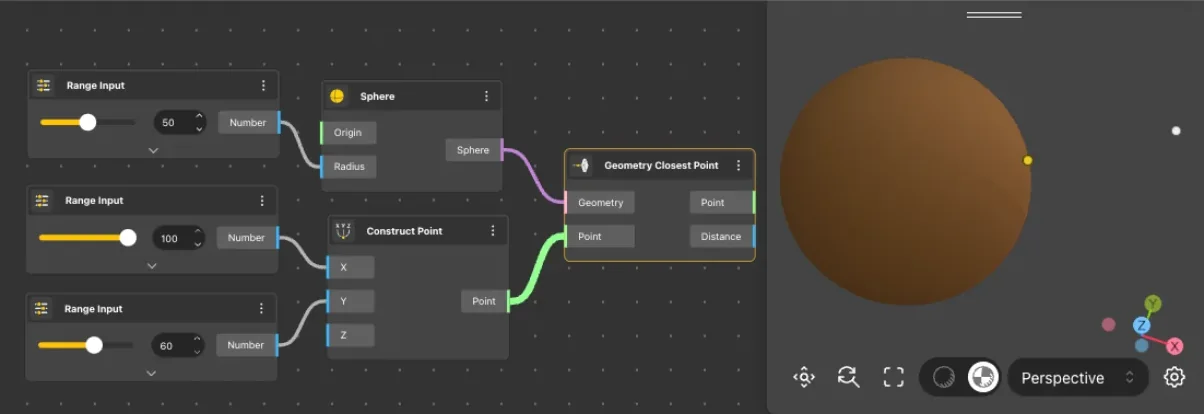
Geometry Closest Point
Behavior
Finds the closest point on a geometry to a given reference point, and returns both the closest point and the distance.
Inputs
Geometry, Point
Outputs
Closest Point, Distance
Pairs With
Construct Point, Pull Point
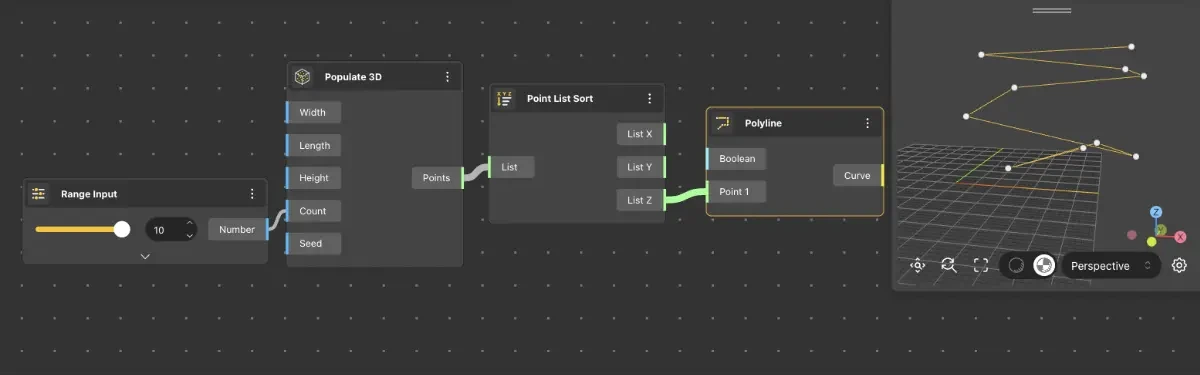
Point List Sort
Behavior
Sorts a list of points based on their x, y, or z coordinate values.
Inputs
Points, Axis
Outputs
Sorted Points
Pairs With
Point List, Construct Point, Cull Duplicates
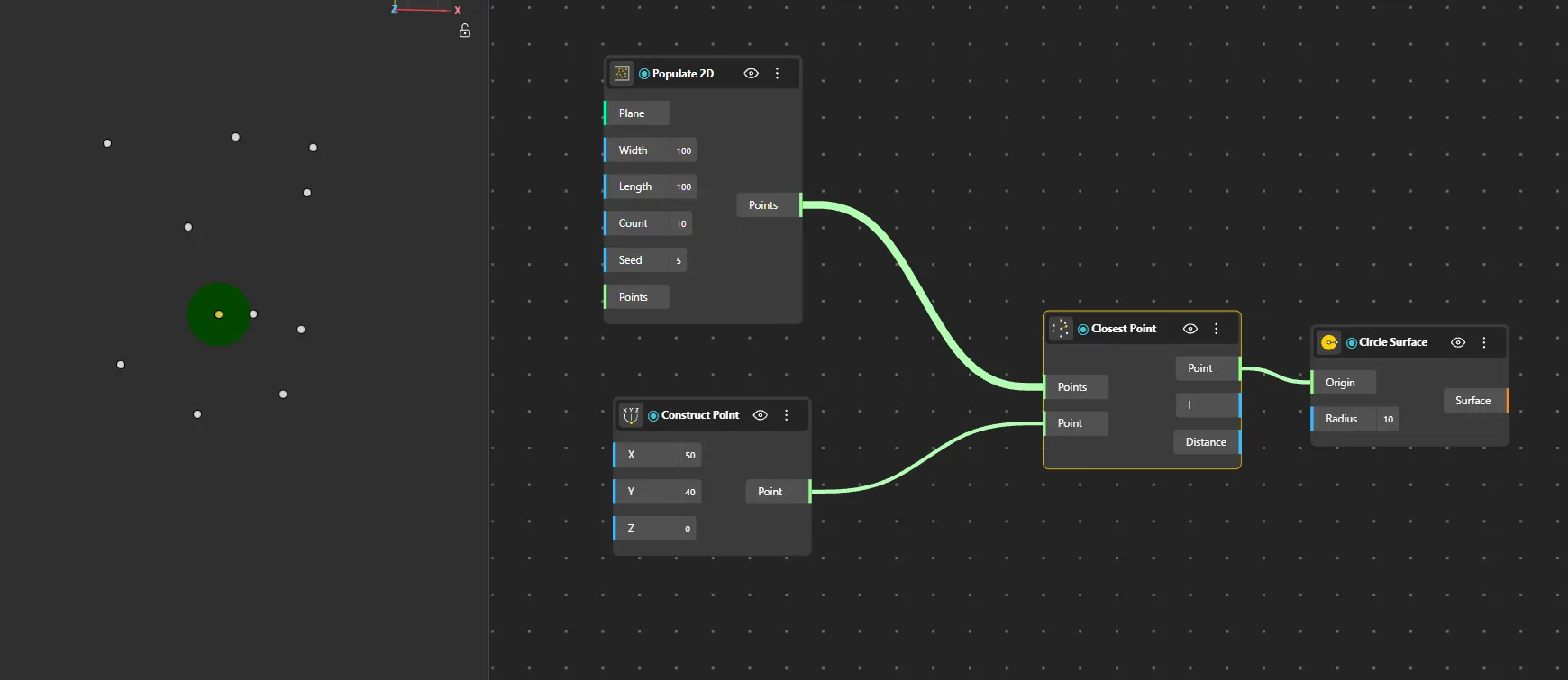
Closest Point
Behavior
Finds the single closest point in a point list to a reference point.
Inputs
Point, Point List
Outputs
Closest, Index
Pairs With
Construct Point, Distance 2 Points
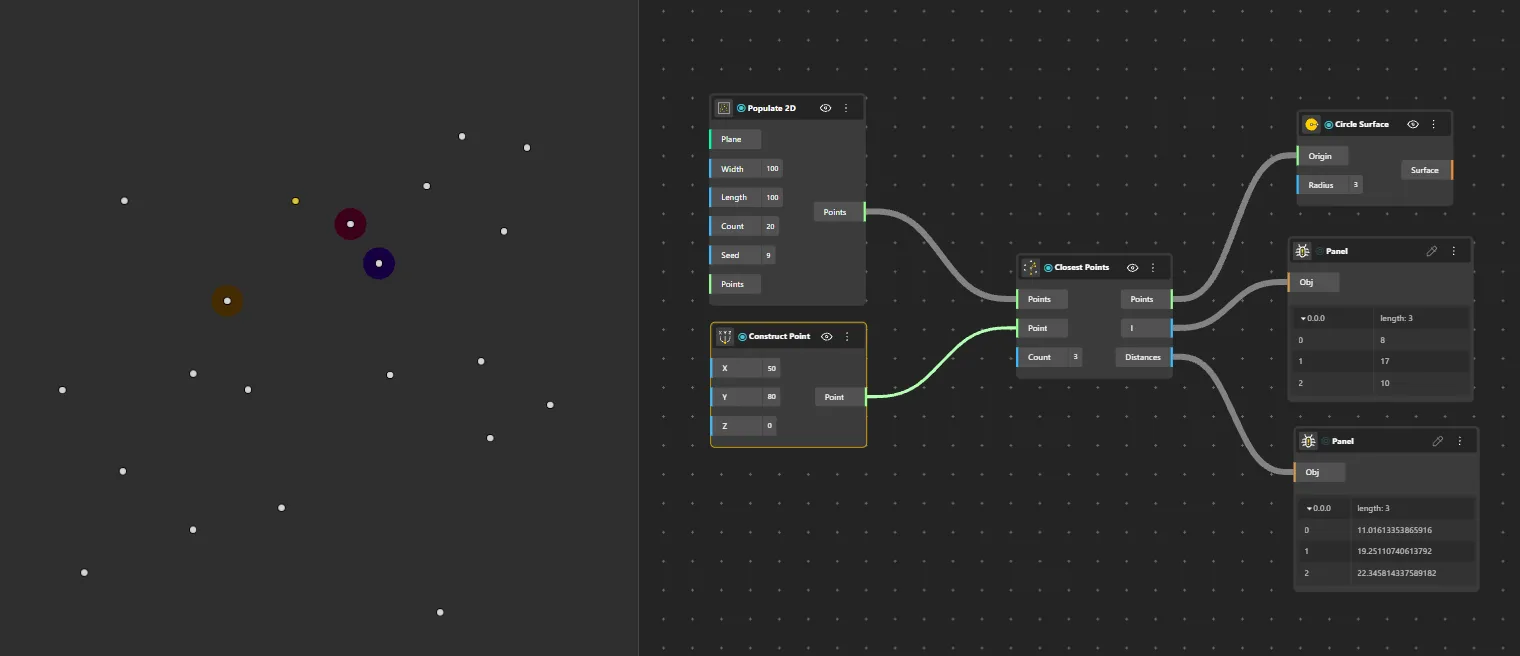
Closest Points
Behavior
Finds the N closest points in a point list to a reference point.
Inputs
Point, Point List, Count
Outputs
Points, Indices
Pairs With
Point List Sort, Cull Duplicates
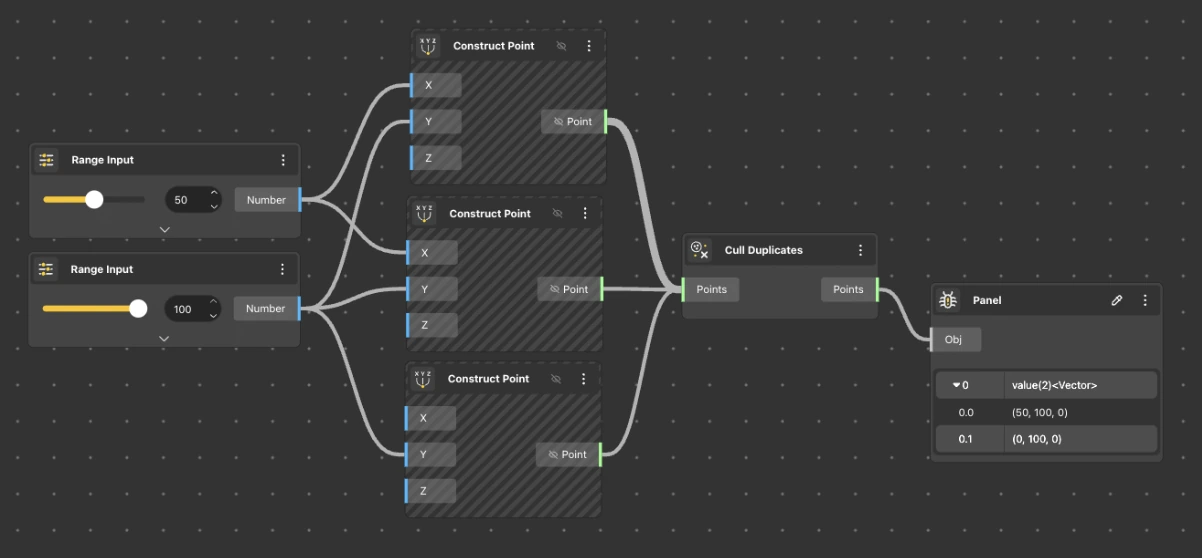
Cull Duplicates
Behavior
Removes duplicate points from a list, keeping only unique positions.
Inputs
Points
Outputs
Unique Points
Pairs With
Point List, Construct Point
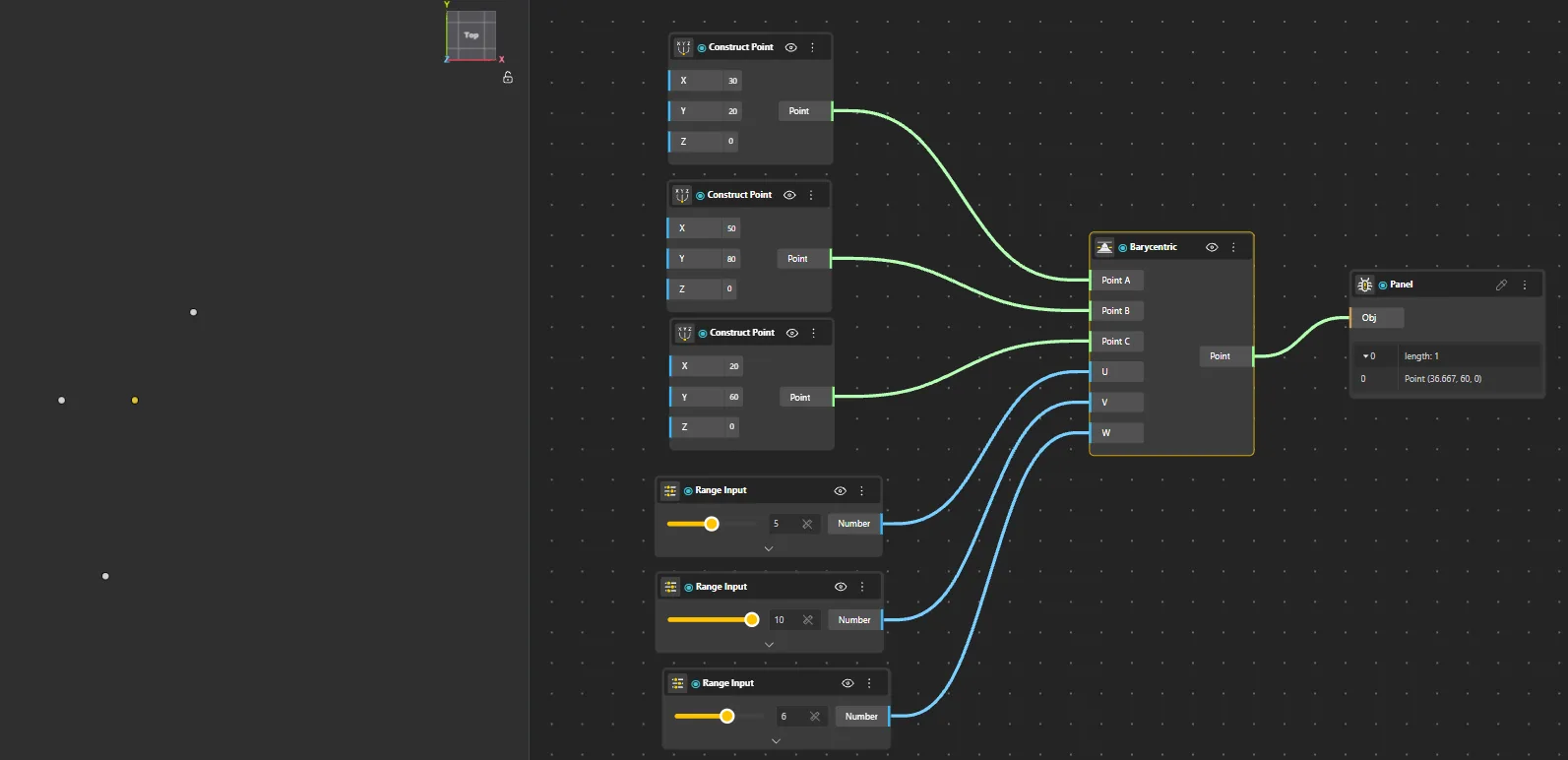
Barycentric
Behavior
Computes a point using barycentric coordinates relative to a triangle defined by three points.
Inputs
P1, P2, P3, U, V
Outputs
Point
Pairs With
Construct Point, Surface 4Pnt
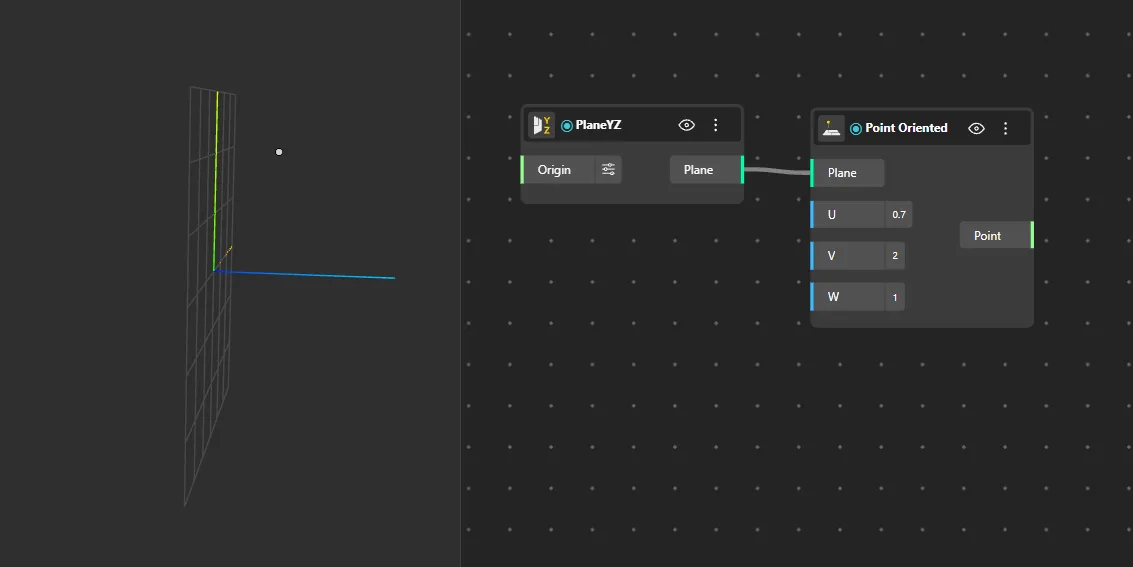
Point Oriented
Behavior
Creates a point at a specified distance along a vector direction from an origin point.
Inputs
Origin, Direction, Distance
Outputs
Point
Pairs With
Construct Plane, PlaneXY, Construct Point
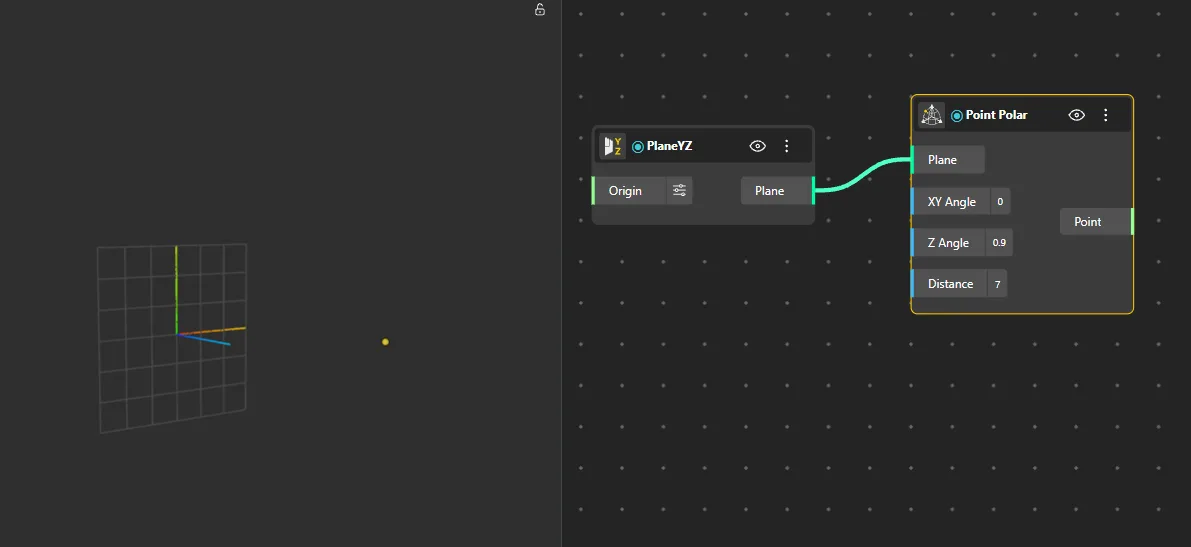
Point Polar
Behavior
Creates a point using polar coordinates (radius, angle) on a given plane.
Inputs
Radius, Angle, Plane
Outputs
Point
Pairs With
Construct Plane, PlaneXY, Construct Point
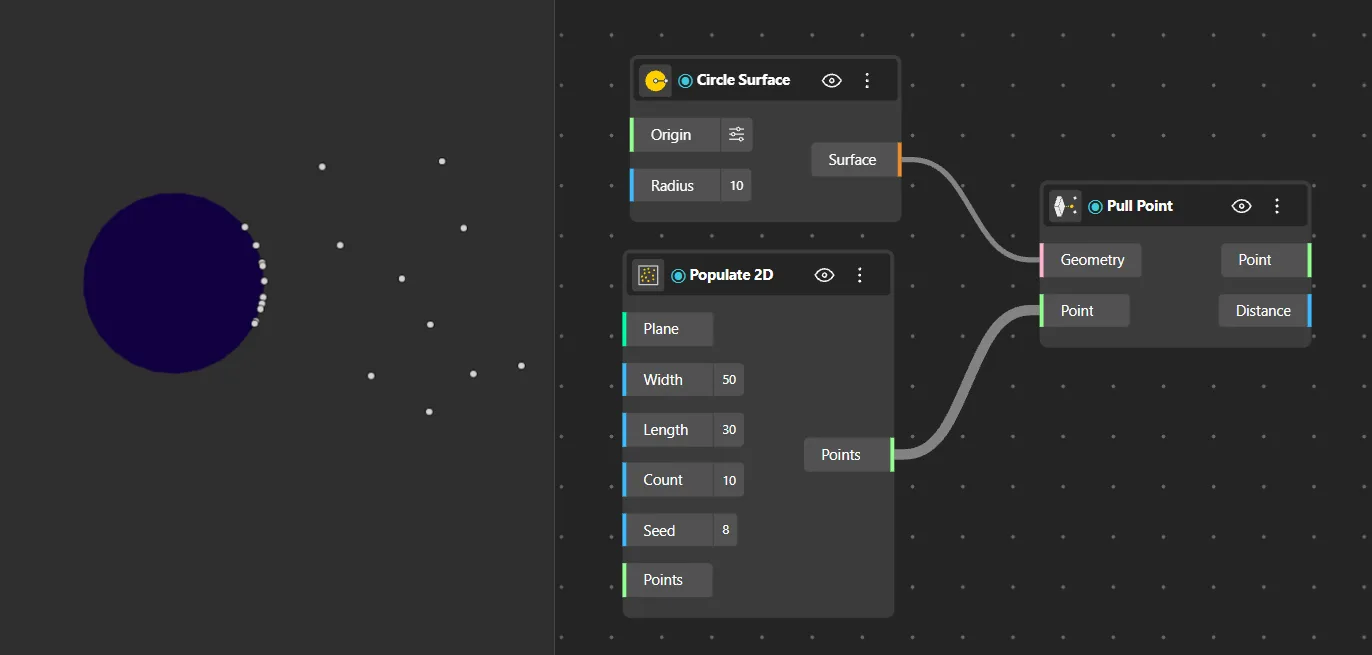
Pull Point
Behavior
Projects a point onto a geometry, returning the closest point on that geometry's surface or curve.
Inputs
Point, Geometry
Outputs
Projected Point
Pairs With
Construct Point, Geometry Closest Point
Vector Construction
Build vectors from axis components, coordinates, or pairs of points. These define directions and magnitudes used by transformation and construction nodes.
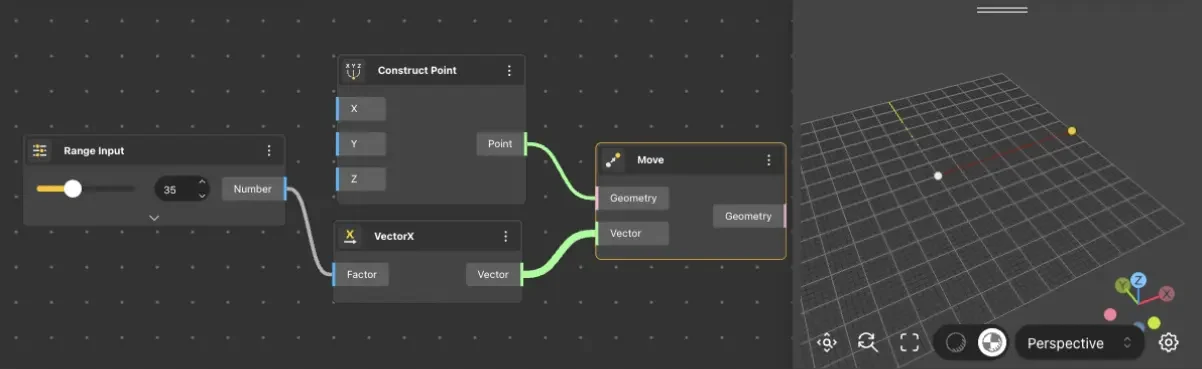
VectorX
Behavior
Returns a vector directed along the X axis (OX), with magnitude equal to the input value. The quickest way to create a horizontal direction vector. Input 10 → Vector {10, 0, 0}. Input -5 → Vector {-5, 0, 0} (reversed direction). Commonly wired into Move, Linear Array, or Extrude Curve to define X-direction operations. VectorY and VectorZ work identically for their respective axes.
Inputs
Magnitude
Outputs
Vector
Pairs With
Move, Linear Array, Extrude Curve
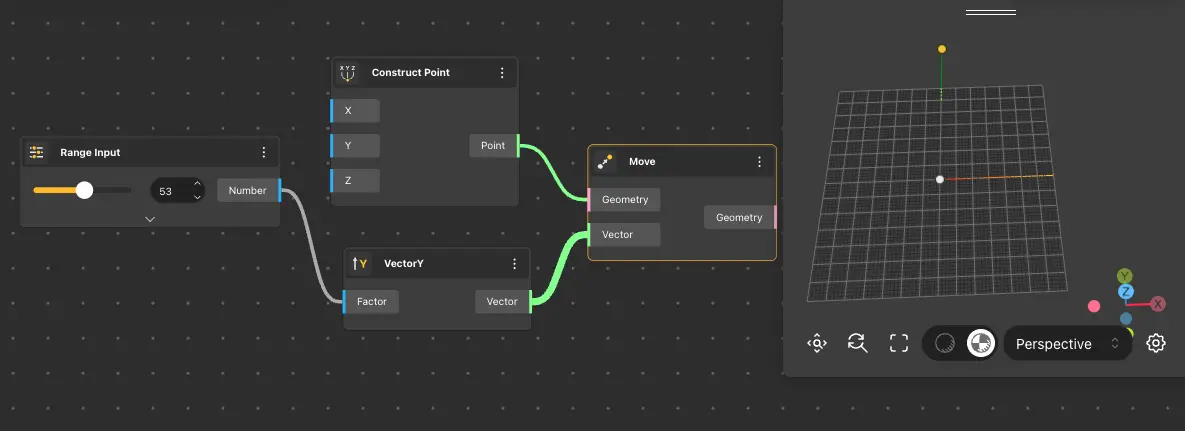
VectorY
Behavior
Returns a vector along the Y axis with magnitude equal to the input value.
Inputs
Magnitude
Outputs
Vector
Pairs With
Move, Linear Array, Extrude Curve
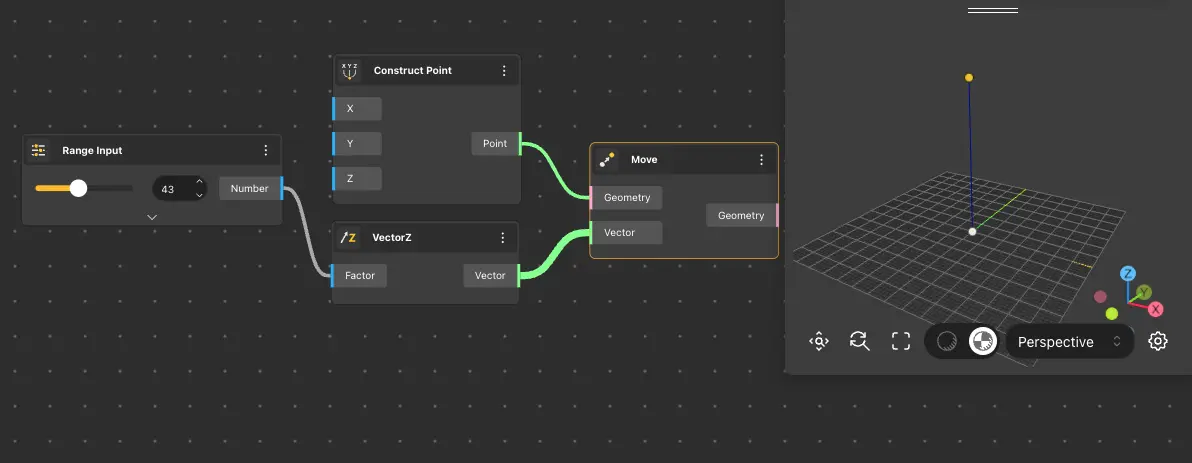
VectorZ
Behavior
Returns a vector along the Z axis with magnitude equal to the input value.
Inputs
Magnitude
Outputs
Vector
Pairs With
Move, Linear Array, Extrude Curve
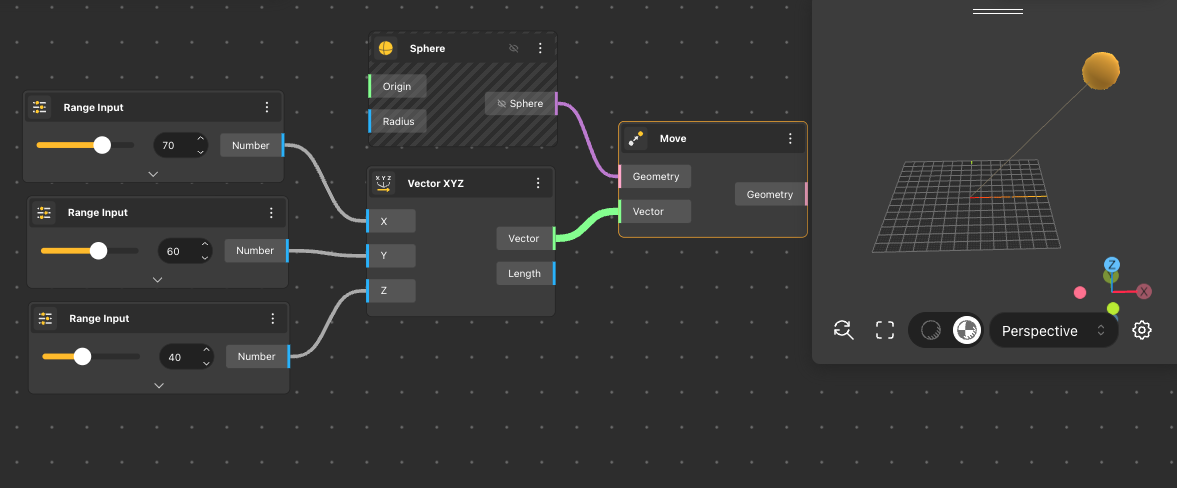
Vector XYZ
Behavior
Returns a vector from the origin with direction and magnitude defined by x, y, and z components.
Inputs
X, Y, Z
Outputs
Vector
Pairs With
Deconstruct Vector, Move, Amplitude Vector
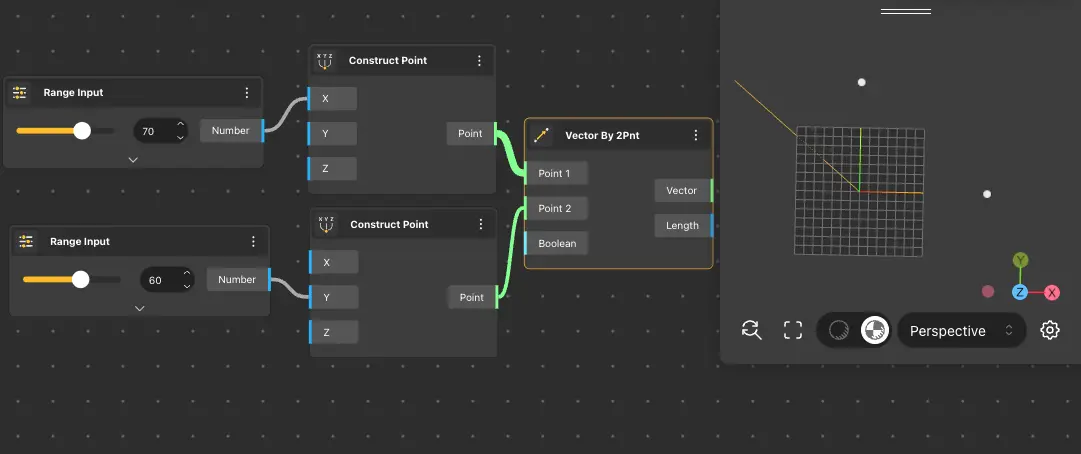
Vector By 2Pnt
Behavior
Creates a vector from the base point to the tip point. The third input optionally normalizes the result to unit length. Default: Point 1 {5,5,0}, Point 2 {10,10,0}. Outputs both the Vector and its Length. When the Boolean (unitize) input is true, the output vector is normalized to magnitude 1 while preserving direction. The Length output always returns the original (pre-normalization) distance between the points.
Inputs
Point 1, Point 2, Normalize
Outputs
Vector
Pairs With
Construct Point, Unit Vector, Move
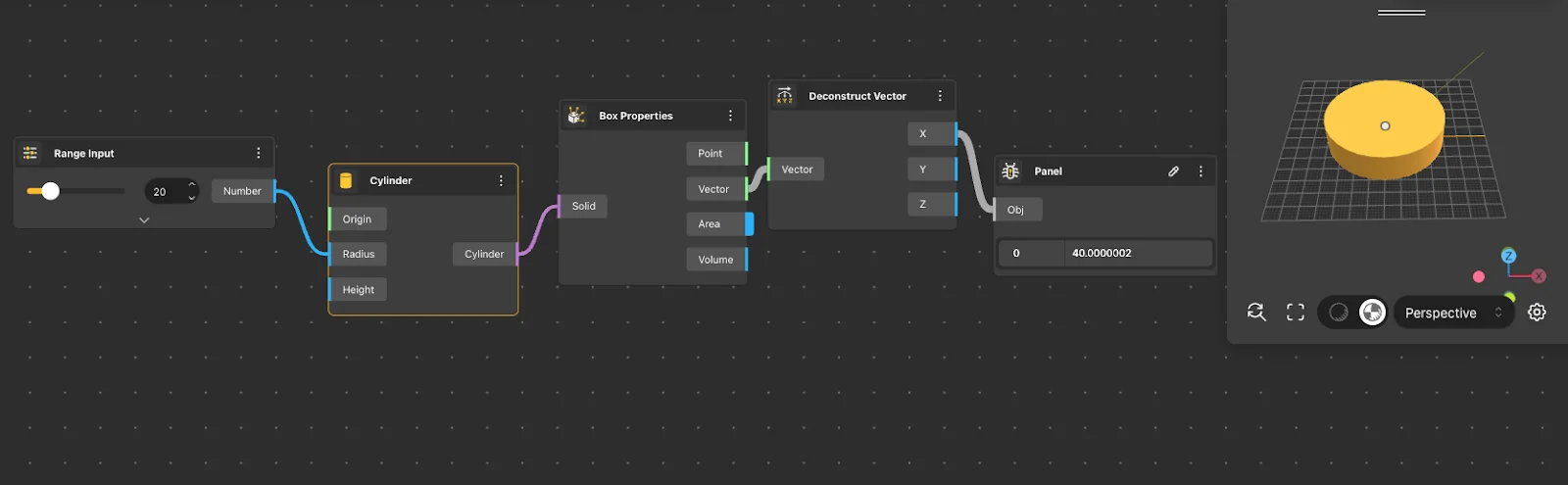
Deconstruct Vector
Behavior
Separates a vector into its X, Y, and Z components.
Inputs
Vector
Outputs
X, Y, Z
Pairs With
Vector XYZ, VectorX, VectorY, VectorZ
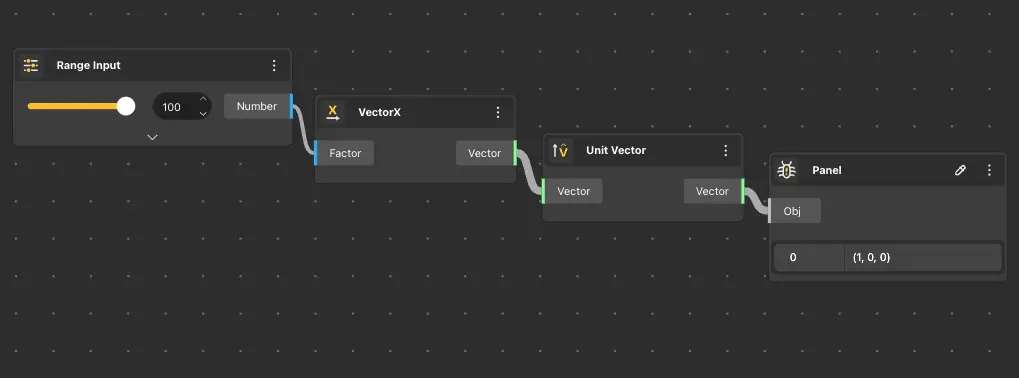
Unit Vector
Behavior
Normalizes the input vector to unit length (magnitude 1), preserving direction.
Inputs
Vector
Outputs
Unit Vector
Pairs With
Amplitude Vector, Vector XYZ
Vector Math
Arithmetic and geometric operations on vectors - scale, reverse, add, subtract, cross, dot, length, angle, and rotation.
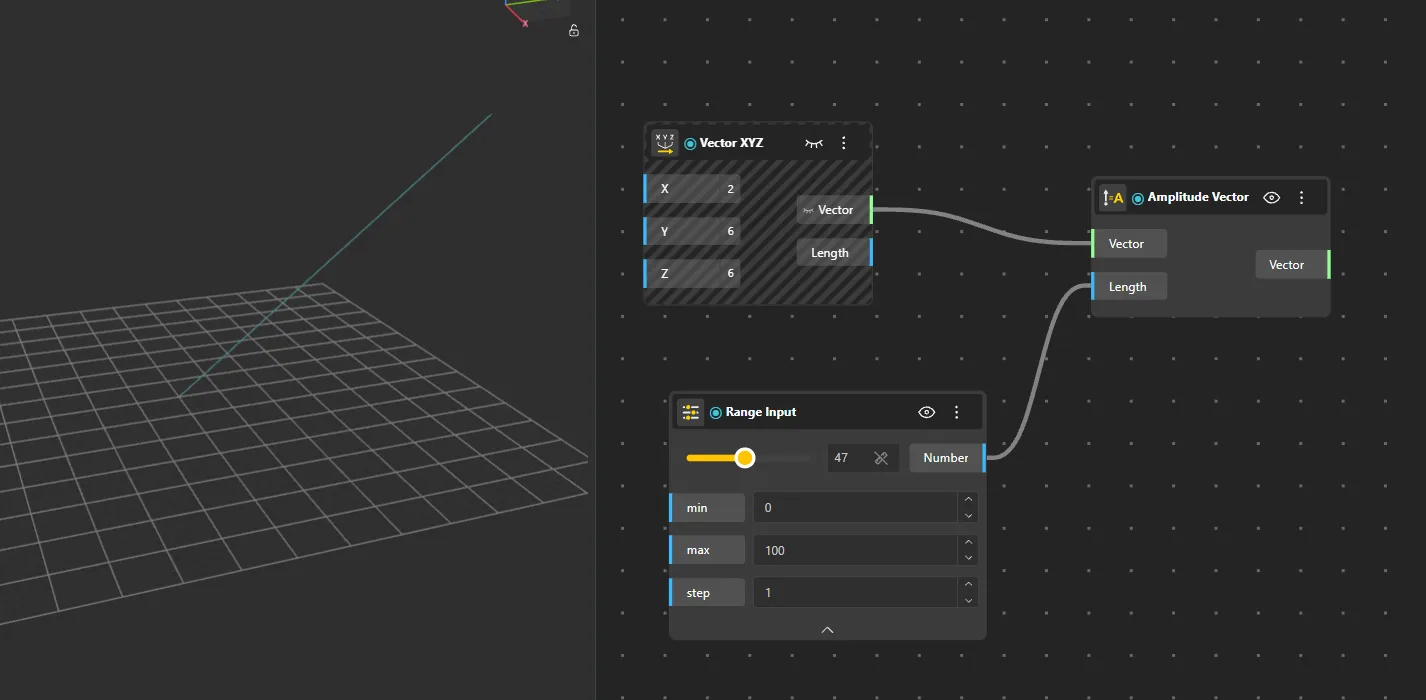
Amplitude Vector
Behavior
Scales a vector to a specified magnitude while preserving its direction.
Inputs
Vector, Amplitude
Outputs
Vector
Pairs With
Unit Vector, Move
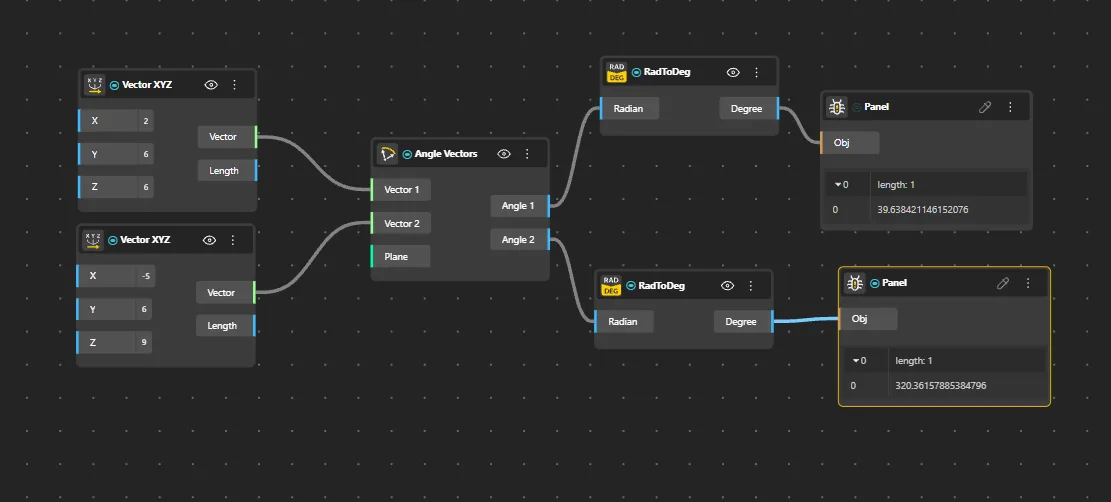
Angle Vectors
Behavior
Returns the angle between two vectors in radians.
Inputs
Vector A, Vector B
Outputs
Angle (rad)
Pairs With
Unit Vector, Dot Product, Vector By 2Pnt
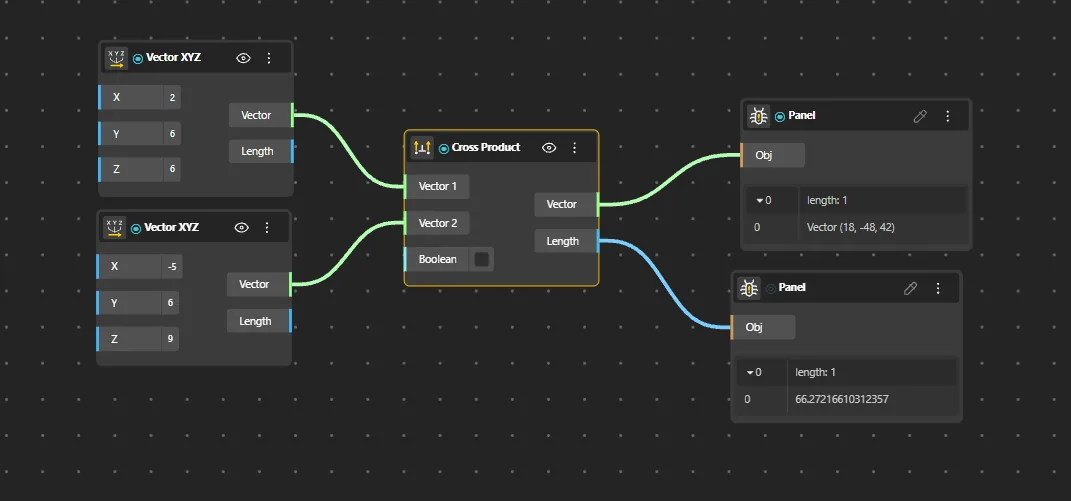
Cross Product
Behavior
Returns the cross product of two vectors - a new vector perpendicular to both inputs. The result's magnitude equals the area of the parallelogram formed by the two input vectors. The direction follows the right-hand rule: curl fingers from A toward B, and the thumb points in the cross product direction. Swapping A and B reverses the output direction. If A and B are parallel, the cross product is a zero vector. Commonly used to find surface normals from two tangent directions.
Inputs
A, B
Outputs
Cross
Pairs With
Construct Plane, Plane By Normal, Unit Vector
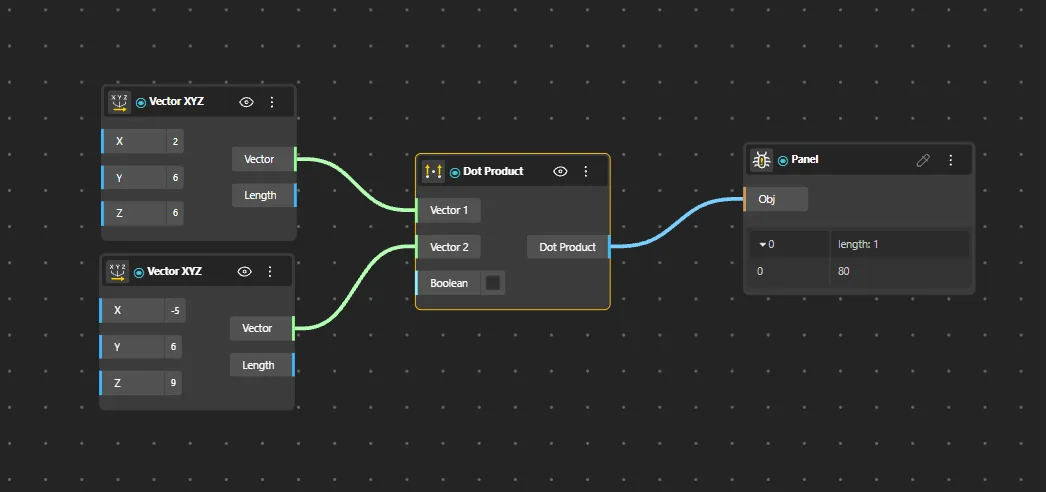
Dot Product
Behavior
Returns the dot product (scalar product) of two vectors - a single number indicating how aligned they are. Dot product = 0 when vectors are perpendicular, positive when pointing in similar directions, negative when opposing. For unit vectors, the result equals the cosine of the angle between them. Commonly used to test parallelism, perpendicularity, or project one vector onto another.
Inputs
A, B
Outputs
Dot
Pairs With
Point List, Construct Point
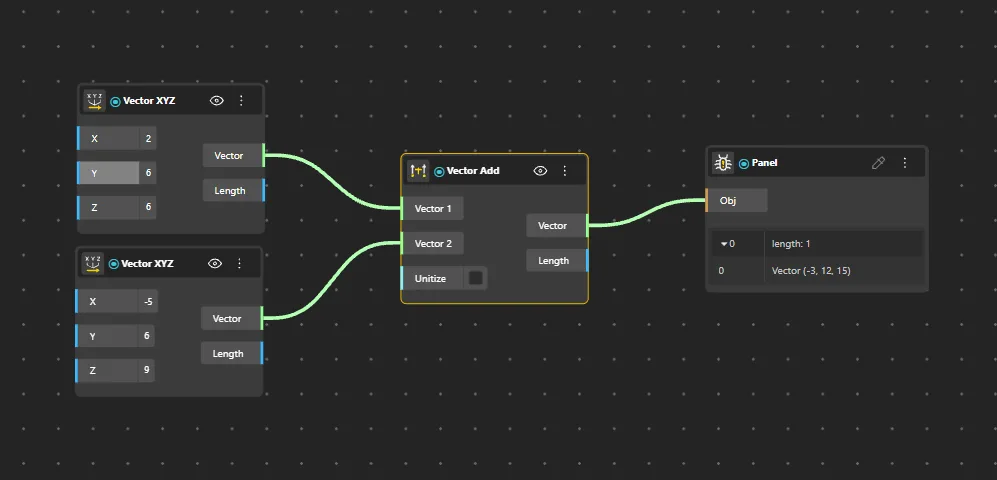
Vector Add
Behavior
Adds two vectors component-wise.
Inputs
A, B
Outputs
Sum Vector
Pairs With
Vector XYZ, Vector Subtract, Move
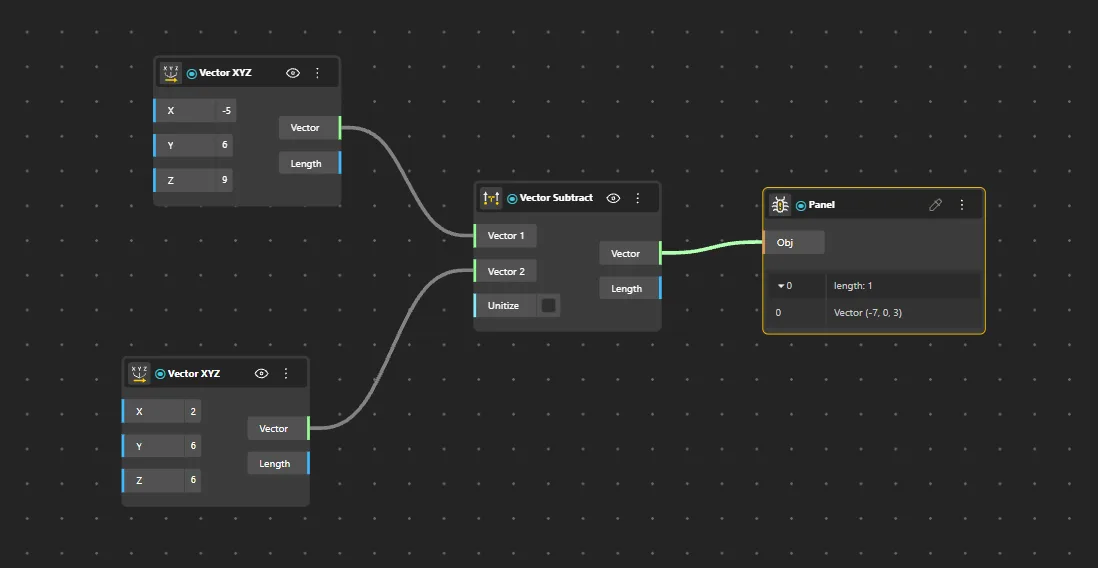
Vector Subtract
Behavior
Subtracts vector B from vector A component-wise.
Inputs
A, B
Outputs
Difference Vector
Pairs With
Vector Add, Vector By 2Pnt
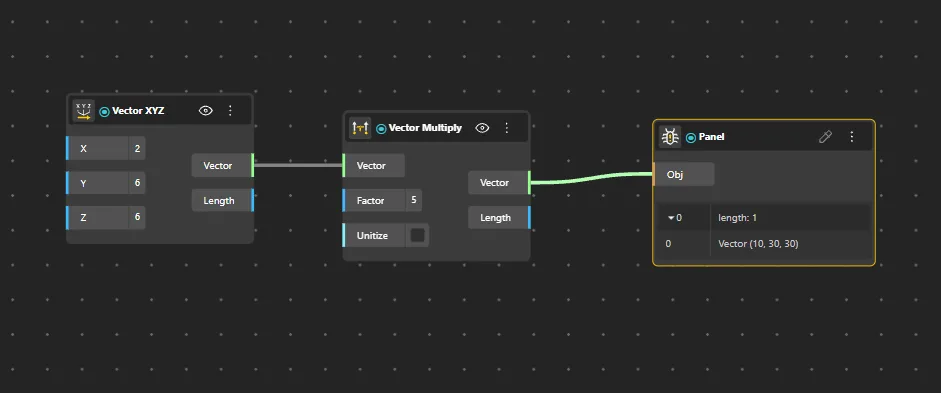
Vector Multiply
Behavior
Multiplies a vector by a scalar value, scaling its magnitude.
Inputs
Vector, Scalar
Outputs
Product Vector
Pairs With
Amplitude Vector, Unit Vector
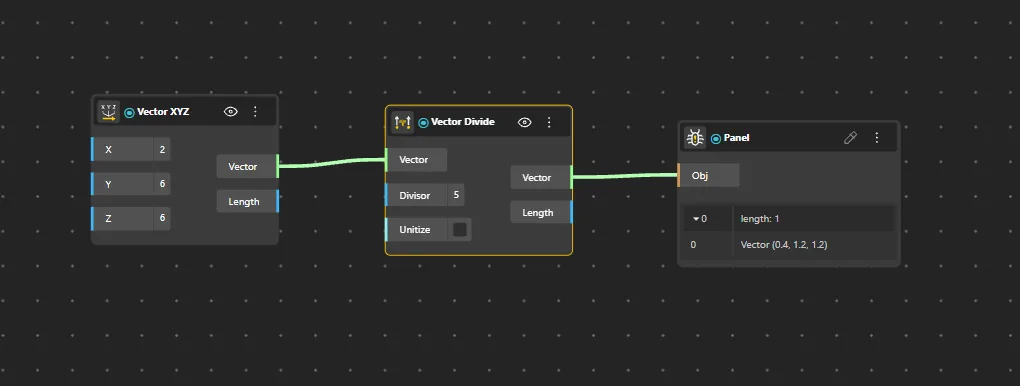
Vector Divide
Behavior
Divides a vector by a scalar value.
Inputs
Vector, Scalar
Outputs
Quotient Vector
Pairs With
Amplitude Vector, Unit Vector
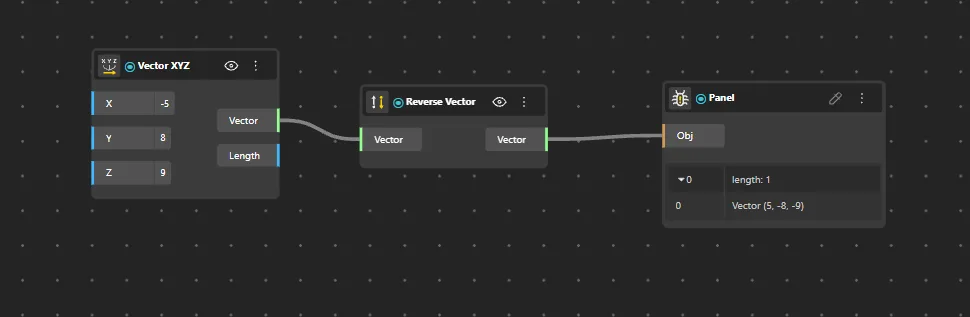
Reverse Vector
Behavior
Reverses the direction of the input vector (multiplies by -1).
Inputs
Vector
Outputs
Reversed Vector
Pairs With
Angle Vectors, Unit Vector
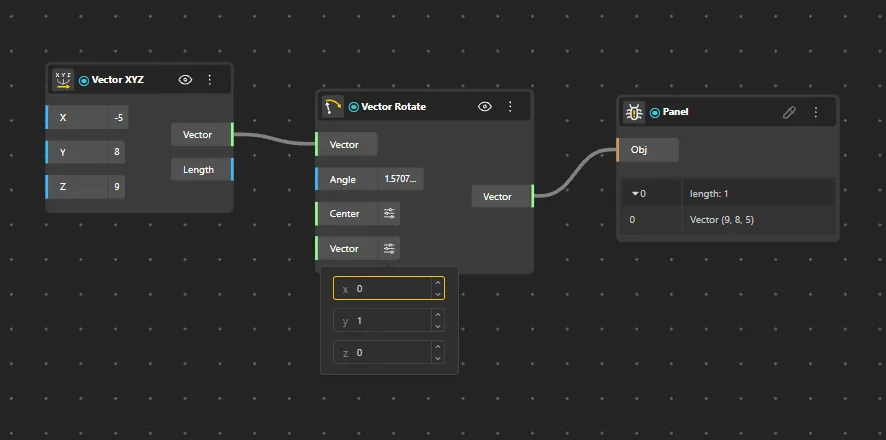
Vector Rotate
Behavior
Rotates a vector around an axis by a specified angle.
Inputs
Vector, Axis, Angle
Outputs
Rotated Vector
Pairs With
Construct Plane, Rotate, Angle Vectors
Planes - Primitive
Ready-made world planes aligned to the coordinate axes. Use them as a baseline reference frame when no custom orientation is needed.
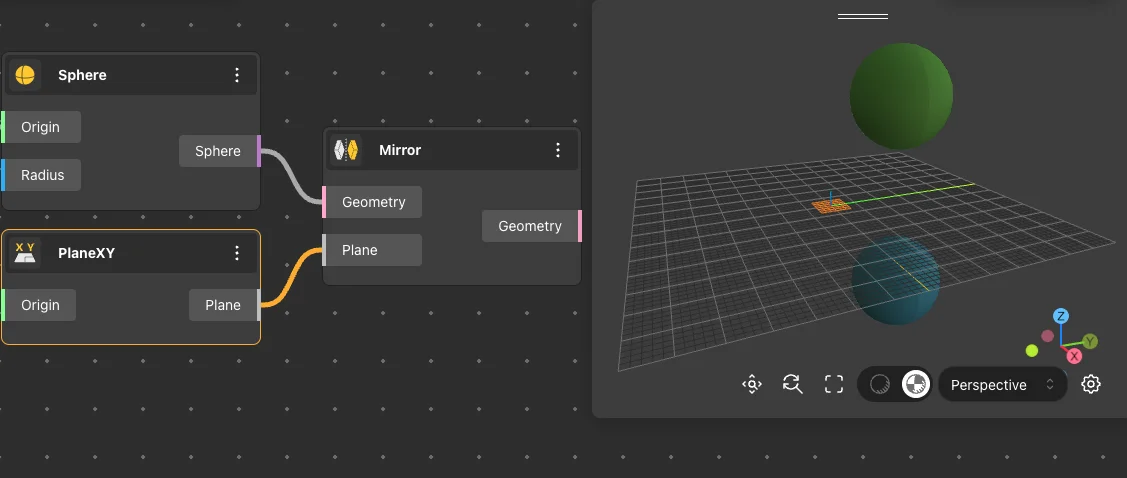
PlaneXY
Behavior
Returns the world XY plane (Z = 0).
Inputs
None
Outputs
Plane
Pairs With
Construct Plane, Rectangle Surface, Box By Center
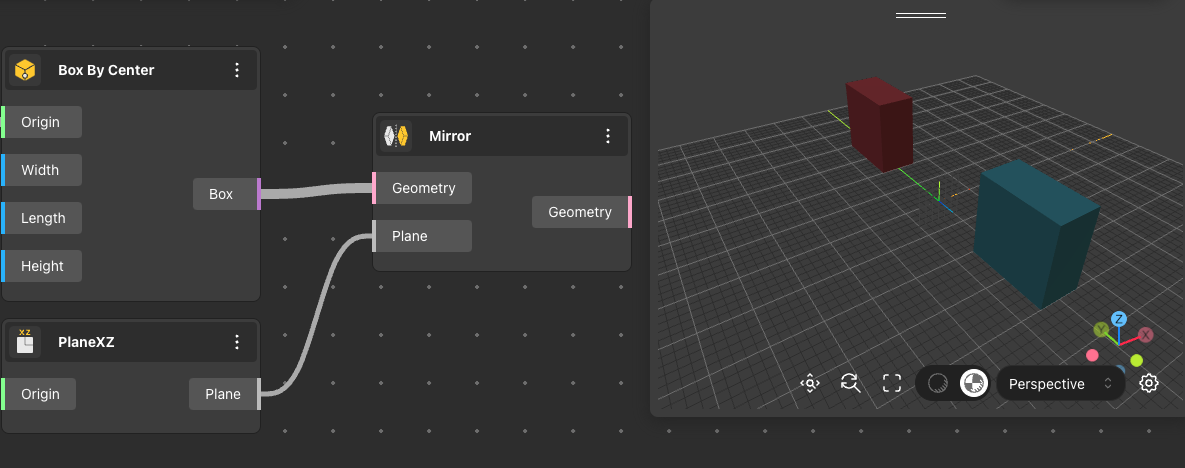
PlaneXZ
Behavior
Returns the world XZ plane (Y = 0).
Inputs
None
Outputs
Plane
Pairs With
Construct Plane, Rectangle Surface, Extrude Curve
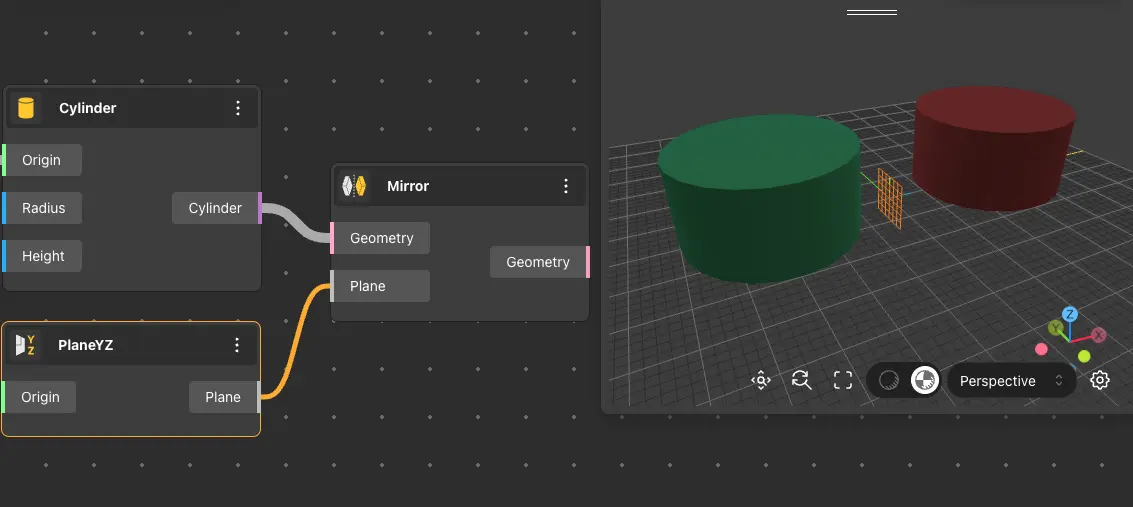
PlaneYZ
Behavior
Returns the world YZ plane (X = 0).
Inputs
None
Outputs
Plane
Pairs With
Construct Plane, Rectangle Surface, Extrude Curve
Planes - Construction & Operations
Build custom planes from points, lines, or normals, and modify existing planes - flip, offset, rotate, align, or pull a point onto a plane.
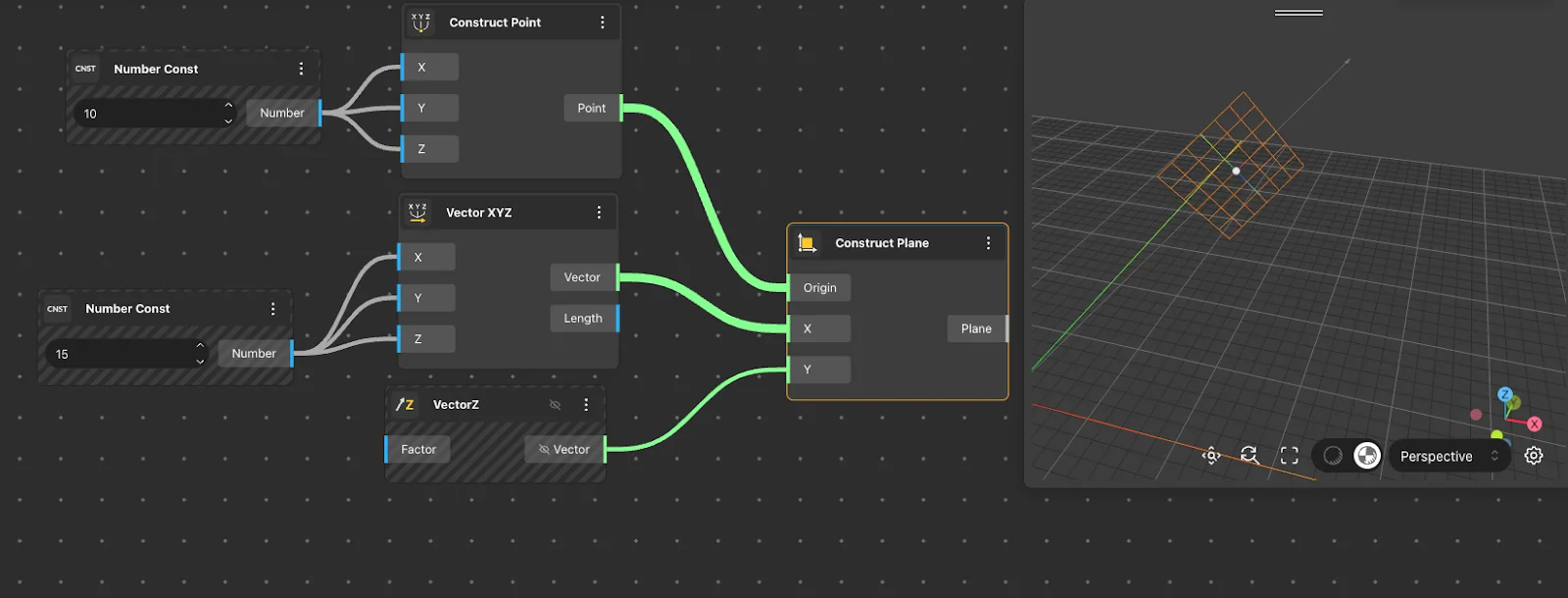
Construct Plane
Behavior
Constructs a plane from an origin point and two directional vectors defining the X and Y axes. Default: Origin {0,0,0}. X and Y directions required. The Z axis (normal) is computed automatically as the cross product of X and Y. If X and Y are not perpendicular, the plane is still valid but the coordinate system will be non-orthogonal.
Inputs
Center, X Dir, Y Dir
Outputs
Plane
Pairs With
Construct Point, Vector XYZ, Plane By Normal
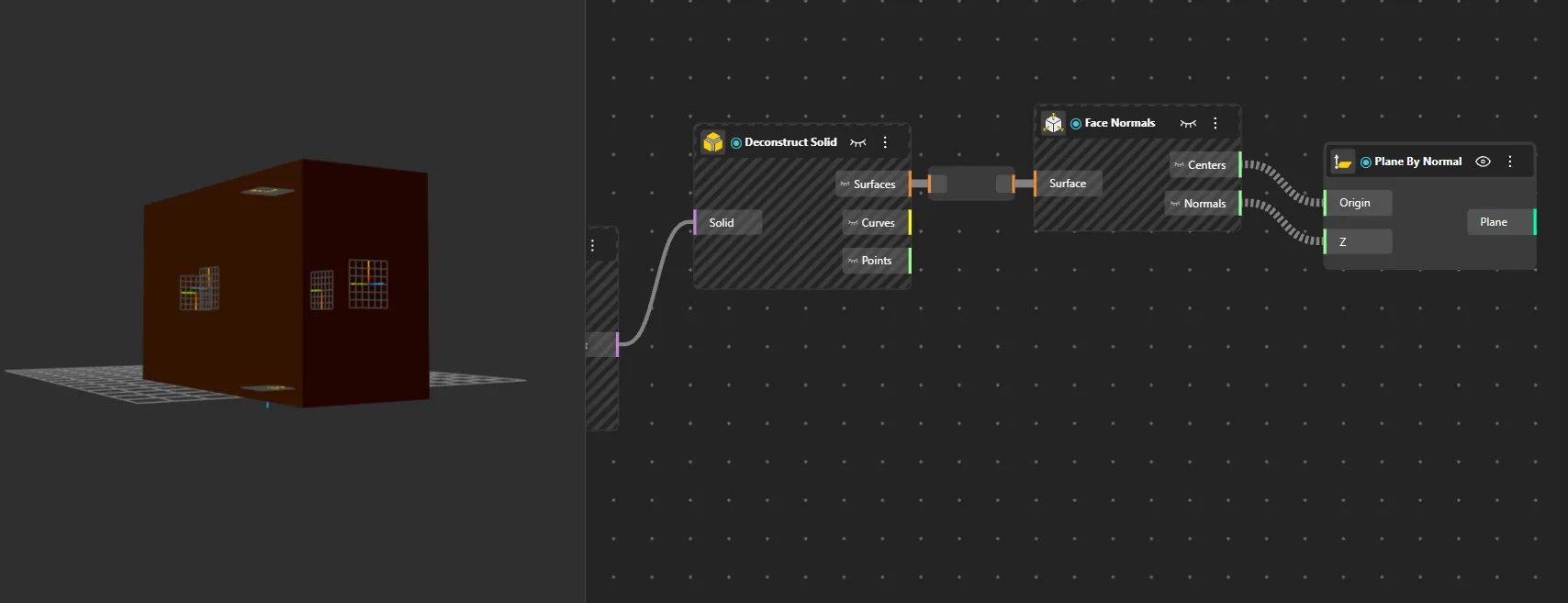
Plane By Normal
Behavior
Constructs a plane from a point and a normal vector.
Inputs
Point, Normal
Outputs
Plane
Pairs With
Construct Point, Vector XYZ, Unit Vector
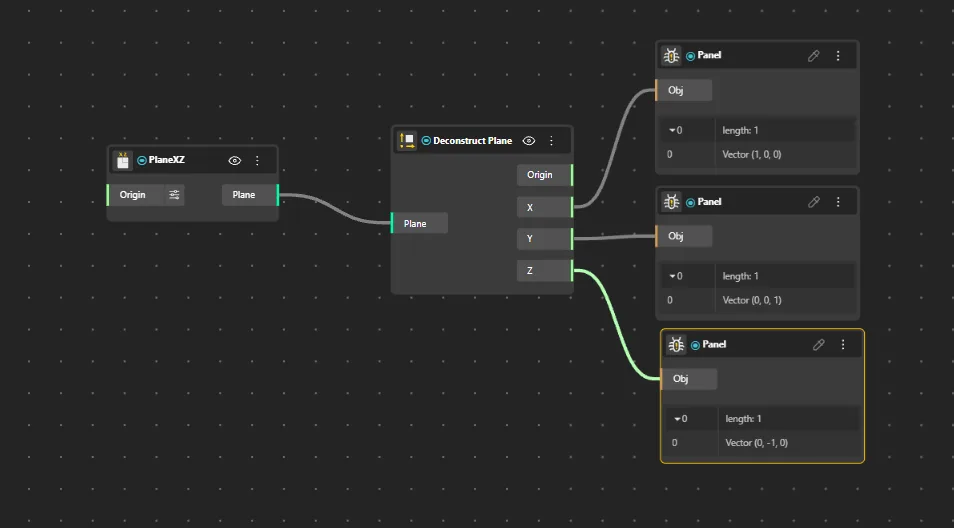
Deconstruct Plane
Behavior
Extracts the origin point, X direction, Y direction, and normal from a plane.
Inputs
Plane
Outputs
Origin, X, Y, Normal
Pairs With
Construct Plane, PlaneXY
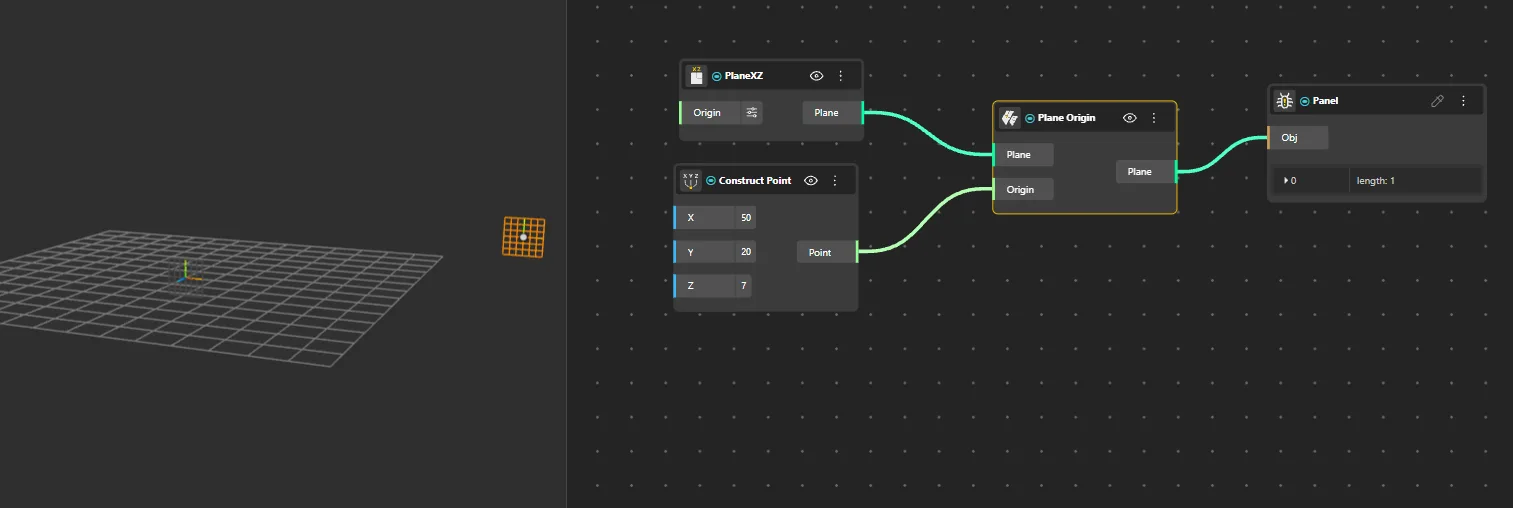
Plane Origin
Behavior
Returns the origin point of a plane.
Inputs
Plane
Outputs
Origin
Pairs With
Construct Plane, Deconstruct Plane, Construct Point
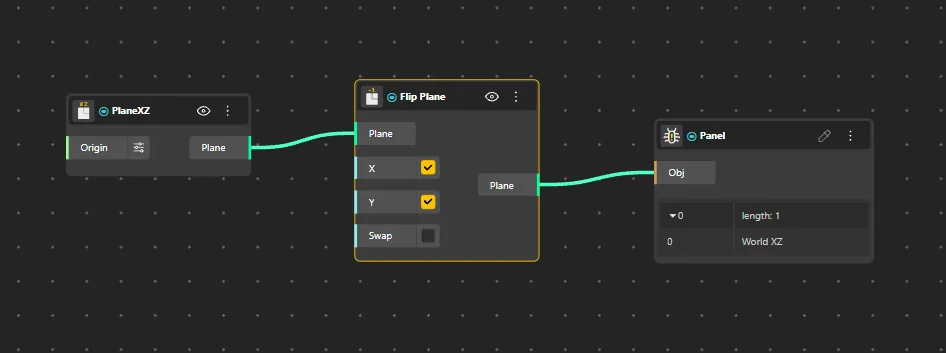
Flip Plane
Behavior
Reverses the normal direction of a plane.
Inputs
Plane
Outputs
Flipped
Pairs With
Construct Plane, PlaneXY, Reverse Vector
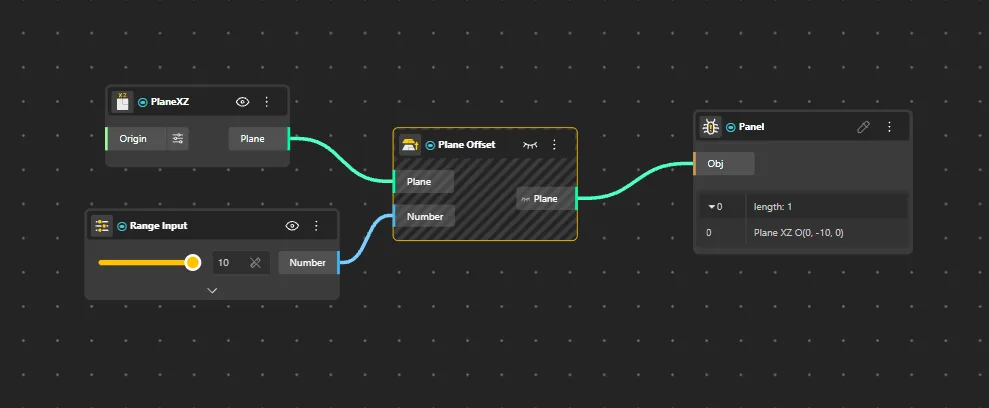
Plane Offset
Behavior
Moves a plane along its normal direction by a specified distance.
Inputs
Plane, Distance
Outputs
Offset Plane
Pairs With
Construct Plane, PlaneXY, VectorZ
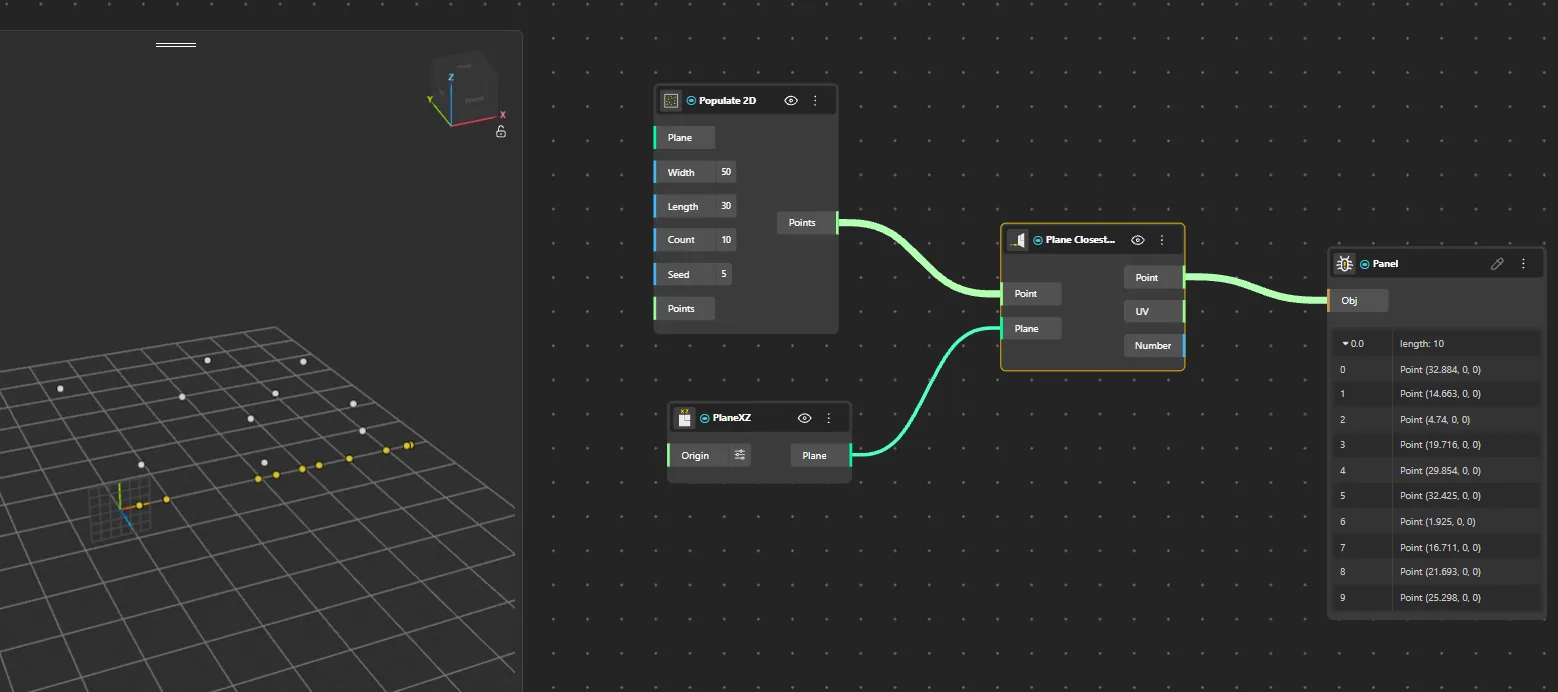
Plane Closest Point
Behavior
Projects a point onto a plane, returning the closest point on that plane.
Inputs
Plane, Point
Outputs
Projected, Distance
Pairs With
Construct Point, Construct Plane, Pull Point
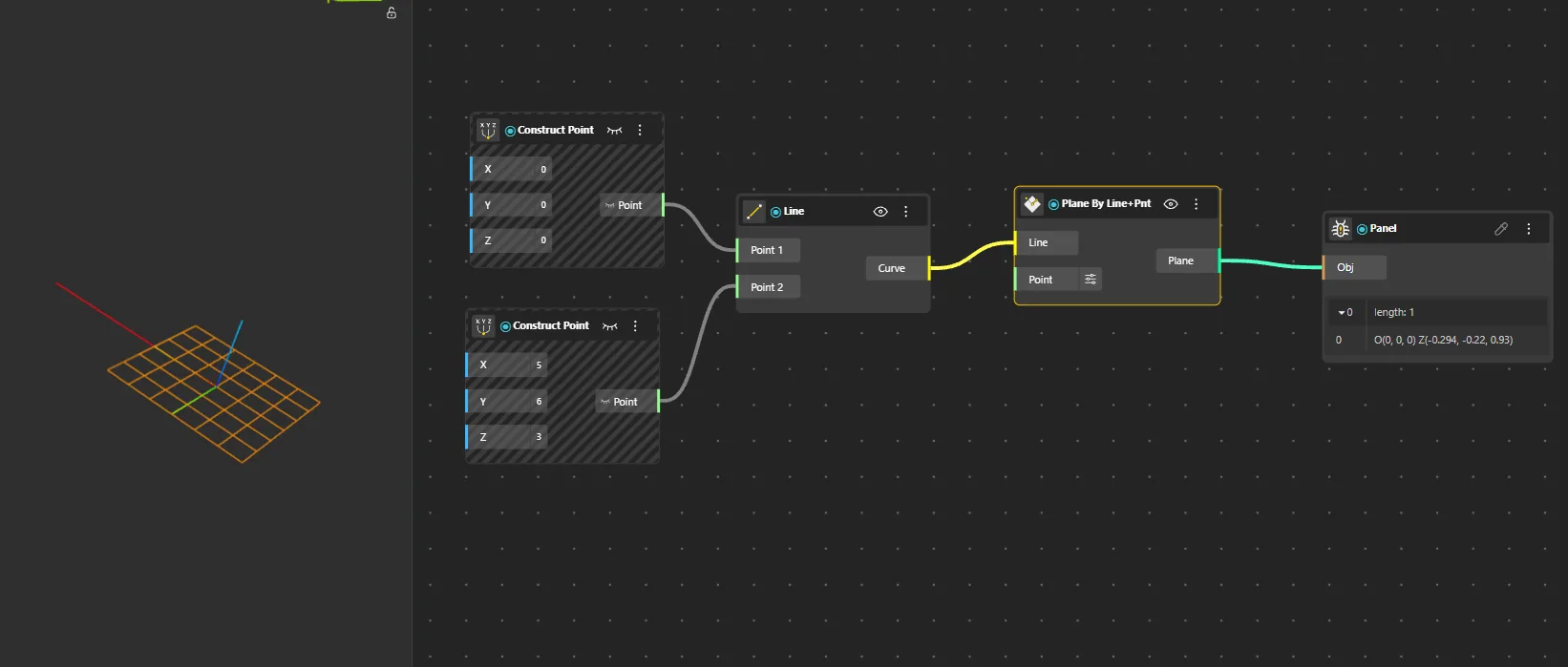
Plane By Line+Pnt
Behavior
Constructs a plane that contains a line and passes through a point.
Inputs
Line, Point
Outputs
Plane
Pairs With
Line, Construct Point, Construct Plane
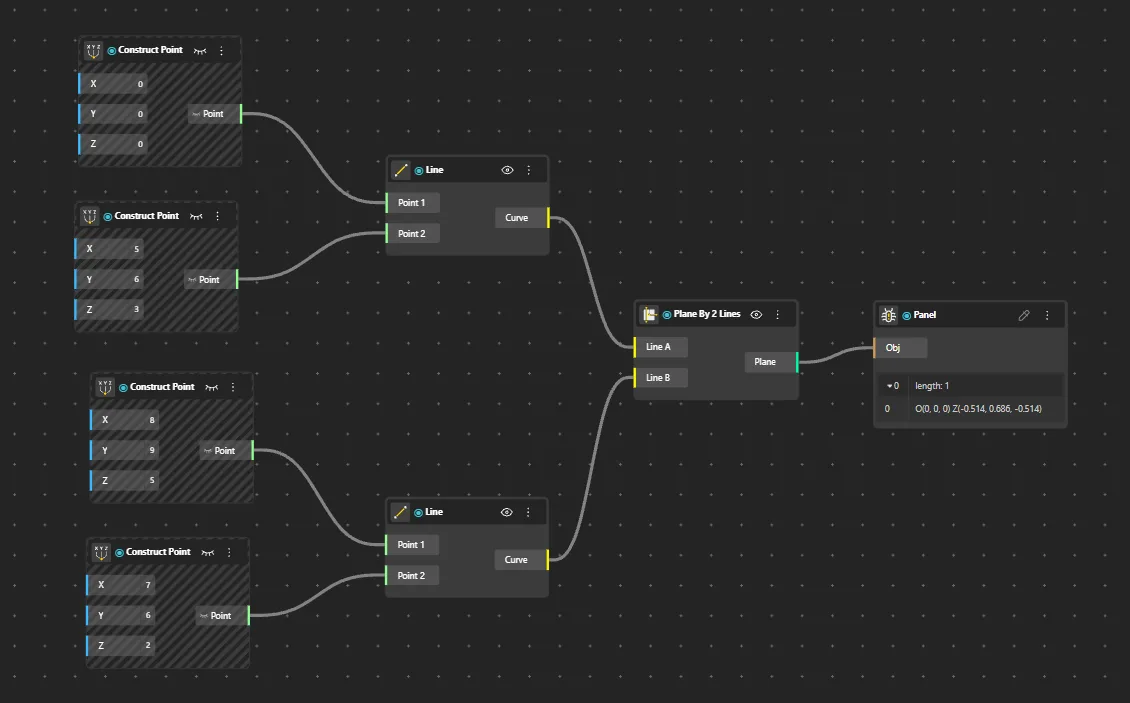
Plane By 2 Lines
Behavior
Constructs a plane that contains two lines.
Inputs
Line A, Line B
Outputs
Plane
Pairs With
Line, Construct Plane
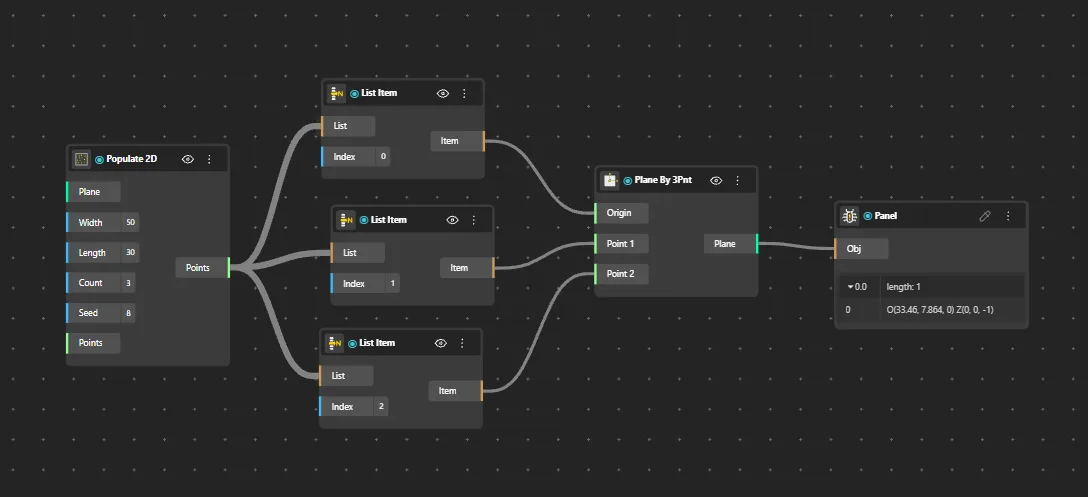
Plane By 3Pnt
Behavior
Constructs a plane from three non-collinear points.
Inputs
P1, P2, P3
Outputs
Plane
Pairs With
Construct Point, Construct Plane
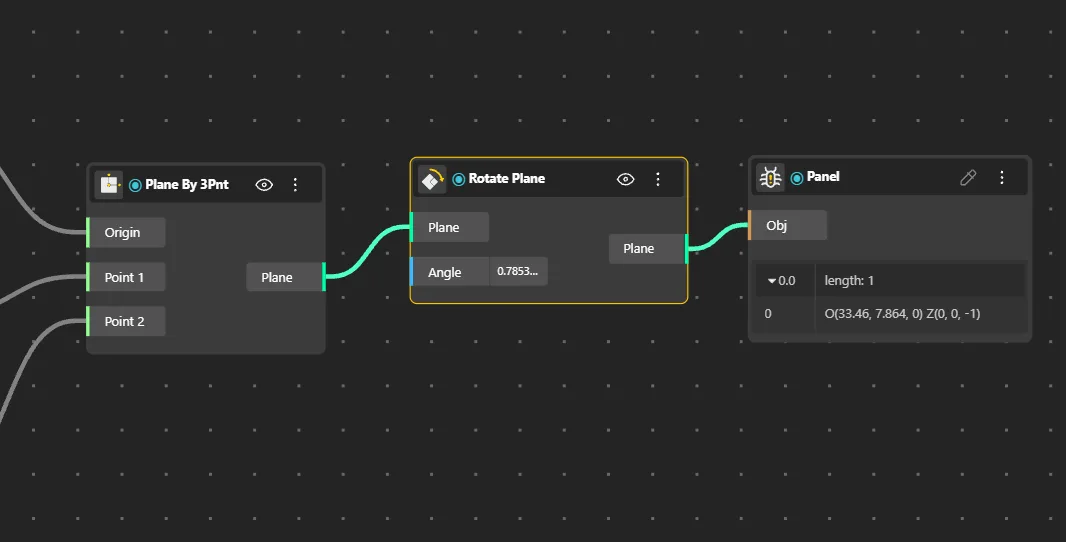
Rotate Plane
Behavior
Rotates a plane around an axis by a specified angle.
Inputs
Plane, Angle, Axis
Outputs
Rotated Plane
Pairs With
Construct Plane, PlaneXY, Angle Vectors
Adjust Plane
Behavior
Adjusts a plane's origin and orientation by modifying its components.
Inputs
Plane, Origin, X Dir, Y Dir
Outputs
Adjusted
Pairs With
Construct Plane, Align Plane
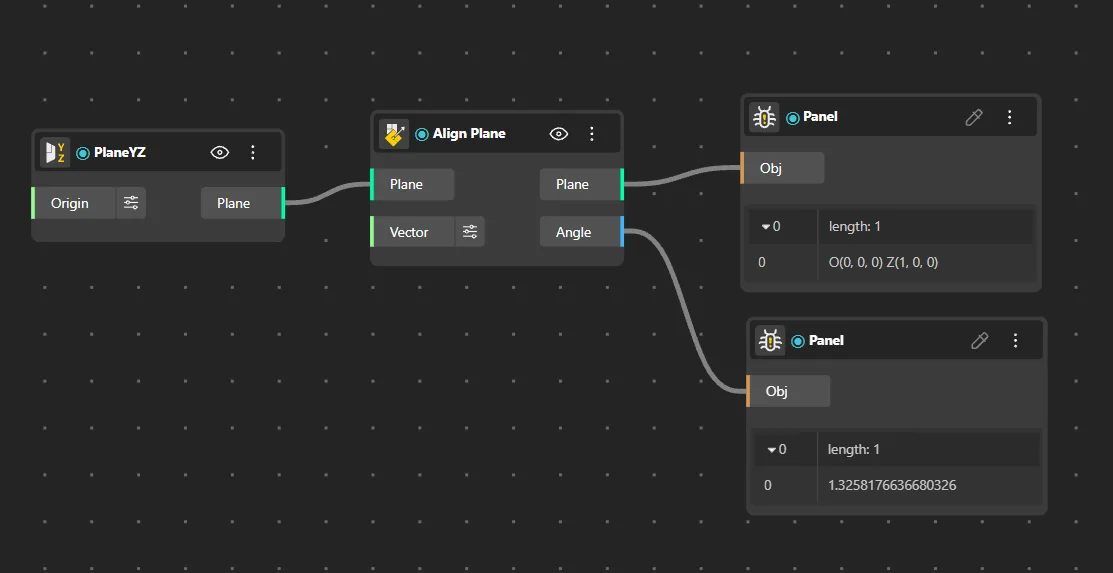
Align Plane
Behavior
Aligns a plane's axes to match a target direction as closely as possible.
Inputs
Plane, Direction
Outputs
Aligned Plane
Pairs With
Vector XYZ, Flip Plane, Move
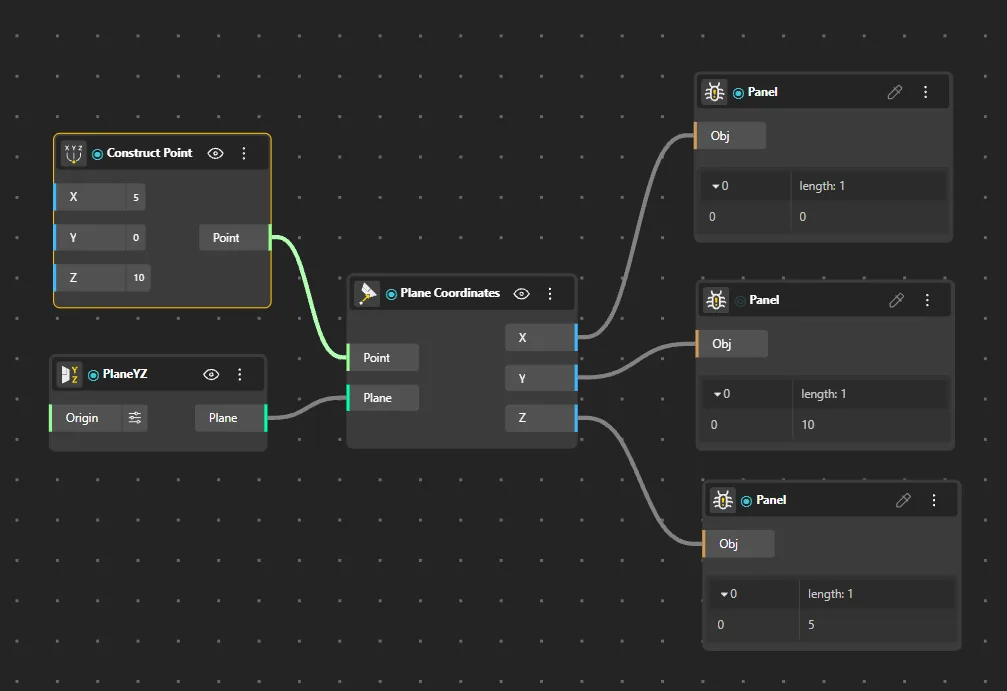
Plane Coordinates
Behavior
Returns the coordinates of a point expressed in a plane's local coordinate system.
Inputs
Plane, Point
Outputs
U, V, W
Pairs With
Construct Plane, Construct Point