Boolean Operations
Combine or separate geometry using union, difference, intersection, glue, and split operations - for 2D regions, surfaces, and solids.
17 nodes in this group
Region (2D Curves)
Boolean operations on closed 2D curves - merge, intersect, subtract, and glue planar regions.
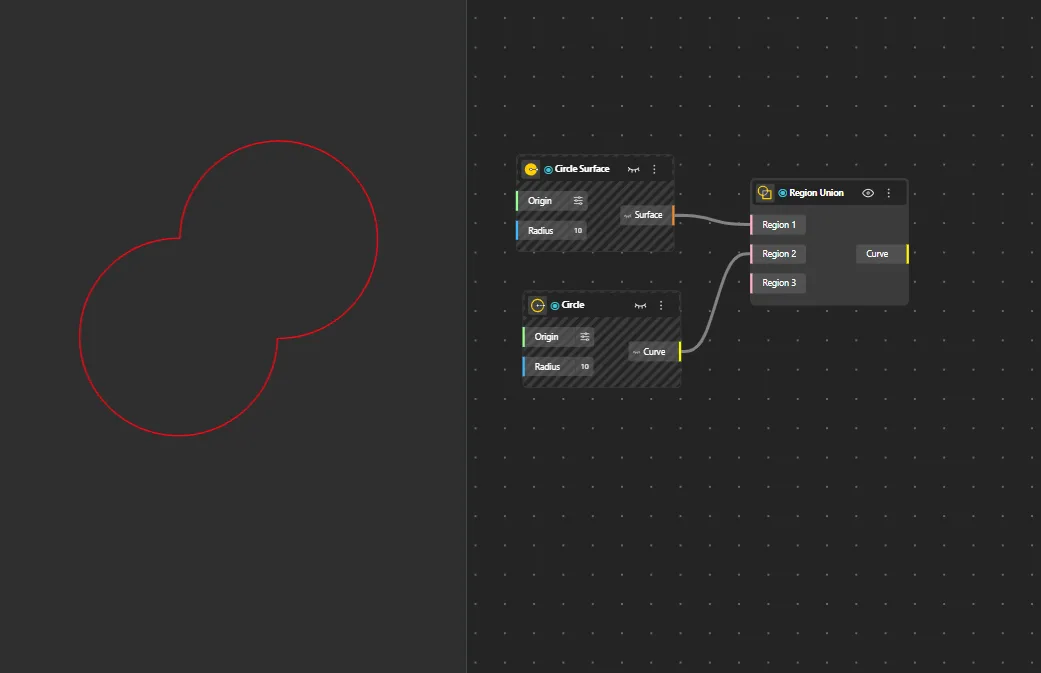
Region Union
Behavior
Merges multiple closed curves into a single shape by fusing overlapping or touching boundaries into one clean outline. If a surface is given as input, its boundary curve is extracted automatically and used for the operation.
Inputs
Curves
Outputs
Curve
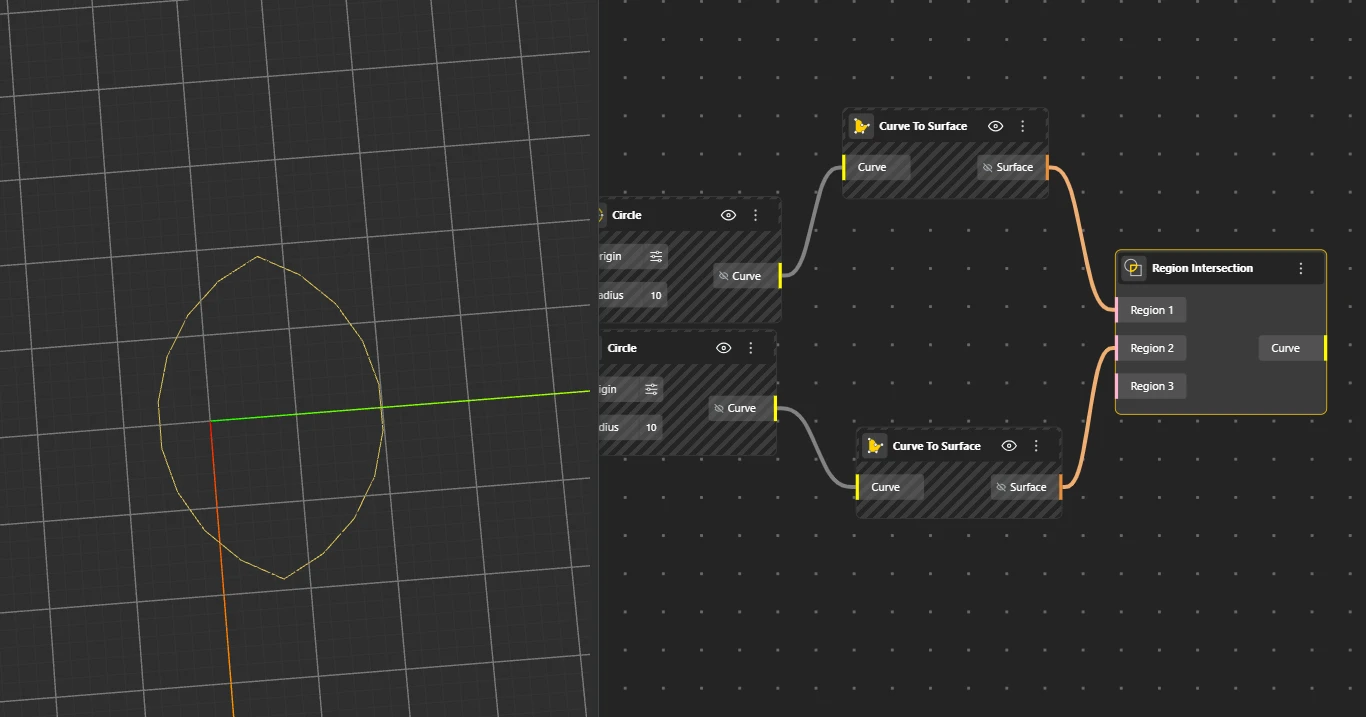
Region Intersection
Behavior
Returns a curve representing only the overlapping area shared by all input curves. Minimum 2 inputs required. If a surface is given as input, its boundary curve is extracted automatically and used for the operation.
Inputs
Curves
Outputs
Curve
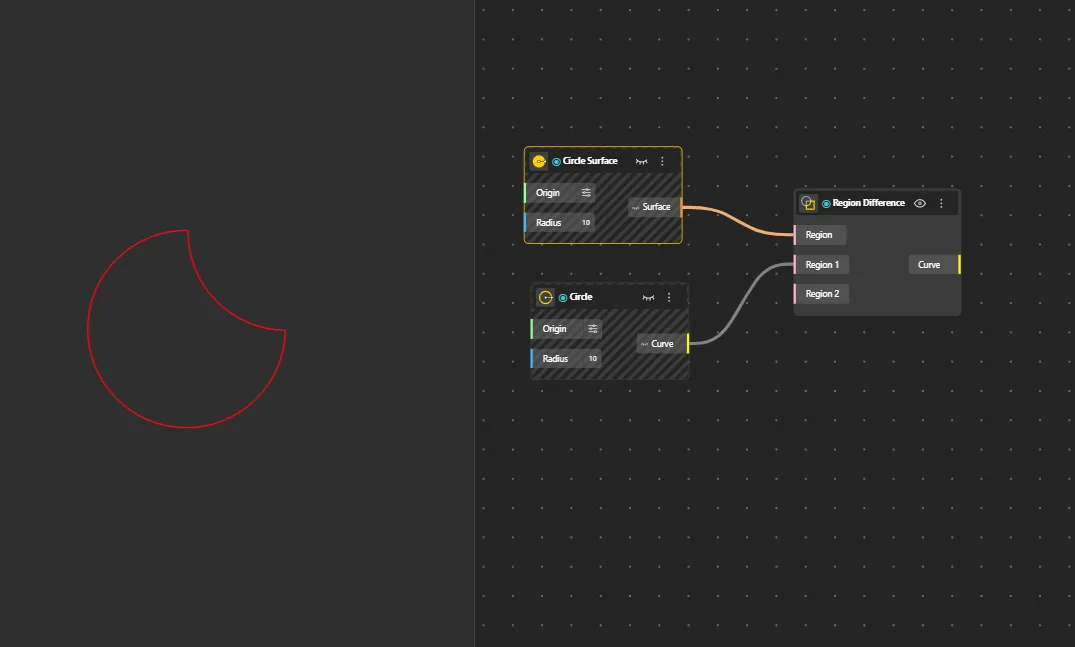
Region Difference
Behavior
Subtracts the overlapping areas of subsequent curves from the first input curve. The first input is retained, others are cut away. Input order matters: the first port is the shape to keep, additional ports define areas to remove. Hide original geometry for clearer preview. If a surface is given as input, its boundary curve is extracted automatically and used for the operation.
Inputs
Curves
Outputs
Curve
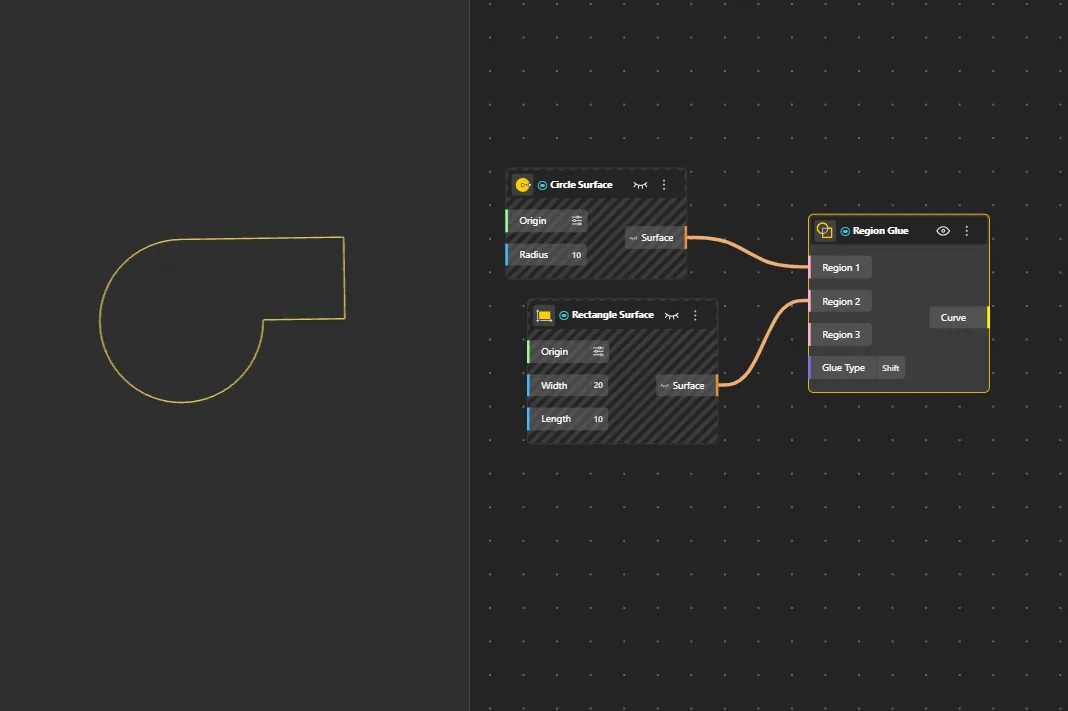
Region Glue
Behavior
Combines adjacent 2D regions using an optimized union that skips intersection calculations. Faster than Region Union for regions that touch at edges without penetrating each other - it preserves internal structure and avoids the heavy topology recalculation that standard union performs. Glue Type has two modes: Full - use when the input regions share an exact edge vertex-to-vertex with no gap or misalignment. Shift - use when there's a slight offset or tolerance gap between the touching edges; the node snaps them together during the merge. If the edges don't actually touch or overlap, Glue produces no output - use Region Union in that case. If a surface is given as input, its boundary curve is extracted automatically and used for the operation.
Inputs
Curves, Glue Type
Outputs
Curve
Surface
Boolean operations on surfaces - merge, intersect, subtract, hollow, glue, join, and split.
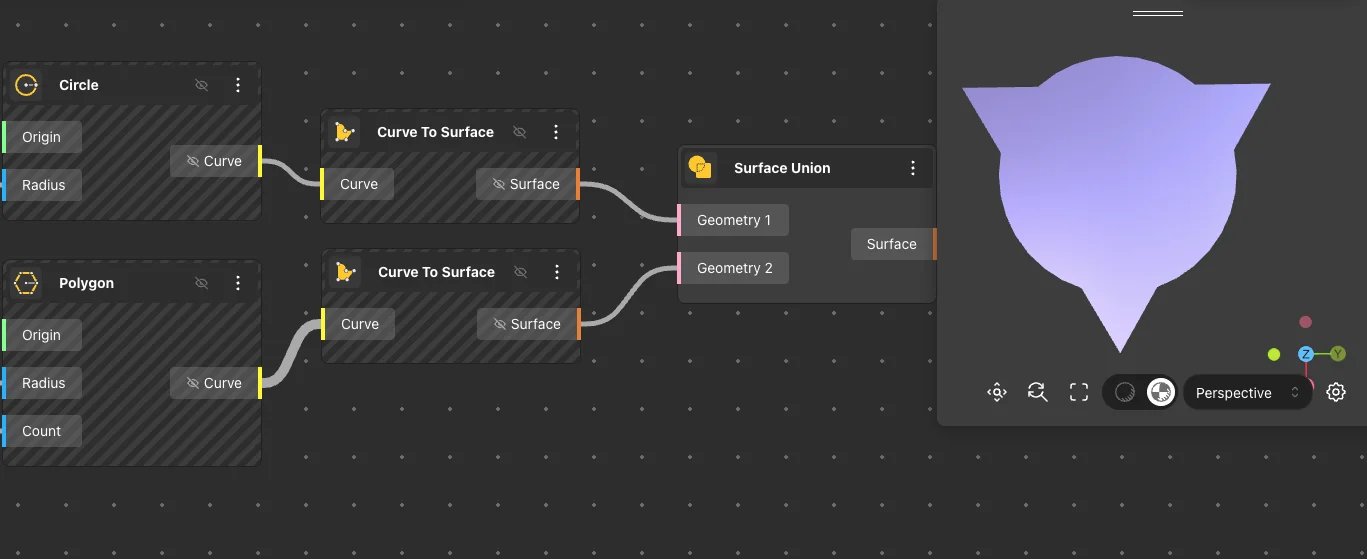
Surface Union
Behavior
Combines multiple surfaces into a single unified surface by merging overlapping or adjacent inputs.
Inputs
Surfaces
Outputs
Surface
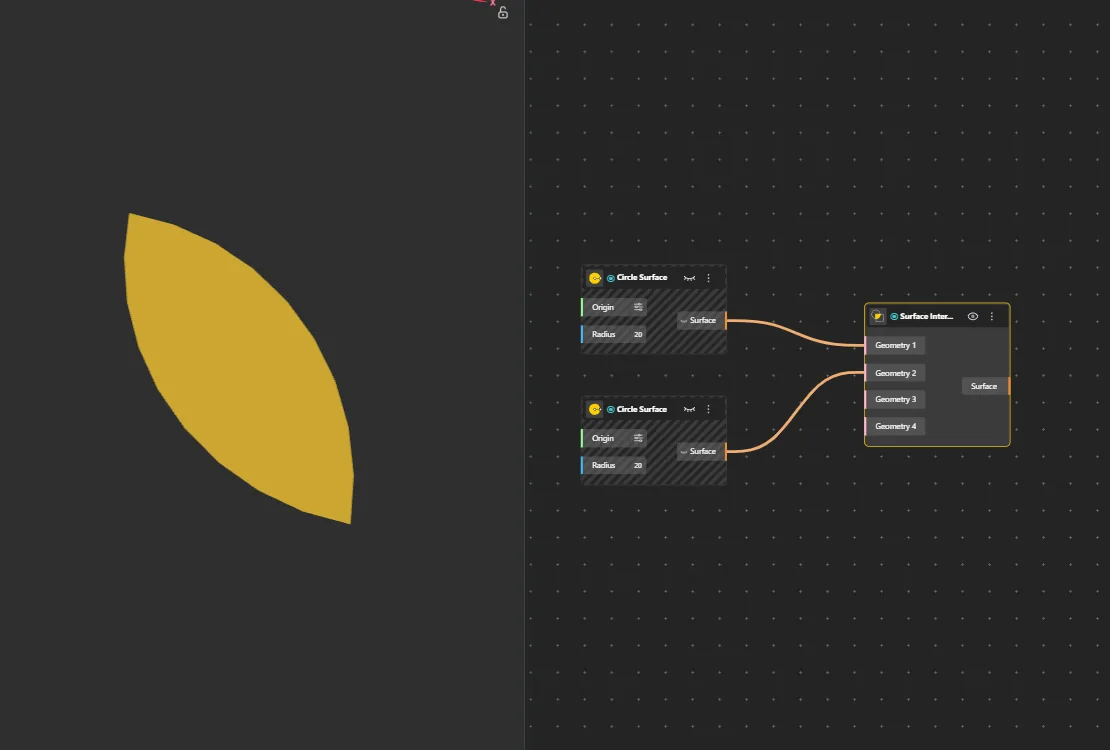
Surface Intersection
Behavior
Returns the surface representing only the shared area where all input surfaces overlap.
Inputs
Surfaces
Outputs
Surface
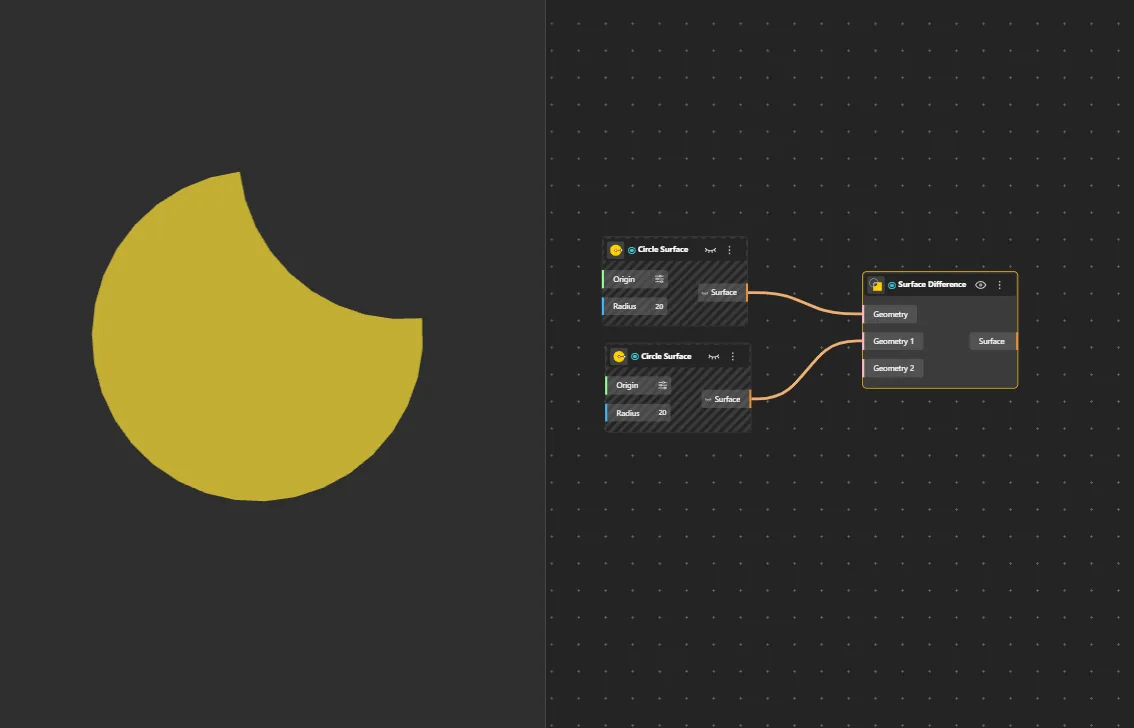
Surface Difference
Behavior
Subtracts secondary surfaces from the primary (first) surface. Trims away the overlapping areas.
Inputs
Surfaces
Outputs
Surface
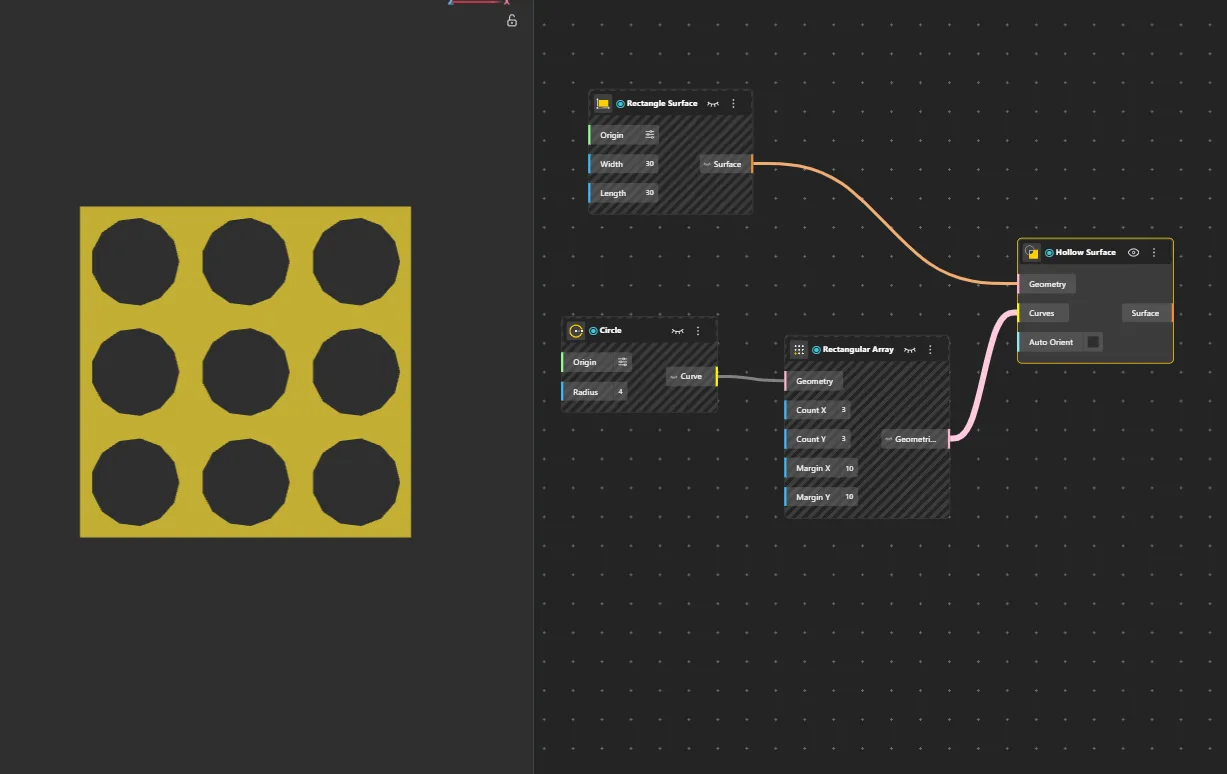
Hollow Surface
Behavior
Creates a hollow version of a surface by removing interior material while preserving the outer shell.
Inputs
Surface
Outputs
Surface
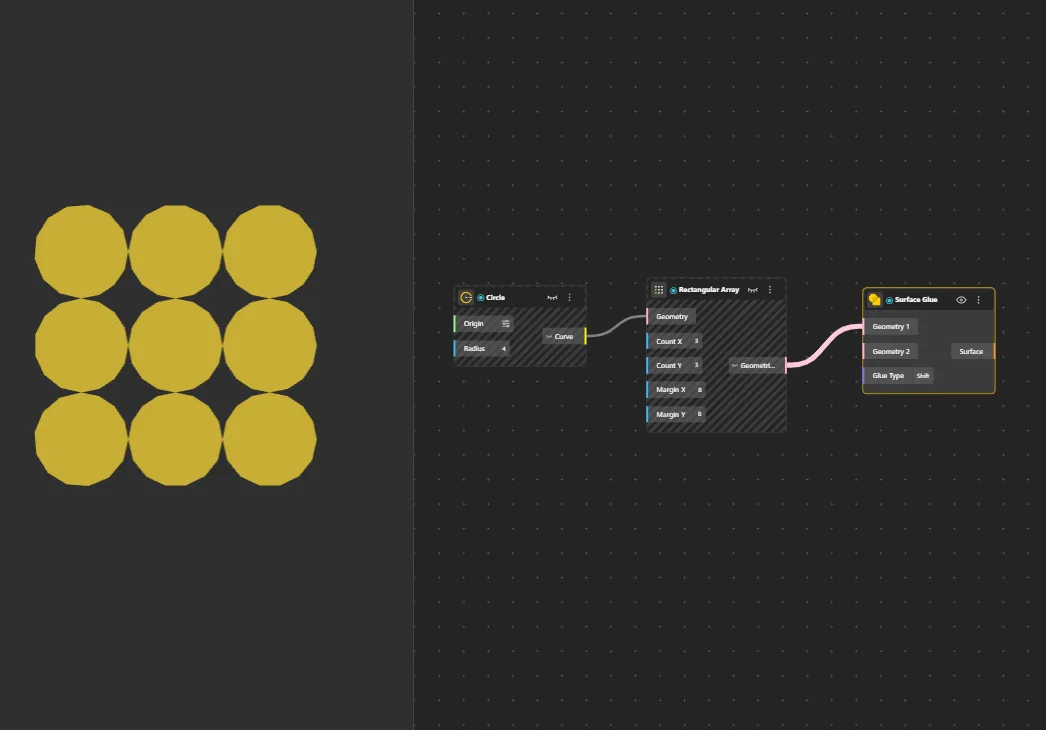
Surface Glue
Behavior
Merges surfaces edge-to-edge using optimized stitching that preserves original surface structure. Faster than Surface Union for non-overlapping assembly, since it skips the heavy topology recalculation. Best for surfaces meeting cleanly along shared edges, like car body panels welded at seams. Glue Type has two modes: Full - use when surfaces share an exact edge vertex-to-vertex with perfect alignment. Shift - use when there's a slight gap or offset between the edges; the node snaps them together within a small tolerance. If the edges don't touch at all, the output is empty - use Surface Union or Surface Join instead.
Inputs
Surfaces, Glue Type
Outputs
Surface
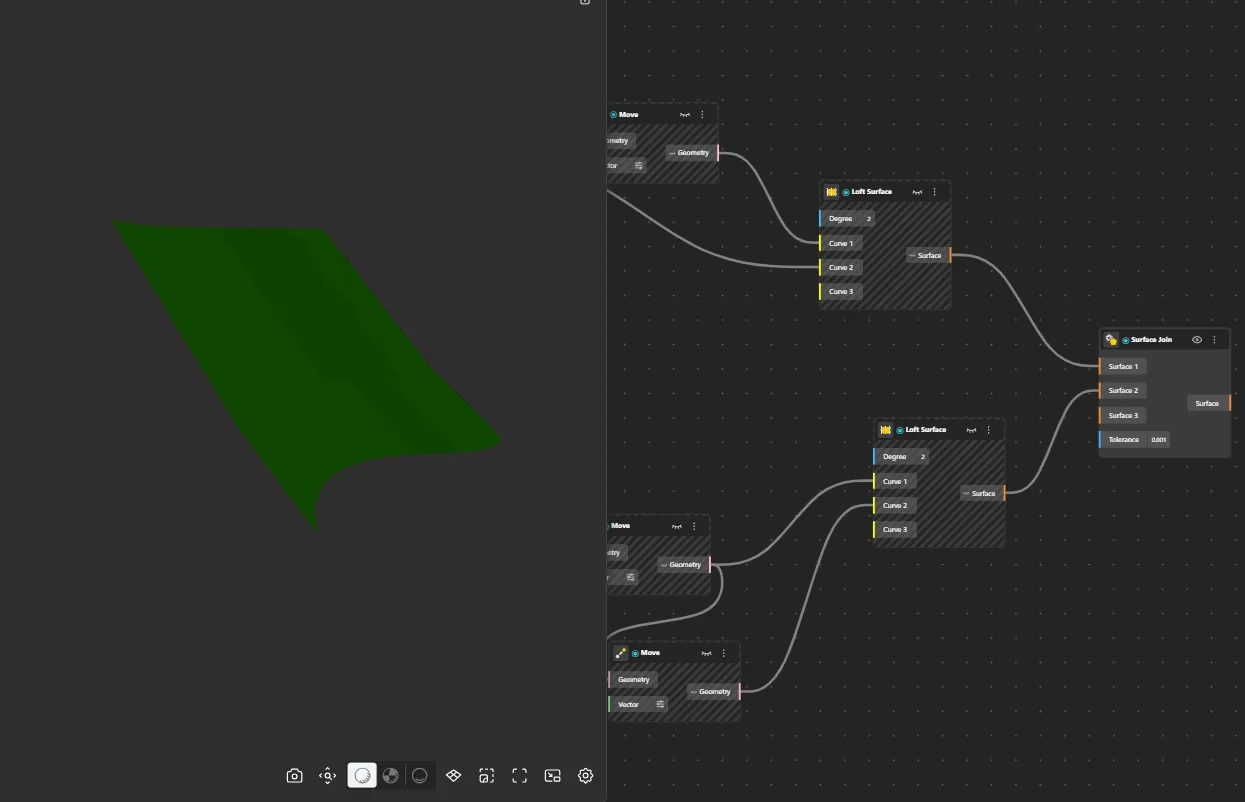
Surface Join
Behavior
Joins multiple surfaces edge-to-edge into a single connected surface without smoothing or blending. Stitches along shared edges.
Inputs
Surfaces
Outputs
Surface
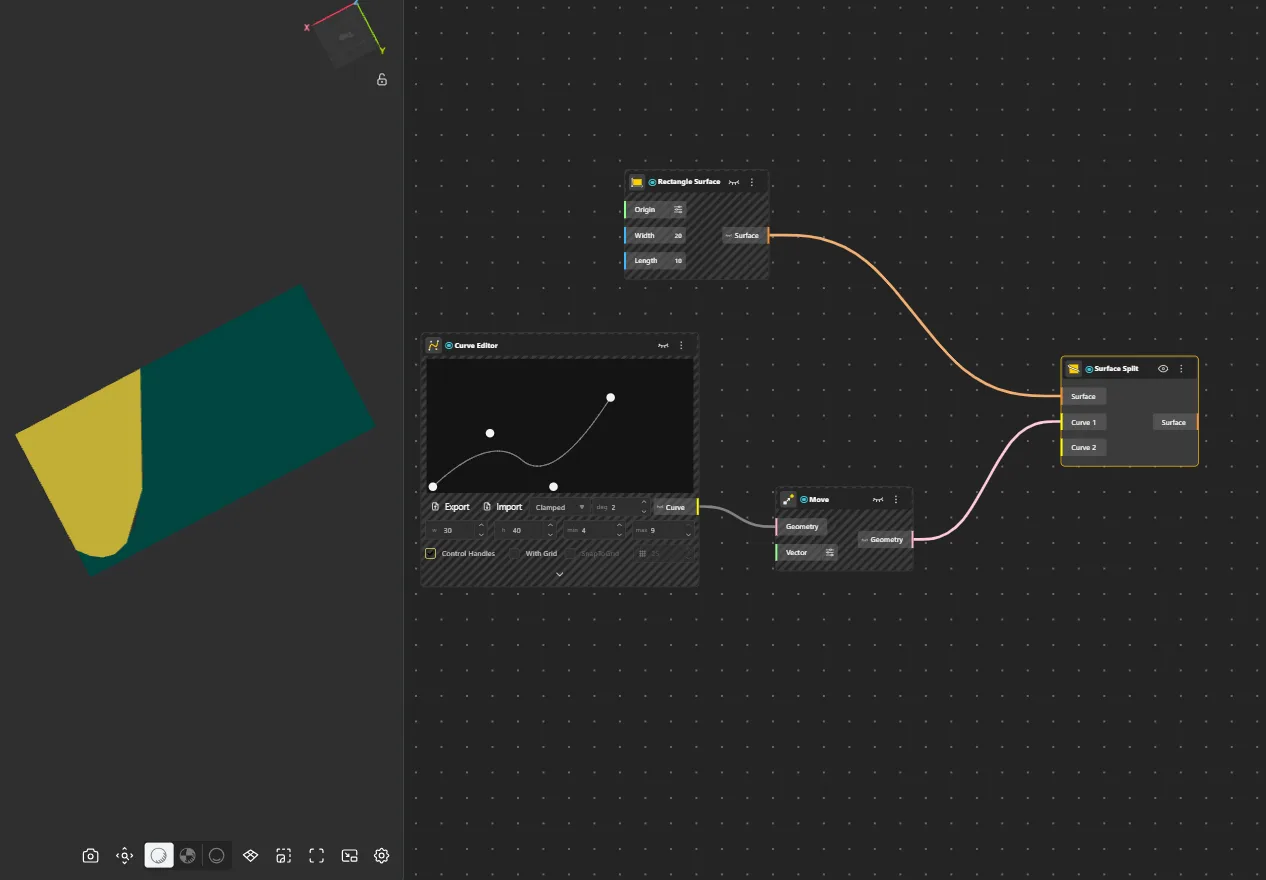
Surface Split
Behavior
Cuts a surface using curves or other surfaces as cutters, producing multiple smaller surface pieces.
Inputs
Surface, Cutter
Outputs
Pieces
Solid
Boolean operations on 3D solids - merge, intersect, subtract, glue, and split.
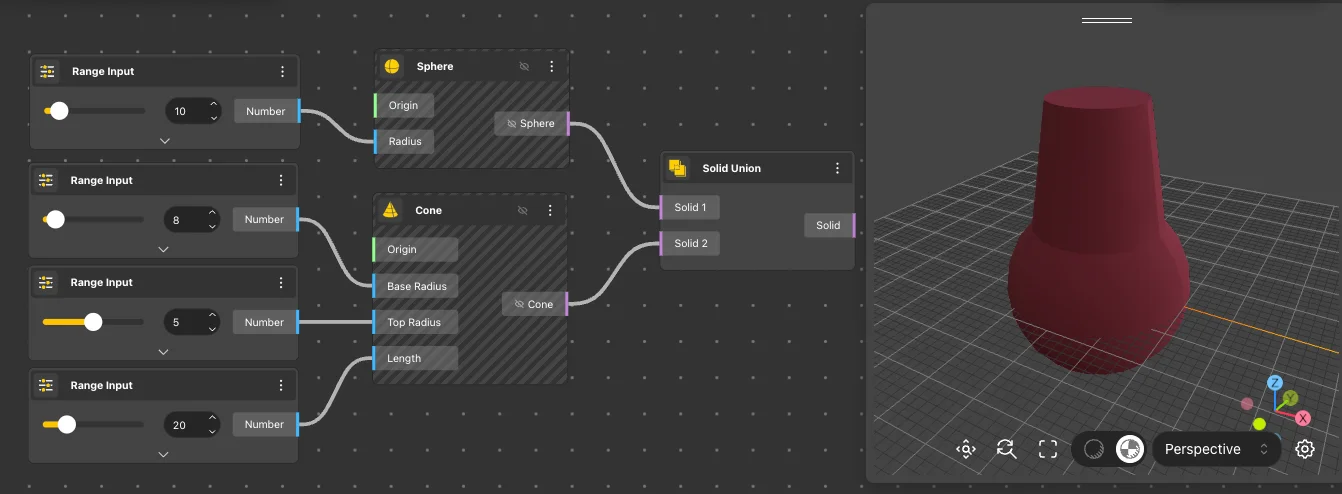
Solid Union
Behavior
Combines multiple solids into a single 3D volume by merging touching or overlapping regions into one clean body.
Inputs
Solids
Outputs
Solid
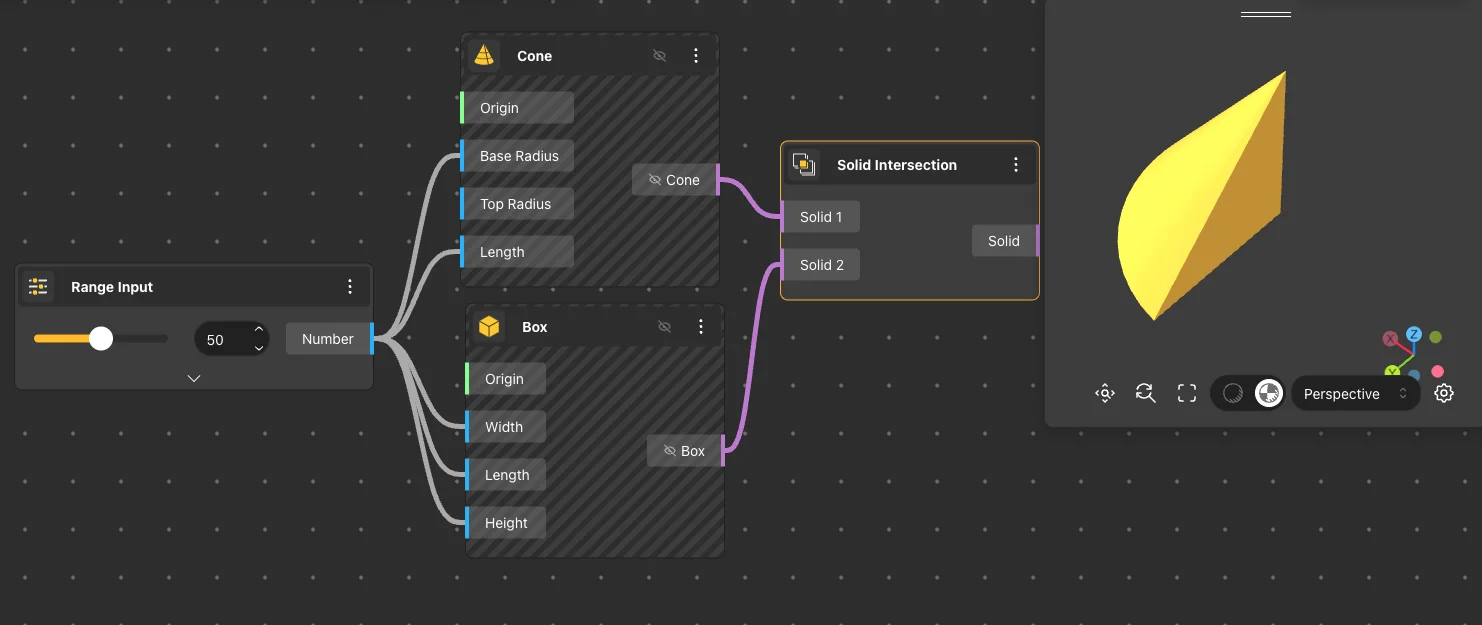
Solid Intersection
Behavior
Extracts only the shared 3D volume where all input solids overlap. Returns the common region.
Inputs
Solids
Outputs
Solid
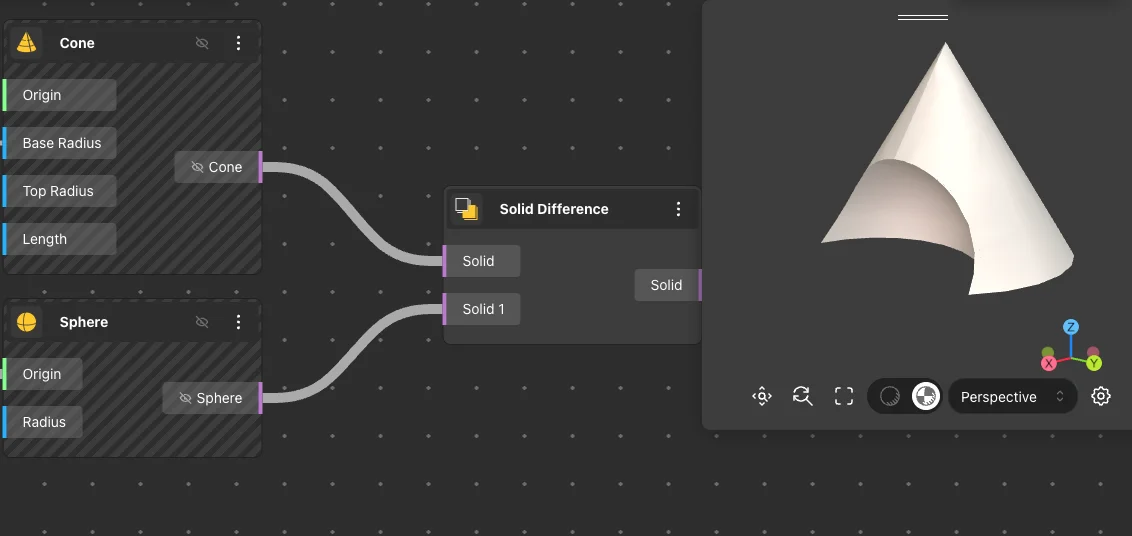
Solid Difference
Behavior
Subtracts secondary solids from the primary (first) solid, removing their overlapping volume. The first input is retained, others are cut away. Input order is critical: Port 1 = shape to keep, Port 2+ = volumes to remove. This is the primary way to create holes, slots, and cutouts. Example: connect a Box to Port 1 and a Cylinder to Port 2 to drill a round hole through the box. Additional cut shapes can be added via "add port".
Inputs
Solids
Outputs
Solid
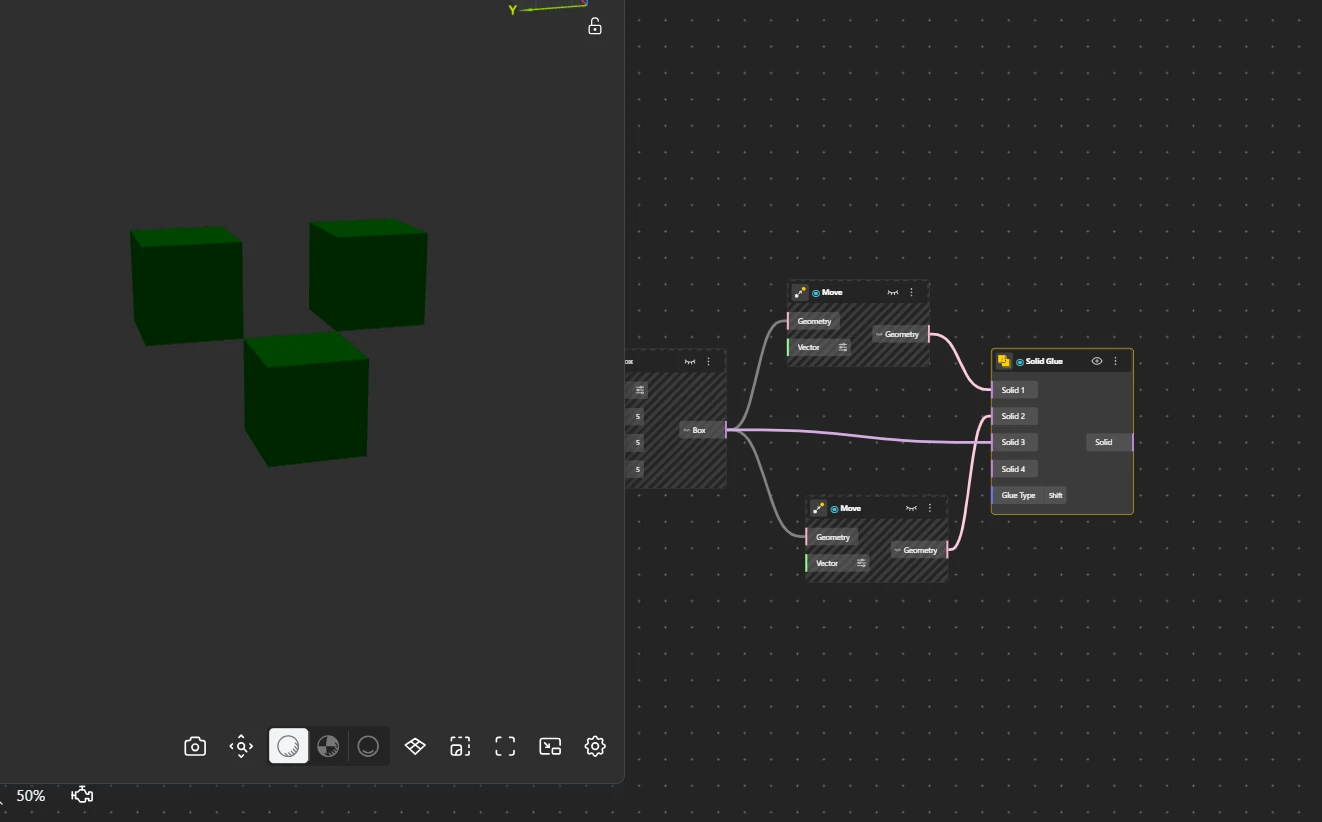
Solid Glue
Behavior
Optimized solid merging for components that touch at faces without penetrating each other. Skips heavy intersection calculations for much faster assembly than Solid Union - dramatically faster in parametric workflows where solids meet cleanly. Example: a table top sitting on 4 legs. Glue Type has two modes: Full - use when the touching faces share exact vertices with no gap or misalignment. Shift - use when there's a slight offset or tolerance gap between the faces; the node snaps them together within a small tolerance. If the solids actually penetrate each other or don't touch at all, Glue produces no output - use Solid Union instead.
Inputs
Solids, Glue Type
Outputs
Solid
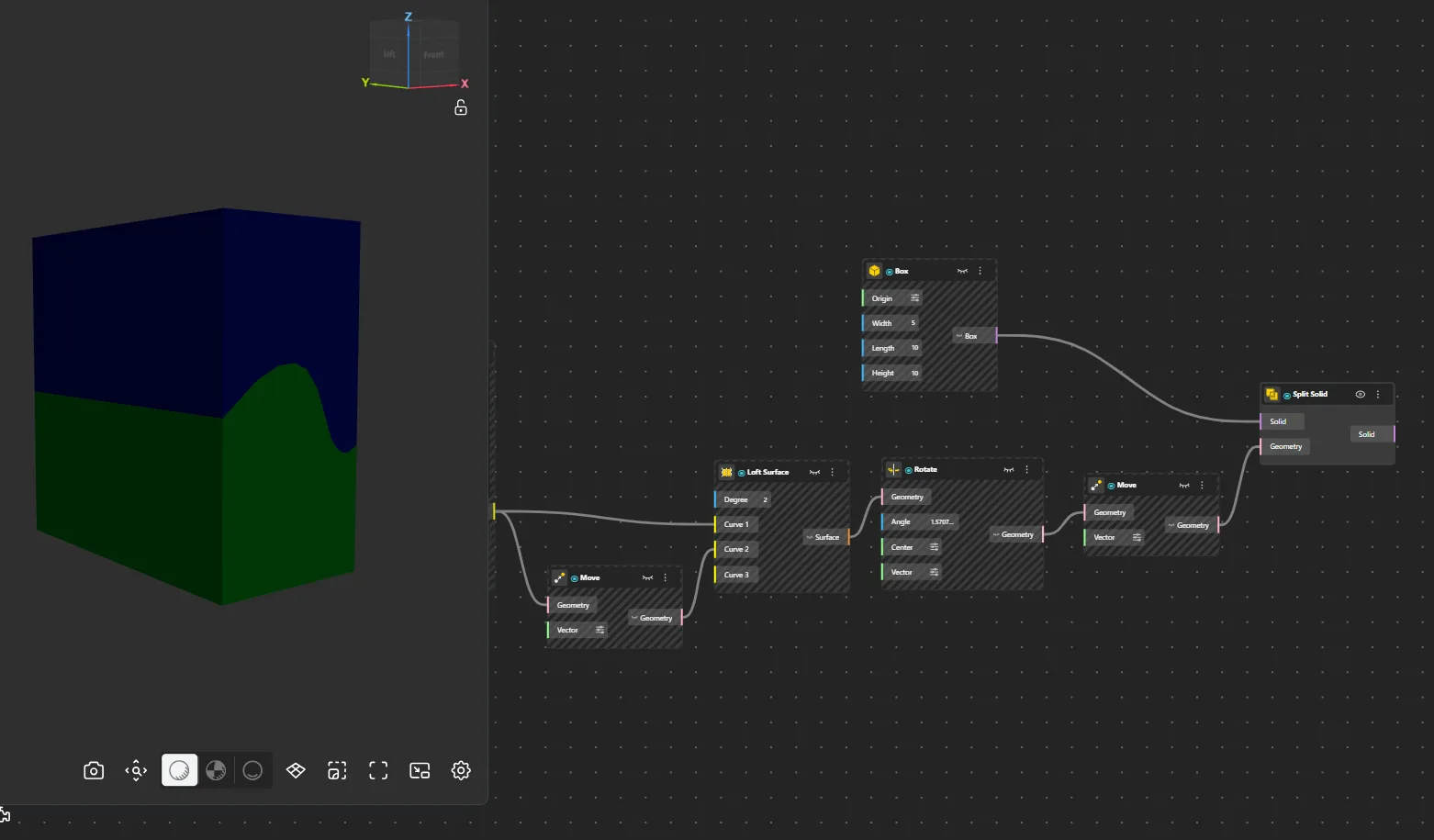
Split Solid
Behavior
Cuts a solid using another solid or surface as a cutter. Returns all separated pieces from the cut.
Inputs
Solid, Cutter
Outputs
Pieces
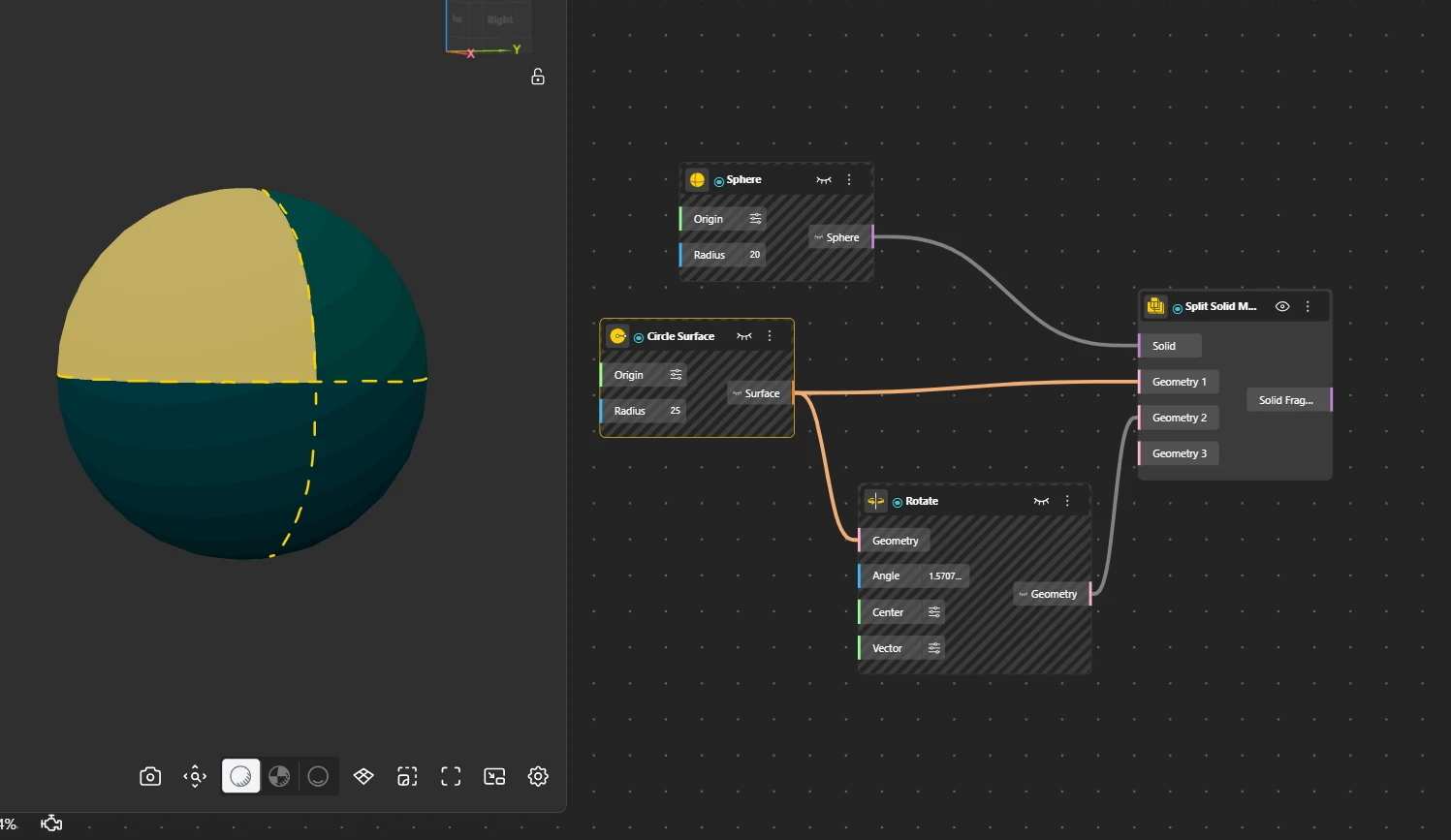
Split Solid Multiple
Behavior
Cuts a solid using multiple cutters simultaneously, producing all fragments from every cut in a single operation.
Inputs
Solid, Cutters
Outputs
Pieces