Solids
Solid primitives and surface extrusions - the volumetric building blocks of a parametric 3D model.
24 nodes in this group
Nodes
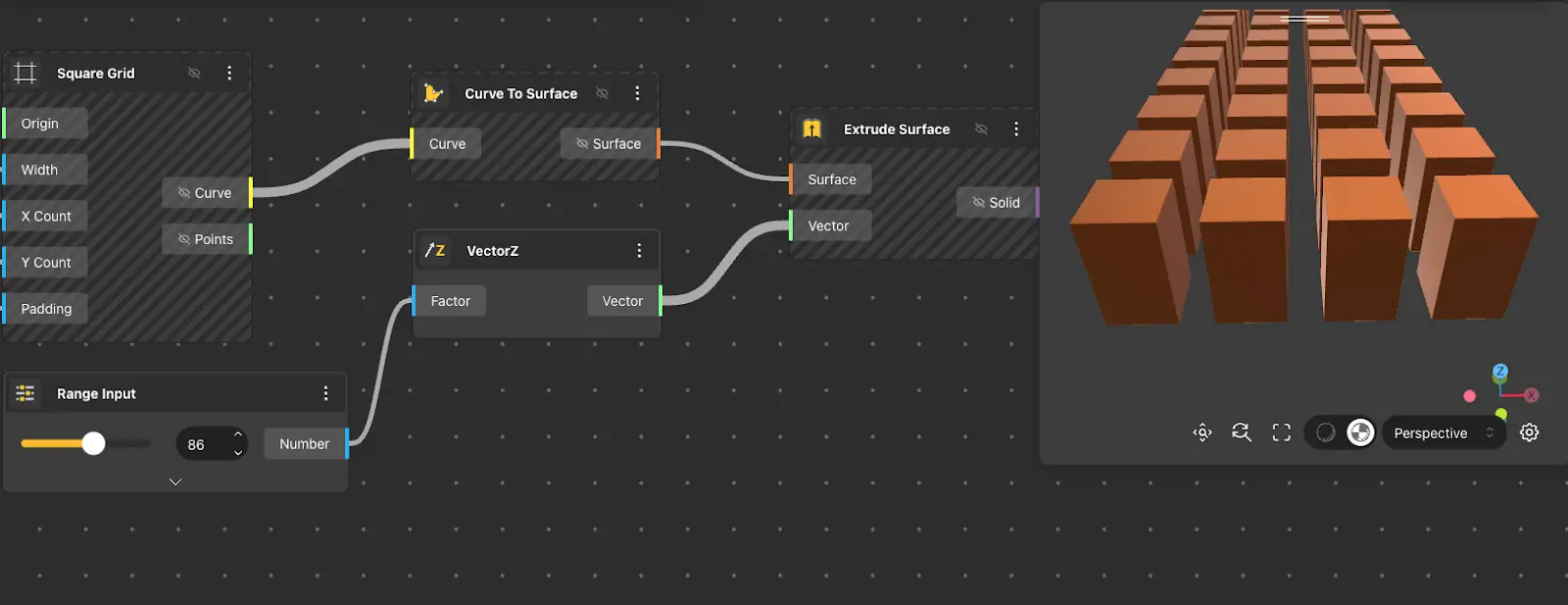
Extrude Surface
Behavior
Extends a surface along a vector to produce a solid. The vector determines both the direction and the depth of the extrusion, so feeding it a longer vector makes a taller solid. Useful for turning a flat or curved surface into volumetric geometry without rebuilding it from primitives.
Inputs
Surface, Vector
Outputs
Solid
Pairs With
Curve To Surface, Construct Vector, Boolean Operations
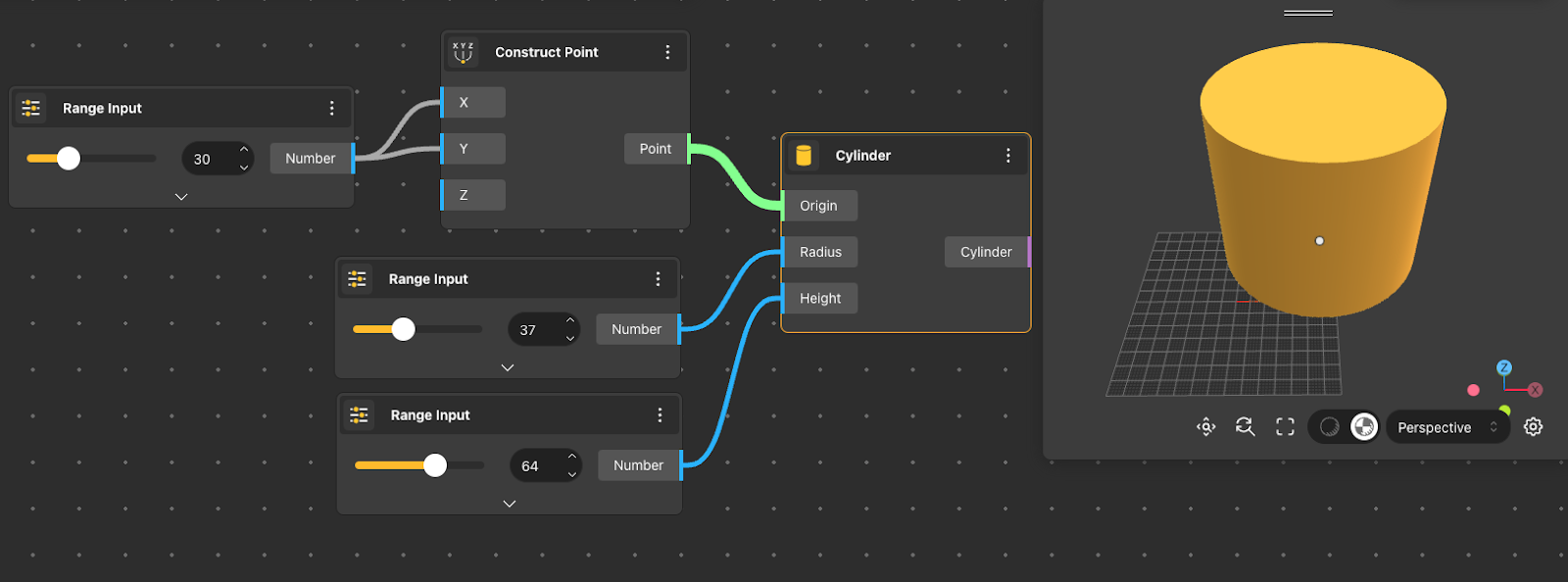
Cylinder
Behavior
Builds a cylinder from a base center point, radius, and height. The cylinder grows upward from the base along the Z axis - use Move or Rotate afterwards to reposition it. Height must be non-zero; radius must be positive.
Inputs
Origin, Radius, Height
Outputs
Solid
Pairs With
Construct Point, Render, Boolean Operations
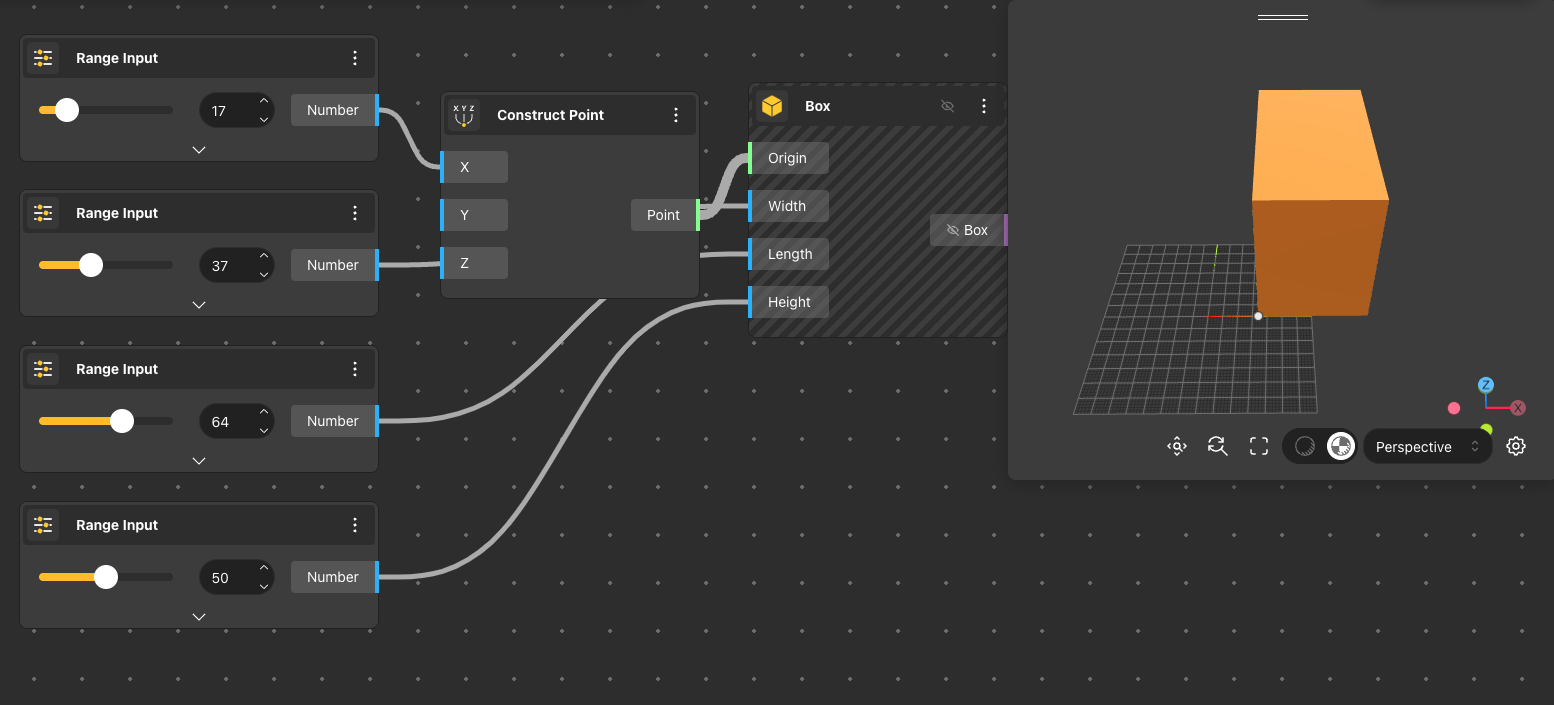
Box
Behavior
Constructs a rectangular solid anchored at a corner point, extending by the given width, length, and height along the positive X, Y, and Z axes. The Origin defines the minimum corner of the box, not its center - use Box By Center when the center is the natural anchor.
Inputs
Origin, Width, Length, Height
Outputs
Solid
Pairs With
Construct Point, Render, Boolean Operations
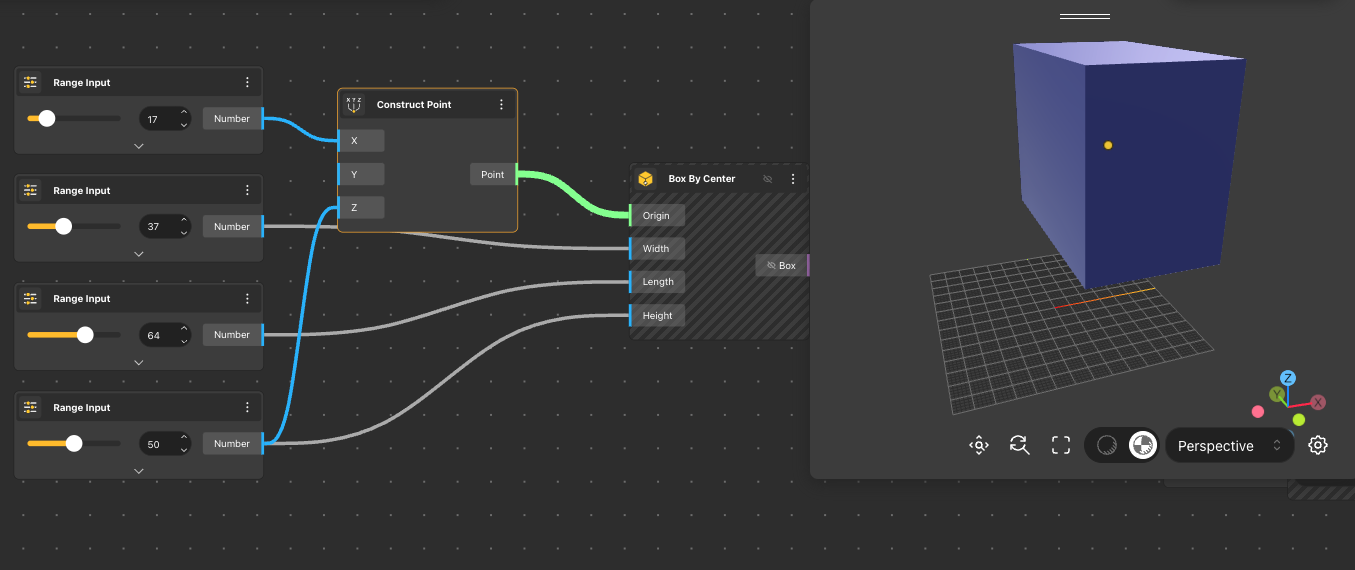
Box By Center
Behavior
Constructs a rectangular solid centered on the given point, with the specified width, length, and height distributed symmetrically around it. Equivalent to Box but anchored at the center instead of a corner - preferable when the placement logic is built around the middle of the solid.
Inputs
Origin, Width, Length, Height
Outputs
Solid
Pairs With
Construct Point, Render, Boolean Operations
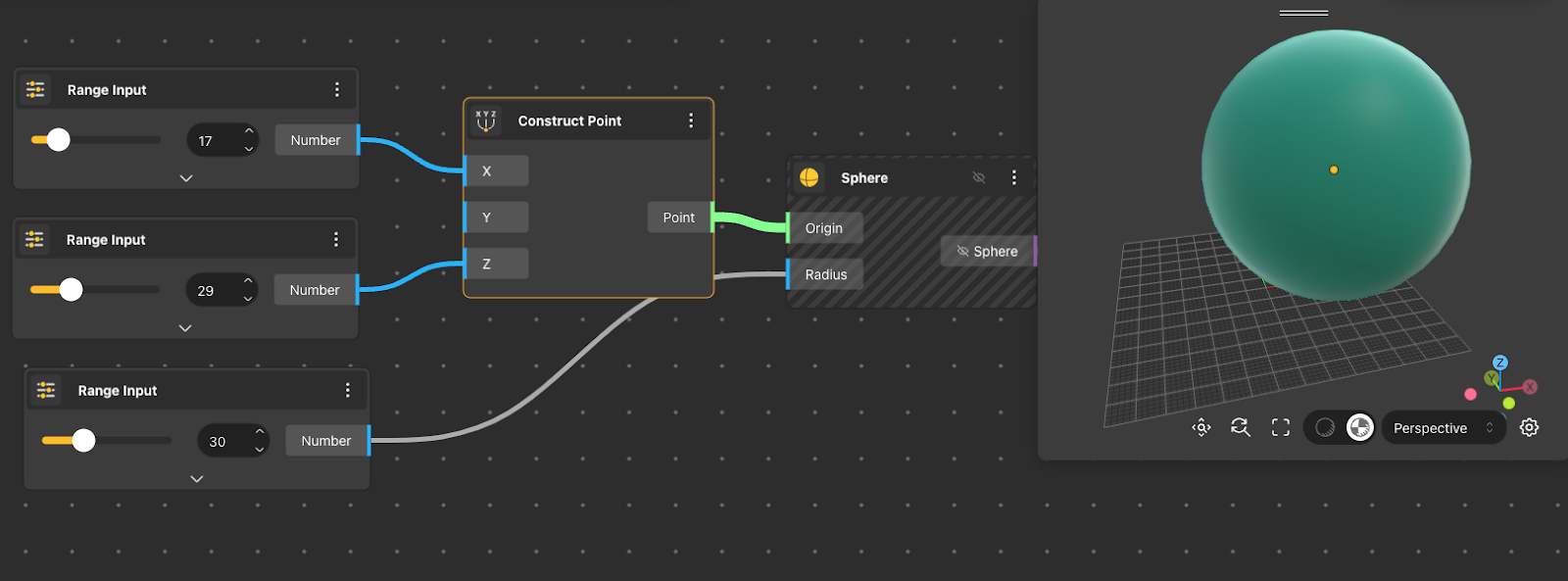
Sphere
Behavior
Generates a sphere centered at the given point with the specified radius. The resulting surface is watertight and can feed directly into Boolean Operations, Array, or Render nodes.
Inputs
Origin, Radius
Outputs
Solid
Pairs With
Construct Point, Render, Boolean Operations
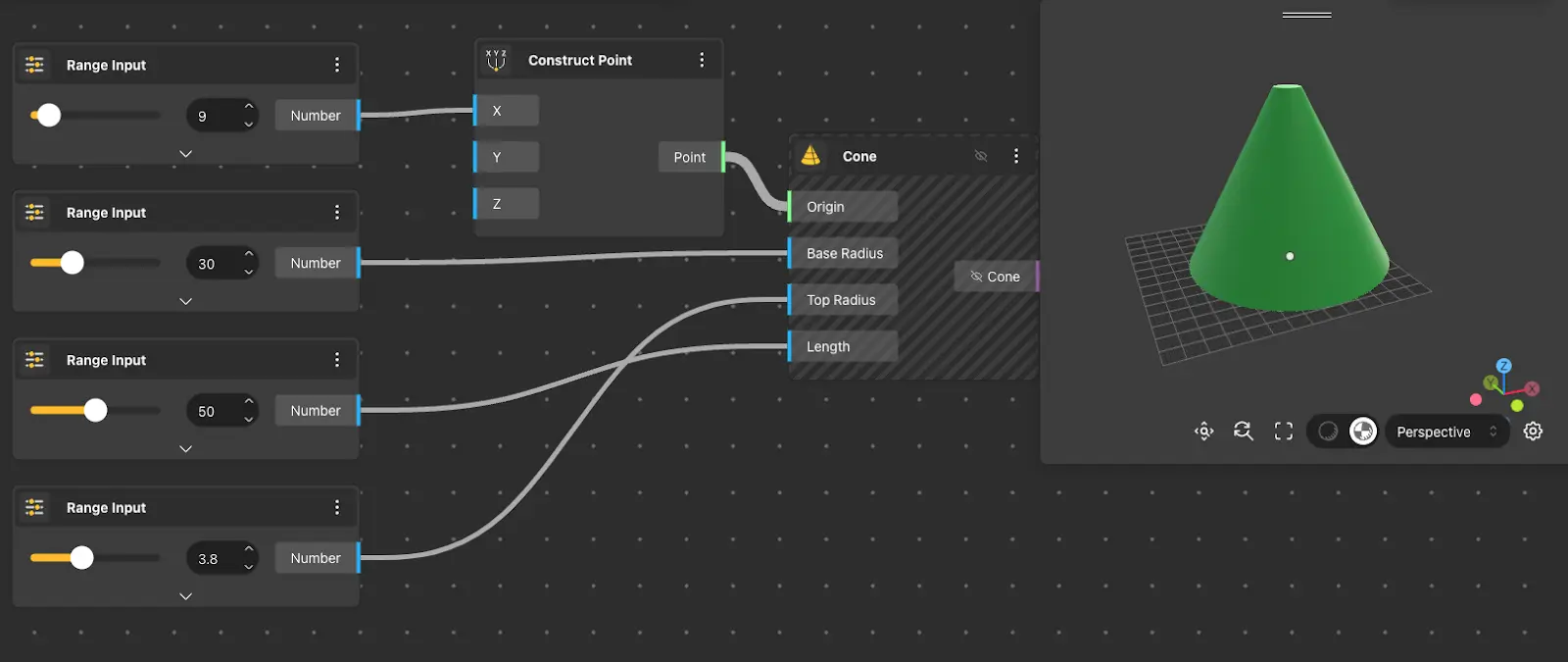
Cone
Behavior
Builds a cone or truncated cone from a base center, base radius, top radius, and height. Setting the top radius to zero produces a classic pointed cone; any positive value produces a frustum. The cone extends upward along the Z axis from the base point.
Inputs
Origin, Base Radius, Top Radius, Length
Outputs
Solid
Pairs With
Construct Point, Render, Boolean Operations
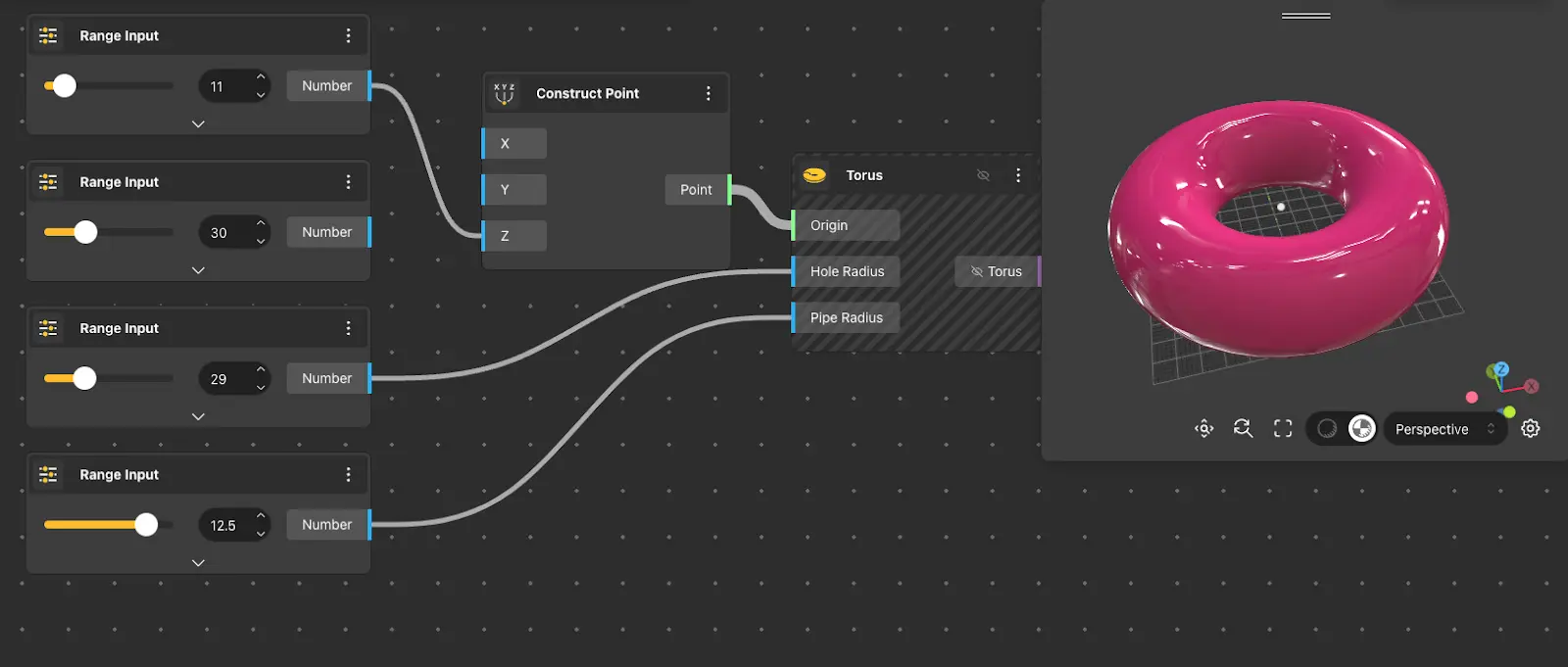
Torus
Behavior
Produces a torus - a ring-shaped solid formed by rotating a circle around an axis. The hole radius controls the distance from the center to the middle of the pipe; the pipe radius controls the thickness of the ring itself. A pipe radius larger than the hole radius creates a self-intersecting torus.
Inputs
Origin, Hole Radius, Pipe Radius
Outputs
Solid
Pairs With
Construct Point, Render, Boolean Operations
Box By 2 Points
Behavior
Creates a box solid from two points - the first and second corners. Default: Point 1 {0,0,0}, Point 2 {10,10,10}.
Inputs
Point 1, Point 2
Outputs
Box
Sphere 4Pnt
Behavior
Creates a sphere from four points. Besides the sphere solid it returns the sphere origin and radius. Default points: {-10,0,0}, {0,0,0}, {0,10,0}, {0,0,10}.
Inputs
Point 1, Point 2, Point 3, Point 4
Outputs
Sphere, Origin, Radius
Pyramid
Behavior
Creates a pyramid solid from the center of its base, the width and length of the base, and a height. Default: Origin {0,0,0}, Width 10, Length 10, Height 10.
Inputs
Origin, Width, Length, Height
Outputs
Pyramid
Truncated Pyramid
Behavior
Creates a truncated pyramid (frustum) solid from the center of its base, the width and length of the base and of the top, and a height. Default: Origin {0,0,0}, Base Width 10, Base Length 10, Top Width 5, Top Length 5, Height 10.
Inputs
Origin, Base Width, Base Length, Top Width, Top Length, Height
Outputs
Truncated Pyramid
Loft Solid
Behavior
Creates a lofted solid through a set of section surfaces. An optional guide curve (spine or rail) controls the loft direction. Config ports: Degree (maximum degree of the resulting solid, default 2), Condition (continuity at the first and last profile: Free, Tangent, Normal, or Smooth; default Free), Parametrization (how sections are parametrized: Chord Length, Centripetal, or Iso Parametric; default Chord Length), Ruled (linear interpolation between sections, default false), and Closed (connects the last section back to the first, default false).
Inputs
Surface 1, Guide Curve 1
Outputs
Solid
Revolve Solid
Behavior
Revolves a closed profile curve around an axis to create a solid body. The axis is set by a point on it and a direction; Start Angle and End Angle set how far the profile revolves (use 2*PI for a full revolve). Default: Axis Origin {0,0,0}, Axis Direction {0,1,0}, Start Angle 0, End Angle 2*PI.
Inputs
Profile, Axis Origin, Axis Direction, Start Angle, End Angle
Outputs
Solid
Sweep Solid
Behavior
Sweeps a closed profile along a path curve to create a solid body. Config ports: Twist Angle (total rotation in degrees applied along the path, default 0), Orientation (Follow Path, Keep Fixed, or Parallel Transport; default Follow Path), and Start Scale and End Scale (profile scale factor at the beginning and at the end of the path, default 1).
Inputs
Profile, Path
Outputs
Solid
Pipe Solid
Behavior
Creates a solid pipe or rod by sweeping a circular section along a path that forms the pipe centreline. Outer Radius is the outside radius (default 10); Inner Radius is the inside radius (default 0) - use 0 for a solid rod.
Inputs
Path, Outer Radius, Inner Radius
Outputs
Solid
Coil Solid
Behavior
Creates a helical spring solid from a circular wire section. Default: Origin {0,0,0} (centre of the coil at its base), Axis {0,0,1}, Diameter 40 (centreline diameter), Pitch 10 (distance between adjacent turns), Turns 5, Wire Diameter 4. The Left Hand config port builds a left-handed coil (default false).
Inputs
Origin, Axis, Diameter, Pitch, Turns, Wire Diameter
Outputs
Solid
Solid Area
Behavior
Measures the area of a solid.
Inputs
Solid
Outputs
Area
Solid Iso Curves
Behavior
Constructs {u} and {v} iso curves on a solid. Curve U returns the iso curves in the u direction and Curve V those in the v direction. Default Point UV: {5,5,5}.
Inputs
Solid, Point UV
Outputs
Curve U, Curve V
Solid Edges
Behavior
Extracts the edge curves of a solid. Edges returns the solid edges; Face Edges returns the edges of the surface faces.
Inputs
Solid
Outputs
Edges, Face Edges
Box Corners
Behavior
Extracts all eight corners of a box. Point A is the corner at {x min, y min, z min}, Point B at {x max, y min, z min}, Point C at {x max, y max, z min}, and Point D at {x min, y max, z min}; Points E to H are the corresponding corners on the max-Z side.
Inputs
Solid
Outputs
Point A, Point B, Point C, Point D, Point E, Point F, Point G, Point H
Box Properties
Behavior
Gets some properties of a box: its center point, diagonal vector, area, and volume.
Inputs
Solid
Outputs
Point, Vector, Area, Volume
Deconstruct Solid
Behavior
Deconstructs a solid into its constituent parts: its faces as surfaces, its edges as curves, and its vertices as points.
Inputs
Solid
Outputs
Surfaces, Curves, Points
Extract Face By Plane
Behavior
Extracts the faces and edges of a solid or surface that lie on a given plane. Surfaces returns the extracted faces and Curves the edges that lie on the plane. Default plane: XY.
Inputs
Geometry, Plane
Outputs
Surfaces, Curves
Offset Solid
Behavior
Offsets a solid by a specified distance (Offset Size, default 2). Config ports: Side (offset one side or two, default false) and Offset Type (Arc, Tangent, or Intersection; default Arc).
Inputs
Solid, Offset Size
Outputs
Solid